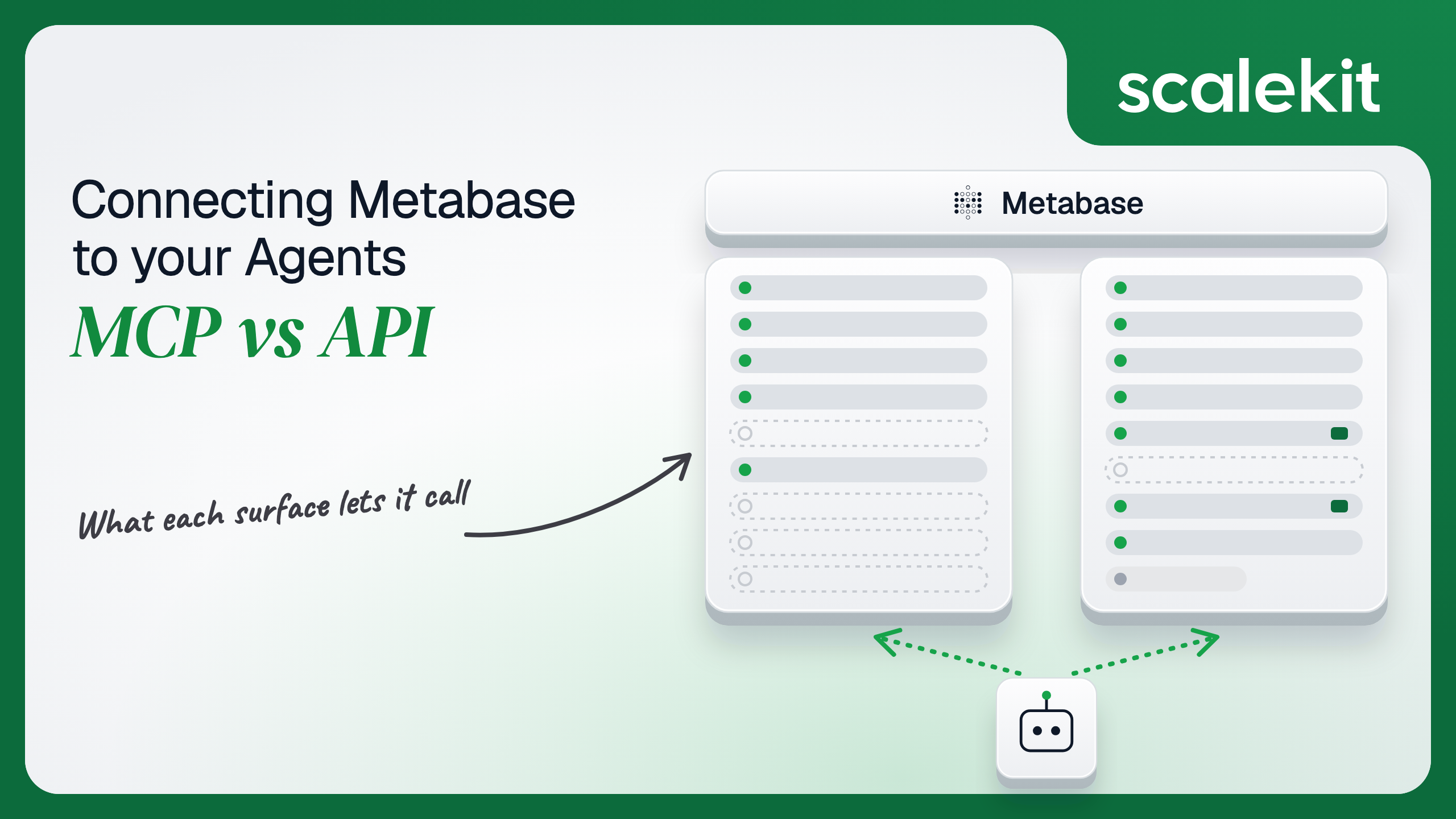


Metabase now ships an MCP server inside the product, served from every customer's own instance, and a REST API that has been there for years. They overlap on search, browse and query, and diverge on almost everything administrative. The bigger difference is identity: MCP acts as the person who signed in, while an API key acts as a group. This guide compares what each path lets an agent do, the credential each one puts you on, and how to run either across many customer instances in production.
Your agent needs to answer questions from your customers' Metabase instances: run the saved "Weekly revenue" question, pull a number off the exec dashboard, or find which collection holds the churn model. Metabase now ships an MCP server inside the product and a REST API that has been there for years. They overlap on search, browse, and query, and diverge on almost everything administrative. The bigger difference is identity: MCP acts as the person who signed in, while an API key acts as a group. Your customers also run Metabase on their own infrastructure, on different versions, so "the Metabase MCP server" is really one server per customer instance. Here's how to pick.
The Model Context Protocol (MCP) server is built into Metabase, not hosted separately by Metabase Inc. Each instance serves it at https://{your-metabase}/api/metabase-mcp, so every customer instance runs its own server at its own address. Metabase 60 (April 16, 2026) introduced "the official Metabase MCP server," and Metabase 64 (October 15, 2026) gave it a major upgrade with more tools, a glossary lookup, and MCP analytics. Metabase 64 says the server is "available on every plan, including open source."
An admin turns it on in Admin > AI > MCP; it stays off if Disable all AI features is on. No AI provider is needed, because the client brings the model. Clients authenticate with OAuth 2.0 against an embedded authorization server, with endpoint discovery, Dynamic Client Registration, and a Metabase consent page. Docs: Metabase MCP server and MCP server tools.
The REST API is the same API the Metabase frontend uses: /api/card for saved questions, models, and metrics; /api/dashboard; /api/dataset for running queries; /api/collection; /api/database and /api/table for the data model; /api/search; /api/notification for alerts and subscriptions; and /api/user and /api/permissions for administration. Every instance serves live OpenAPI docs at /api/docs.
Metabase is direct about stability: "We don't version the Metabase API." Three auth methods exist. API keys, added in Metabase 49, go in the X-API-Key header and carry the permissions of the one group they are assigned to. Session tokens come from POST /api/session with a username and password and go in the X-Metabase-Session header. JWT works on Pro and Enterprise. Metabase also exposes a versioned Agent API under /api/agent/v1 that powers the MCP server. Docs: Metabase API.
The split is clean. MCP is the analyst's surface: find content, query it, chart it, and save the useful results as questions and dashboards. The API is the operator's surface: everything MCP does, plus deletes, schema syncs, metadata edits, revisions, Actions, and user administration.
Metabase's query objects are hard for a model to write by hand. The Scalekit tool descriptions say it plainly: Metabase treats dataset_query as opaque, and the safest approach is to copy one from an existing card. Since Metabase 57, the API returns queries in MBQL 5 by default. An agent on the API path that builds a grouped, filtered query from scratch has to learn that format, the numeric table and field IDs, and the parameter targeting syntax.
The MCP server absorbs that. execute_query accepts a structured query built from IDs returned by browse_data, validates it with validate_only, and returns a query_handle that visualize_query and question_write can reuse without resending the query. execute_sql binds caller values through template_tag_values as prepared-statement parameters instead of string splicing. Writing the schema is the hard part. Not the API call.
The tradeoff is reach. MCP has 23 tools and no path to deletes, data model admin, or Actions, and Metabase notes the MCP server has a narrower set of tools than its own Metabot.
The MCP path triggers a browser consent flow on the customer's own Metabase. The client discovers the OAuth endpoints, registers itself through Dynamic Client Registration, and the user approves five scopes: agent:content:read, agent:content:write, agent:query:run, agent:sql:run, and agent:delivery:write. Metabase states that a scope never grants more than the user's Metabase permissions allow: agent:sql:run cannot run SQL on a database where the user lacks native query rights. What the user can't do, the agent can't do.
Admins get two further controls. They can switch off the MCP server, or only raw SQL through it, for the whole instance, and on Pro and Enterprise they can limit which MCP tools each group can use. A real constraint follows from the design: OAuth discovery depends on the instance's Site URL. If a self-hosted Metabase reports an internal hostname, clients register and then fail the handshake.
An API key is created in Admin settings, assigned to exactly one group, shown once, and, per the Metabase 49 release notes, "not tied to a password, don't expire." Metabase's Agent API docs make the identity consequence explicit: "Unlike session or JWT authentication, API key requests aren't scoped to an individual user." If a customer assigns the key to the Administrators group, the agent can sync schemas, delete dashboards, and read every collection, for whoever is talking to it.
A session token acts as a real user, but getting one means sending that user's password to POST /api/session. Sessions last 14 days by default (MAX_SESSION_AGE), and Metabase's own guidance recommends API keys over sessions for scripts. JWT gives per-user identity without passwords, but it requires a Pro or Enterprise plan and the customer's JWT signing secret, which most customers will not hand to a third-party agent.
None of the three is a per-user, consent-based grant that a SaaS agent can obtain from each end user. The closest approximation is a dedicated API key per customer, assigned to a purpose-built group with only the collections and databases the agent needs.
In a multi-tenant B2B agent, MCP's OAuth flow gives you a token per user. Direct API calls give you a credential per user or per group. In neither case does the path itself solve storage, rotation, or revocation; those are infrastructure problems regardless of which path you choose.
Metabase adds an instance dimension. Every customer runs their own Metabase at their own URL, on their own version, with their own groups. A credential is meaningless without the instance it belongs to, and a key for one customer's instance must never be sent to another's.
Recommended reading: OAuth vs API keys for AI agents
Metabase owns the tool schemas, the query validation, and the chart rendering. You own the per-user OAuth tokens, one set per user per customer instance, and the connection details for each instance. Results are paged: execute_query and execute_sql return 100 rows by default and at most 2,000 per call, with a next_cursor for the rest, and query handles expire after 24 hours by default.
Visibility depends on the customer's plan. On Pro and Enterprise, admins see every MCP call by tool, client, and user under Monitor > AI Auditing > MCP analytics. On every plan, Admin > AI > MCP > Authorizations logs which clients registered and which users approved or denied them. MCP calls do not appear in Metabase's AI usage auditing, because they don't go through Metabot.
You own everything, starting with row caps. Queries through the API return at most 2,000 rows for unaggregated queries (MB_UNAGGREGATED_QUERY_ROW_LIMIT) and 10,000 for aggregated ones (MB_AGGREGATED_QUERY_ROW_LIMIT) by default, and the customer's admin can change both. Exports go up to 1,048,575 rows. An agent that silently receives the first 2,000 rows and summarizes them as the whole table is wrong in a way no error message will reveal, so check row_count against the cap.
Metabase does not document a request rate limit for the REST API. The ceiling you hit is the customer's warehouse, because every /api/dataset call runs a real query against it. Cache metadata calls like metabase_database_metadata_get per session, and prefer metabase_card_query on saved, cached questions over fresh SQL.
On auth, an API key never expires, which means it is never rotated unless someone regenerates it, and a regenerated key fails every request until you store the new one. If the key's group is deleted, Metabase keeps the key working and moves it to the All Users group, which quietly changes what your agent can see.
The MCP surface is versioned with Metabase itself. Clients connected before Metabase 64 have to sign in again after the upgrade, and tools arrive or change per release. Because each customer upgrades on their own schedule, your agent will meet several MCP tool sets at once across its customer base.
The REST API is unversioned by design. Metabase publishes breaking changes in its API changelog: /api/pulse and /api/alert are slated for removal, single-question alerts moved to /api/notification in Metabase 54, and dataset_query switched to MBQL 5 in Metabase 57. Scalekit's tools reflect this; metabase_notifications_list requires Metabase 53 or later, and metabase_card_get takes legacy_mbql=true to return the older format. Pin your expectations per customer instance, not per Metabase release.
Pick MCP and every user produces an OAuth grant against their own company's Metabase instance. Pick the API and every customer produces at least one API key, usually created by their Metabase admin and pasted into your product. Neither path hands you a vault, a rotation schedule, or a revocation hook.
Run the numbers. 40 customers with 6 analysts each is 240 Metabase OAuth grants on the MCP path, spread across 40 instance URLs. On the API path, the same 40 customers is 40 or more API keys that never expire, each bound to a group whose permissions the customer's admin can change at any time. Every credential must be encrypted at rest, bound to its user, customer, and instance URL, kept out of logs and LLM context, and revoked when an analyst leaves or a customer churns.
The tempting shortcut is one Administrators-group key per customer. It collapses the credential count and expands the blast radius: every user of your agent now holds admin rights on that customer's Metabase.
Scalekit's Metabase connector stores each user's Metabase API key in the token vault and sends it with every call, so the MCP vs API decision doesn't change your auth infrastructure. Your agent passes an identifier; the key never enters the agent runtime or the LLM context.
Recommended reading: why a token vault matters for AI agent workflows
Scalekit's metabase connector is an API-path connector built by Scalekit, with 77 tools: 42 read, 30 write, and 5 destructive. It authenticates with a Metabase API key. Each user connects their own key once through a Scalekit-hosted page, and Scalekit stores it as that user's connected account credential. There is no Scalekit connector for the Metabase MCP server today. Ask your customers' admins to create a dedicated key for your agent, assigned to a group with view access to the collections it needs and no admin rights.
Create a Metabase connection in AgentKit > Connections in the Scalekit dashboard. The name you give it is the connection_name your code passes, and the string must match the dashboard exactly. This is the most common integration error. Copy SCALEKIT_ENVIRONMENT_URL, SCALEKIT_CLIENT_ID, and SCALEKIT_CLIENT_SECRET from Developers > API Credentials into .env.
get_or_create_connected_account returns the user's connected account. If it is not ACTIVE, get_authorization_link returns a link to the page where the user enters their Metabase credentials. The agent never sees the key.
This is not a catalog load. The agent asks for the tools this user's connected account is authorized to call, and narrows them to the seven a dashboard Q&A agent needs. Loading all 77 Metabase tools would put five permanent-delete tools and a raw SQL tool in front of a model whose job is to read numbers off saved content.
Scalekit classes metabase_card_query and the other query-running tools as write tools, because they execute queries against the customer's database. Treat that label as a signal: every one of them costs warehouse time.
The loop runs until the model stops requesting tools. Every tool call executes with this user's Metabase API key.
For pipelines, skip the model. execute_tool runs one tool with a fixed input and returns data plus an execution_id you can log. Start each run by checking what the key can do: metabase_user_current_get returns the Metabase user the API key acts as, including is_superuser. Refusing to run on an admin key is a one-line guard.
When the agent needs SQL, keep caller values out of the query string. metabase_native_query_run takes template_tags for the {{variables}} in the SQL and parameters for their values. The key's group needs native query permission on the database, and Metabase caps results at 2,000 rows by default.
The metabase connector has 77 tools. At roughly 200 tokens per tool definition, that is about 15,400 tokens of context before the agent does any work, and the model is choosing from a decision space that includes metabase_collection_delete and metabase_action_execute, which writes to the customer's source database. The fix is not better prompting. It is surface reduction. A Scalekit virtual MCP server declares exactly which tools an agent role can see, and session tokens keep each run bound to one user's connected accounts. Docs: set up a virtual MCP server.
One server definition serves every user. Before each run, check that the user's accounts are active and mint a short-lived session token scoped to them. Any MCP client that speaks streamable HTTP can connect; this example uses langchain-mcp-adapters (pip install langchain-mcp-adapters) and passes the token as a Bearer header.
The agent sees four tools. The endpoint is static; the identity is per-user.
Every execute_tool call returns an execution_id, and every execution is attributed to a connected account, which maps to one of your users and one customer's Metabase instance. When a customer asks which agent run archived a dashboard or reverted a question, the answer is a lookup, not an investigation. Metabase's revision history records the change on its side under the identity the API key acts as; your execution log records which user and which run asked for it.
A shared key breaks the second half. If every user of your agent runs on one customer-wide key, Metabase attributes every revision to that one identity, and your side can only prove that the shared credential did it. The MCP path is better here on Pro and Enterprise, where MCP analytics lists each call by user, but that record lives in the customer's Metabase, not in your system. Shared credentials are a single-user solution. They do not survive a second user.
Recommended reading: audit trails for agent auth
If your agent is a conversational analyst that one person uses inside Claude, Cursor, or ChatGPT against their own company's Metabase, use the built-in MCP server. It enforces that person's permissions, validates queries for the model, and renders charts inline, and it is available on every plan, including open source. If your agent runs reports on a schedule, governs content across many customers, or needs deletes, schema syncs, Actions, or user lookups, use the REST API; MCP has no tools for those. Many production agents will do both.
Either way, the credential problem is the same, and that's what needs production-grade infrastructure. One OAuth grant per user per instance, or one never-expiring group key per customer: each one still has to be stored, scoped, bound to the right instance, and revoked on time.
Yes, built into Metabase itself and served from each instance under its own address. It arrived in Metabase 60 in April 2026, was rebuilt in Metabase 64 in October 2026, runs on every plan including open source, and exposes 23 tools: 11 read-only and 12 that create, change or archive content. An admin turns it on under the AI settings, and no AI provider is needed because the client brings the model.
It cannot hard-delete anything, only archive; it cannot manage users or permissions, sync schemas, edit field or table metadata, revert revisions, or run Metabase Actions that write to the source database. Metabase also notes it has a narrower tool set than its own Metabot. All of those capabilities exist on the REST API.
Through OAuth 2.0 against an authorization server embedded in Metabase, with endpoint discovery, Dynamic Client Registration and a consent page where the user approves five agent scopes for content, queries, SQL and deliveries. A scope never grants more than the user's Metabase permissions allow, and admins can disable the server, disable raw SQL, or on paid plans limit which tools each group may use.
An API key is created by an admin, assigned to exactly one group, shown once, and never expires. Requests made with it are not scoped to an individual user, so a key assigned to the Administrators group lets the agent sync schemas, delete dashboards and read every collection for whoever is talking to it. Session tokens act as a real user but require that user's password, and JWT needs a paid plan.
When it runs headless, such as a nightly job that runs saved questions per customer and posts the numbers; when the work is content governance across many customers with archives or permanent deletes; when it needs schema syncs, metadata edits, revision reverts, Actions or user lookups; or when a customer has switched the MCP server or all AI features off.
The Metabase connector exposes 77 REST API tools and authenticates with a Metabase API key that each user connects once through a hosted page. Scalekit stores it in the token vault and sends it with every call, the current-user tool reveals whether a key carries admin rights so a pipeline can refuse it, a virtual MCP server narrows the tools per agent role, and every execution is attributed to that user and instance.
Browse the Scalekit Metabase connector and the Metabase connector docs with the full tool list. See Scalekit pricing, or talk to us.