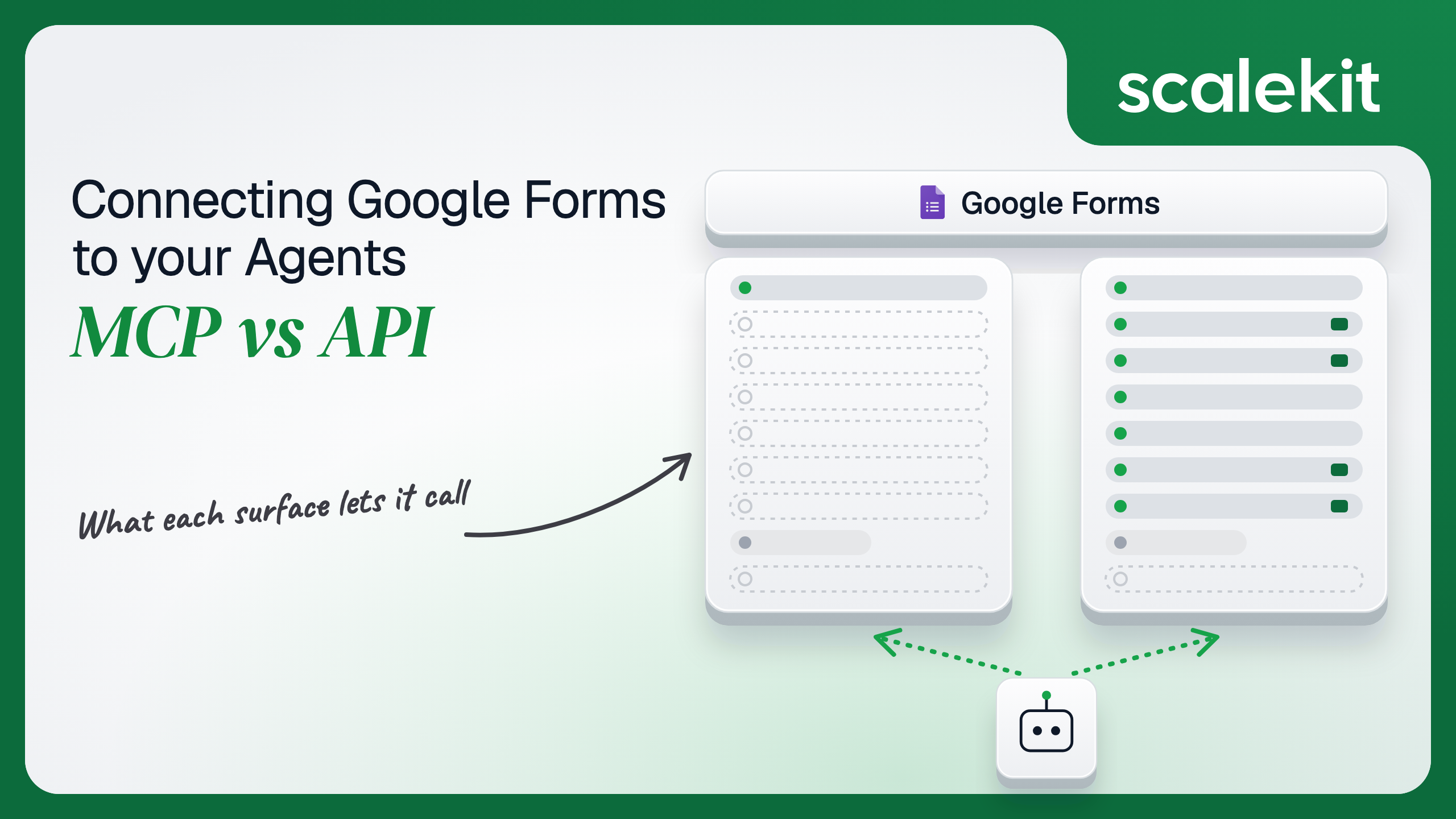


Google has no first-party MCP server for Google Forms. Its Workspace MCP servers cover Gmail, Drive, Docs, Sheets, Slides, Calendar, Chat, People, and Classroom, and Forms is not on the list, so the real choice is a community MCP server running on OAuth credentials you configure against a 10-method REST API your agent could call directly. This guide compares what each path lets an agent do, the scope choice that decides the blast radius, and how to run a Forms agent across many customer domains in production.
Your agent needs to work with your customers' Google Forms: draft an intake survey from a brief, pull every response since Monday, or flag a low NPS score the minute it lands. You have already wired Gmail, Drive, and Sheets into the agent, and Google now hosts official MCP servers for all three. You look for the Forms one and it isn't there. So the real choice is not "Google's Forms MCP vs Google's Forms API." It is a community MCP server running on OAuth credentials you configure, against a 10-method REST API your agent could call directly. Here's how to pick.
Google runs remote Model Context Protocol (MCP) servers for Workspace at *.googleapis.com/mcp/v1 endpoints, over Streamable HTTP with OAuth 2.0. The public developer preview opened on May 1, 2026. As of late October 2026, Google's Workspace MCP configuration guide lists nine servers: Gmail, Drive, Docs, Sheets, Slides, Calendar, Chat, People, and Classroom, all in Developer Preview. None of them reads or writes Forms. A form is a Drive file, so the Drive MCP server can find it with search_files and return its metadata with get_file_metadata. Nothing in that server's tool list returns a form's questions or its responses. Google also runs a documentation MCP server at https://workspace-developer.goog/mcp, which helps a coding agent look up Forms API docs and touches no form data.
For form data, the options are community servers. The most complete is google_workspace_mcp (MIT licensed, maintained by Taylor Wilsdon, not Google). It ships six Forms tools: create_form, get_form, batch_update_form, set_publish_settings, list_form_responses, and get_form_response. It runs locally over stdio or remotely over Streamable HTTP, and supports OAuth 2.1 multi-user mode and service accounts with domain-wide delegation. You bring the Google Cloud OAuth client. Google's gws CLI also builds Forms commands from the Discovery Service, but its README states that it is not an officially supported Google product.
The Forms API v1 has 10 methods. On forms: create, get, batchUpdate, and setPublishSettings. On responses: get and list. On watches: create, list, renew, and delete, which publish change notifications to a Cloud Pub/Sub topic. Everything about a form's content, including questions, sections, quiz settings, and point values, changes through batchUpdate.
Auth is Google OAuth 2.0 with six scopes: forms.body, forms.body.readonly, forms.responses.readonly, drive, drive.readonly, and drive.file. Service accounts work for forms the service account owns or has been shared on, and Google Workspace admins can grant a service account domain-wide delegation to act as users in their domain. There are no API keys for form data.
The pattern is simple. Google's official MCP servers can see that a form exists but not what is in it. The community server covers six of the ten API methods and skips watches, which is the one feature an event-driven agent needs. No path submits or deletes responses, because the API itself doesn't.
batchUpdate is where the work is. A single request is an ordered array of createItem, updateItem, moveItem, deleteItem, updateFormInfo, and updateSettings objects, each with nested question types, location.index positions, and field masks. A community MCP server hands the model a tool schema for that, so "add a 1 to 5 satisfaction scale after question two" becomes a valid call without you writing the schema.
Writing the schema is the hard part. Not the API call.
The tradeoff is ownership. The community server's schemas track the Forms API on its maintainer's schedule. When Google changed the default publish state for API-created forms, any agent that assumed new forms accept responses broke, regardless of which path it was on, and the MCP path adds one more party between you and the fix.
There is no Google-hosted Forms MCP endpoint to point an OAuth flow at, so the community server uses an OAuth client you create in your own Google Cloud project, with the Forms API enabled and the scopes you choose. In single-user mode, that is one developer's refresh token on one machine. In OAuth 2.1 multi-user mode, each user signs in through the server, and the server now holds a refresh token per user. Either way, the server you run becomes a token store, and you own its storage.
The scope it asks for decides the blast radius. forms.body lets the agent see, edit, create, and delete every form the user can access. forms.responses.readonly lets it read every response to those forms, which for an HR intake form or a customer feedback survey is personal data at scale.
Every Forms method accepts a Drive scope as an alternative to a Forms scope. That gives you a real choice. drive.file is classified by Google as non-sensitive and covers only files the app created or the user opened with the app. An agent that creates its own survey and reads its own responses can run entirely on drive.file. An agent that must read forms the user built elsewhere needs forms.body.readonly plus forms.responses.readonly. The full drive and drive.readonly scopes are restricted and bring a heavier review; avoid them for a Forms agent.
Sensitive scopes on an External OAuth app require Google's sensitive scope verification: a verified domain, a privacy policy, a written justification per scope, and a demo video. Until then, users see the unverified app screen and a user cap applies. Apps left in Testing status get refresh tokens that expire after 7 days, which quietly breaks any scheduled agent built during a pilot. Internal apps, used only by people in your own Workspace organization, are exempt from verification; a multi-tenant B2B agent is not internal.
Service accounts are the other option. A service account sees only the forms shared with it, so it suits one-off automation. Domain-wide delegation lets it impersonate any user in a customer's domain, which requires that customer's Workspace admin to grant it and turns one key file into access to every form in the organization. What the user can't do, the agent can't do. Domain-wide delegation removes that guarantee by design.
In a multi-tenant B2B agent, MCP gives you a credential per user and the direct API gives you a credential per user. In neither case does the path itself solve storage, rotation, or revocation; those are infrastructure problems regardless of which path you choose.
Google adds two wrinkles. A grant dies when the user removes your app's access or a Workspace admin blocks the app under Security > API Controls, and a watch tied to that user stops delivering notifications. And Forms permissions follow Drive permissions: when a user loses edit access to a form, the watch they created can be suspended.
Recommended reading: OAuth vs API keys for AI agents
With Google's official Workspace MCP servers, you own nothing for Forms, because they don't touch form contents. With a community server, you own more than you would with the API: the deployment, the patching, the per-user refresh tokens it stores, and the OAuth client and verification status behind it. If a third party hosts the server, your customers' Google refresh tokens live in that party's infrastructure, and a security review will ask where.
You also own the missing features. The community server has no watch tools, so an agent that must react to new responses falls back to polling list_form_responses, which spends the most constrained quota the Forms API has.
You own schemas, pagination, retries, the publish-state change, and the token lifecycle. Forms API quotas are per minute: 975 read requests per project and 390 per user per project, 375 write requests per project and 150 per user per project. responses.list counts as an expensive read, capped at 450 per project and 180 per user per project. Daily usage is unlimited. An agent that polls 200 customers' forms every minute from one Cloud project hits the project ceiling long before any single user's.
responses.list returns up to 5,000 responses per page and accepts timestamp > N or timestamp >= N in RFC 3339 UTC, which is how you fetch only what is new. Watches are the alternative to polling, with real constraints. A watch publishes to a Pub/Sub topic in a billing-enabled project, and forms-notifications@system.gserviceaccount.com needs publish rights on that topic. Each watch lasts 7 days unless renewed. A project can hold up to 20 watches per form per event type, one per end user. Notifications carry the form ID, watch ID, and event type, never the response itself, so every notification costs a follow-up responses.list call. Notifications are throttled to one per watch every 30 seconds, and repeated delivery failures mark the watch SUSPENDED.
The Forms API is versioned as v1, and Google changes behavior inside it. The clearest example is the publish settings change: through June 30, 2026, forms.create produced published forms; after that date, API-created forms start unpublished and accept no responses until setPublishSettings publishes them. Legacy forms without publish settings are not supported by that method. On the direct path, you see the change in Google's docs and update your code. On a community MCP path, you wait for the maintainer, and the model may report "form created" for a form nobody can fill in.
Both paths hand you a Google OAuth grant per user. Neither hands you a vault. A multi-tenant agent with 60 customers and 5 users each is 300 refresh tokens, each bound to one Google account, one consented scope set, and possibly one Workspace admin policy that can revoke it without telling you. Each one must be stored encrypted, refreshed before the 1-hour access token expires, kept out of logs and LLM context, and deleted when a user disconnects or a customer churns.
The token type is identical between paths, because the community MCP server runs on the same Google OAuth grant you would use directly. The tempting shortcut is one service account with domain-wide delegation per customer. That collapses 300 grants into 60 keys and turns each key into access to every form and every response in that customer's domain. Fewer secrets, larger blast radius per secret.
Scalekit's googleforms connector handles the Google OAuth flow, stores each user's tokens in the token vault, and refreshes them, so the MCP vs API decision doesn't change your auth infrastructure. Your agent passes an identifier; the token never enters the agent runtime or the LLM context.
Recommended reading: why a token vault matters for AI agent workflows
Scalekit's googleforms connector is an API-path connector with 10 tools (4 read, 5 write, 1 destructive), one for each Forms API v1 method. It authenticates with Google OAuth 2.0: each user signs in to Google once, and Scalekit stores and refreshes their tokens as that user's connected account.
The connector uses your own Google OAuth app. In the Scalekit dashboard, go to AgentKit > Connections, create a Google Forms connection, and copy its redirect URI. In Google Cloud Console, enable the Google Forms API, create a Web application OAuth client, and add that redirect URI. Paste the client ID, client secret, and scopes into the connection's Permissions field. Use forms.body.readonly and forms.responses.readonly for a read-only agent, and add forms.body only if the agent edits forms.
The connection name you choose is the connection_name your code passes, and the string must match the dashboard exactly. This is the most common integration error. Choose the External audience type if your users are outside your own Workspace organization, and add test users while the app is in Testing. Copy SCALEKIT_ENVIRONMENT_URL, SCALEKIT_CLIENT_ID, and SCALEKIT_CLIENT_SECRET from Developers > API Credentials into .env.
get_or_create_connected_account returns the user's connected account. If it is not ACTIVE, get_authorization_link returns a Google OAuth consent link. The user approves the scopes once; Scalekit exchanges the code and stores the tokens.
This is not a catalog load. The agent asks for the tools this user's connected account is authorized to call, then narrows them to the three a response-analysis agent needs. googleforms_batch_update_form and googleforms_set_publish_settings never reach the model, so it cannot rewrite a live survey or close it to responses while summarizing it.
The loop runs until the model stops requesting tools. Every tool call executes with this user's Google credential. The form ID comes from your app's config for this customer; it is the long ID in the form's edit URL.
For pipelines, skip the model. execute_tool runs one tool with a fixed input and returns data plus an execution_id you can log. This nightly job pulls only the responses submitted in the last 24 hours, using the API's timestamp filter.
Building a form is two steps, because forms.create accepts only a title and document title. Create it, read the new form's ID from the result, then add questions with googleforms_batch_update_form. Since June 30, 2026, a form created through the API is unpublished, so the last step publishes it.
For event-driven agents, googleforms_create_watch registers a RESPONSES watch on a Pub/Sub topic you own. Schedule googleforms_renew_watch well inside the 7-day window.
Sharing a form with responders or collaborators is a Drive API operation, not a Forms API one. Use Scalekit's Google Drive connector for that, under the same connected account and vault model.
The googleforms connector has 10 tools, roughly 2,000 tokens of definitions, so token bloat is not the main risk here. Overreach is. A response-summary agent that also holds googleforms_batch_update_form and googleforms_set_publish_settings can edit or close a customer's live survey on a misread instruction. A Scalekit virtual MCP server declares exactly which tools an agent role can see, and session tokens keep each run bound to one user's connected accounts. Docs: set up a virtual MCP server.
One server definition serves every user. Before each run, check that the user's accounts are active and mint a short-lived session token scoped to them. Any MCP client that speaks Streamable HTTP can connect; this example uses langchain-mcp-adapters (pip install langchain-mcp-adapters) and passes the token as a Bearer header.
The agent sees three tools. The endpoint is static; the identity is per-user. This is also the closest thing to a production Google Forms MCP server available today: an MCP endpoint backed by the Forms API, with per-user Google OAuth and a declared tool list, that you don't deploy or host.
Every execute_tool call returns an execution_id, and every execution is attributed to a connected account, which maps to one of your users and one customer. When a customer asks which agent run added a question to their compliance attestation form or closed it to responses, the answer is a lookup, not an investigation. Reads matter just as much: a form full of employee or customer responses is personal data, and your execution log is the record of which user's agent read which form, and when.
A shared credential breaks that. If every user's agent runs on one service account with domain-wide delegation, Google's side records the impersonated account, not which of your users or which agent run asked for the call, and your side can only prove that the shared key did it. Shared credentials are a single-user solution. They do not survive a second user.
Recommended reading: audit trails for agent auth
If your agent is a single user's assistant inside Claude or Cursor, drafting surveys and summarizing responses on demand, a community Forms MCP server is a reasonable start, as long as you run it on your own OAuth client and narrow its scopes. If your agent reacts to new responses, builds forms on a schedule, or serves more than one customer, build against the Forms API: you get watches, quiz grading, the publish-state change on your own timeline, and quotas you can budget. Google has not shipped a Forms MCP server alongside its other Workspace servers. If it does, the transport will change. The need to store, scope, and revoke one Google OAuth grant per user, per customer, will not, and that's what needs production-grade infrastructure.
No. As of late October 2026 Google's Workspace MCP configuration guide lists nine servers in Developer Preview, Gmail, Drive, Docs, Sheets, Slides, Calendar, Chat, People, and Classroom, and none of them reads or writes Forms. The Drive MCP server can find a form file and its metadata but not its questions or responses. Every Google Forms MCP that handles form data today is a community server wrapping the Forms API v1.
Ten methods: create, get, batchUpdate, and setPublishSettings on forms; get and list on responses; and create, list, renew, and delete on watches, which publish change notifications to a Cloud Pub/Sub topic. It cannot submit a response, delete a response, or share a form; sharing goes through the Drive API. Since June 30, 2026, forms created through the API start unpublished until setPublishSettings publishes them.
drive.file where possible: it is non-sensitive and covers only forms the app created or the user opened with it, so an agent that creates its own survey and reads its own responses can run on it alone. forms.body edits every form the user can access and forms.responses.readonly reads every response, both sensitive, which on an External app means Google's verification before a real rollout.
A watch publishes RESPONSES or SCHEMA events to a Pub/Sub topic in a billing-enabled project where the Forms notification service account has publish rights. Each watch lasts 7 days unless renewed, a project may hold up to 20 watches per form per event type, notifications carry the form, watch and event type but not the response, and are throttled to one per watch every 30 seconds. Repeated delivery failures mark the watch suspended.
When it reacts to new responses through a watch and a timestamp-filtered responses.list, when it exports new responses nightly or builds quizzes with point values for every cohort, when it needs watches, quiz grading, or Drive-based sharing that community servers do not cover in full, or when it serves many customers and must budget against 180 responses.list calls per user per minute and 450 per project.
The googleforms connector covers all 10 Forms API methods as tools and uses your own Google OAuth app with the scopes you choose. Each user signs in once, Scalekit stores and refreshes the tokens in the token vault, a virtual MCP server narrows a summary agent to read tools so it cannot edit or close a live survey, and every execution returns an execution_id attributed to that user. It is the closest thing to a production Forms MCP endpoint available today.
Browse the Scalekit Google Forms connector and the Google Forms connector docs with the full tool list. See Scalekit pricing, or talk to us.