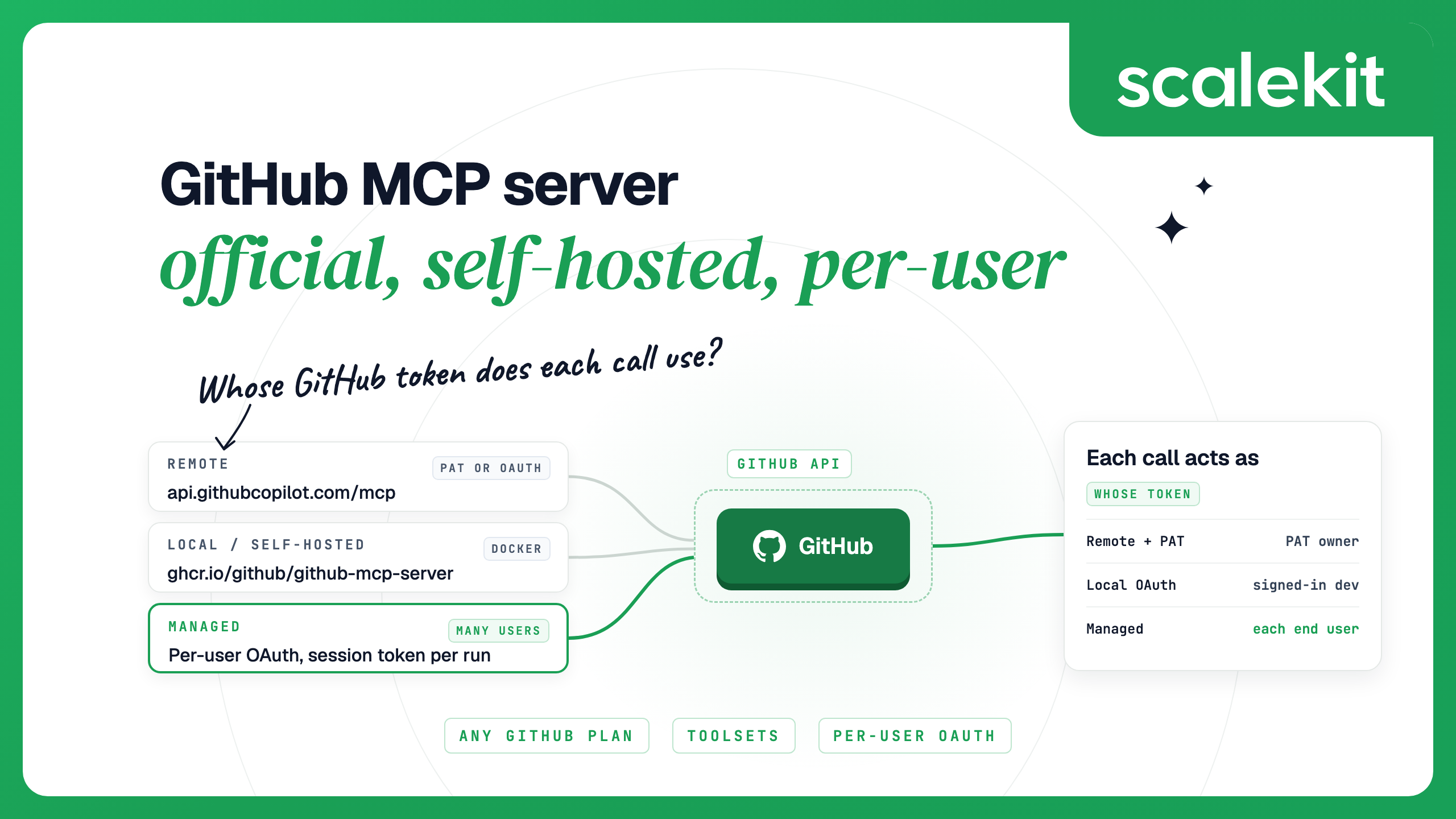


The GitHub MCP server is GitHub's own open-source MCP server, available to every GitHub user on any plan. It runs remotely at https://api.githubcopilot.com/mcp/ or locally from the ghcr.io/github/github-mcp-server Docker image, and every call acts as the GitHub user whose OAuth sign-in or personal access token (PAT) it carries. That fits one developer in an editor; a product whose agent acts for many customers needs per-user OAuth.
GitHub maintains the server in the github/github-mcp-server repository under the MIT license; the latest release is v2.0.2, published October 8, 2026. Its tools read repositories and code, manage issues and pull requests, inspect GitHub Actions runs and job logs, and read security findings such as Dependabot and code scanning alerts. Every call goes through GitHub's API with the caller's credential, so the server reaches only what that user or token can reach.
Tools are grouped into toolsets. With no configuration, the server loads five: context, repos, issues, pull_requests and users. Others, such as actions, code_security, dependabot, discussions, gists, projects and notifications, are opt-in, and all turns on every toolset. GitHub recommends enabling only what the agent needs, because fewer tools improve tool selection and leave more of the model's context free.
The hosted server lives at https://api.githubcopilot.com/mcp/ and speaks streamable HTTP. GitHub builds it from the same repository and updates it regularly. It also has tools the local server lacks: create_pull_request_with_copilot hands a task to Copilot coding agent, and the copilot_spaces and github_support_docs_search toolsets are remote only. The remote server docs list the ways to choose tools:
GitHub Enterprise Cloud with data residency uses https://copilot-api.<subdomain>.ghe.com/mcp. GitHub Enterprise Server has no hosted server, so GHES users run the server locally.
The local server runs as a stdio process from the Docker image or a release binary. It takes the same settings as flags or environment variables: --toolsets or GITHUB_TOOLSETS, --tools, --read-only or GITHUB_READ_ONLY=1, and --lockdown-mode. Its http command serves the same tools over streamable HTTP on port 8082 for containers and reverse proxies, and each request brings its own Authorization header. Run it locally when you use GitHub Enterprise Server, want to pin a version, or need the process inside your own network. Remote vs stdio MCP servers covers the general trade-off.
Yes. GitHub's setup documentation states that the server is available to all GitHub users regardless of plan type, and the code is open source under the MIT license. Tools inherit the access rules of the feature behind them: a tool that uses Copilot cloud agent needs a paid Copilot license, and code scanning on private repositories needs a GitHub Code Security license. Calls count against GitHub's normal API rate limits for the credential used, which for an authenticated user is 5,000 REST requests an hour.
Organizations on Copilot Business or Copilot Enterprise have one more switch. The "MCP servers in Copilot" policy is disabled by default and must be turned on before members can use MCP in Copilot. It does not apply to Copilot Free, Pro, Pro+ or Max users, or to third-party hosts such as Claude Code and Cursor; those are governed by organization OAuth app, GitHub App and personal access token policies.
The remote server accepts both, but OAuth needs the host application to register its own GitHub App or OAuth app. GitHub's support table by host lists OAuth and PAT support for Copilot in VS Code, Visual Studio, JetBrains IDEs, Xcode and Eclipse. Claude Code, Claude Desktop, Cursor and Windsurf connect to the remote server with a PAT, and GitHub's Codex guide does the same.
The local server can sign you in with OAuth on its own. The official binary and Docker image include a registered GitHub OAuth app for github.com, open your browser on first use, and keep the token in memory only. In Docker you publish a fixed callback port, and a device-code flow covers machines without a browser. If GITHUB_PERSONAL_ACCESS_TOKEN is also set, the PAT takes precedence. For unattended jobs, the stdio server can authenticate as a GitHub App installation using the app's private key, and acts as that installation rather than as a person.
The credential also changes which tools appear. With a classic PAT, the server reads the token's scopes at startup and hides tools it cannot use. Fine-grained PATs and GitHub App tokens show every tool and leave GitHub's API to refuse calls the token is not allowed to make. Remote OAuth sessions also show every tool; when a call needs a scope the user has not granted, the server returns a scope challenge and the client asks the user to approve it.
If you use a PAT, GitHub recommends a fine-grained token: it can be limited to specific repositories and specific permissions, and GitHub recommends giving it an expiration. GitHub's governance guide also describes PATs as user-scoped and not recommended for production automation. Enterprise Managed Users cannot use PATs unless an enterprise administrator has enabled them.
Each setup below uses the remote server with a fine-grained PAT in an environment variable named GITHUB_PAT. For a read-only setup, change the URL to https://api.githubcopilot.com/mcp/readonly.
Claude Code. The Claude Code MCP docs use this form for GitHub. Run /mcp afterwards: a working server shows a checkmark, and a bad token shows the HTTP status, such as 401.
Cursor. Add the server to ~/.cursor/mcp.json for all projects or .cursor/mcp.json for one. Cursor reads ${env:GITHUB_PAT} from your environment.
Codex. Add the server to ~/.codex/config.toml, which the Codex CLI and IDE extension share. Codex sends the variable's value as a bearer token.
Each of these runs as the GitHub account that owns the PAT. That suits your own editor, but an agent your customers use needs each customer's own credential.
Take a code review assistant inside your product. Customer A connects it to their repositories, and customer B to theirs. If the agent runs on one shared PAT or a bot account:
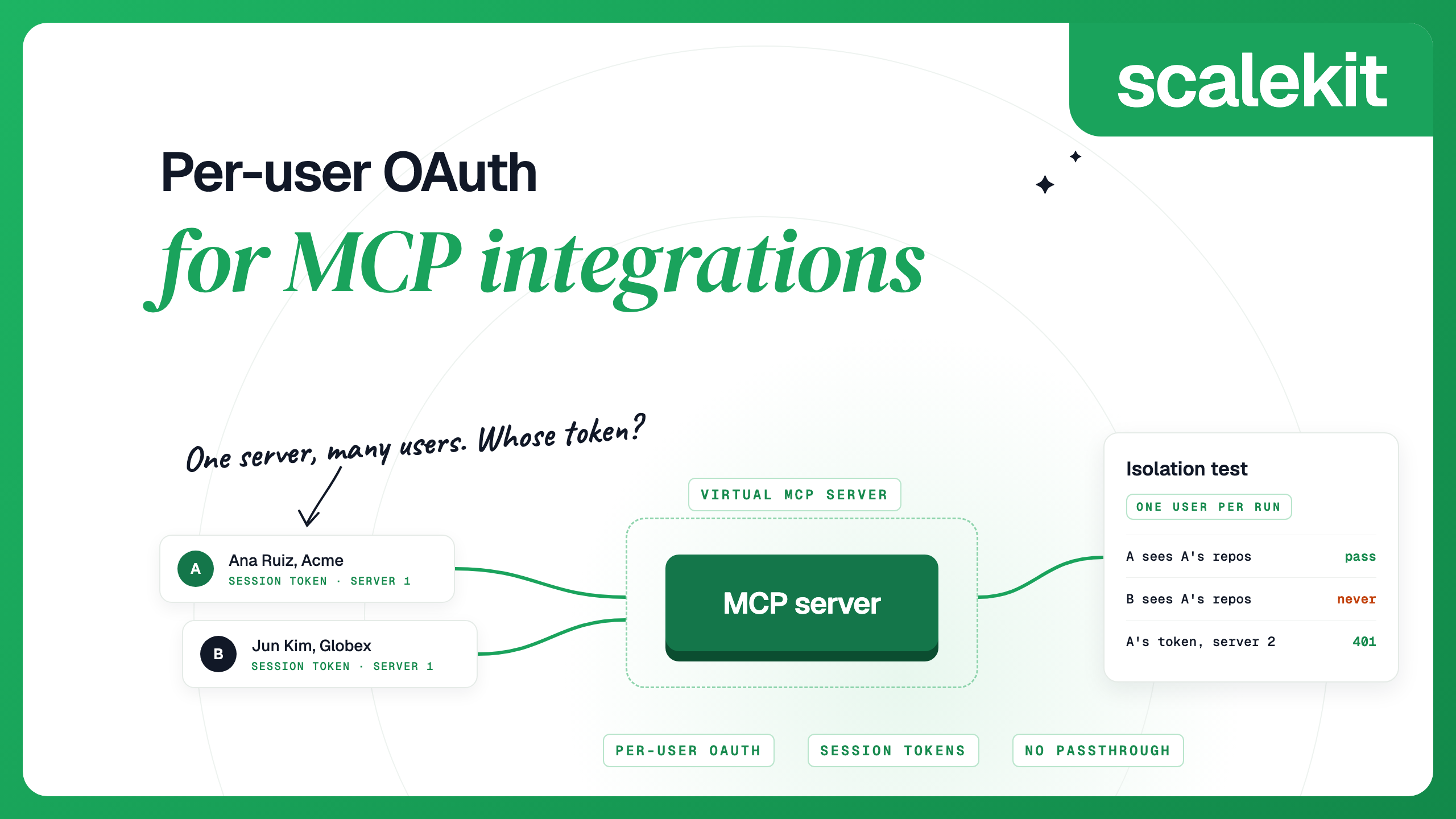
Per-user OAuth gives every call the requesting user's own token. GitHub then applies that user's repository permissions, their organization's SSO and OAuth app policies, and records the real person in its audit log. The work moves to your side: an OAuth app and consent flow, encrypted token storage keyed by your own user ID, detection of expired or revoked grants, a way to remove one user, and a guarantee that each run uses only its own user's token. The same work repeats for every app among your product's MCP integrations, and per-user OAuth for MCP integrations covers the design in depth.
You can build this on the official server. Its http mode takes a bearer token on each request, so a gateway you run can look up the user's GitHub token and attach it. The OAuth app, token store, refresh handling, revocation and isolation tests stay with you.
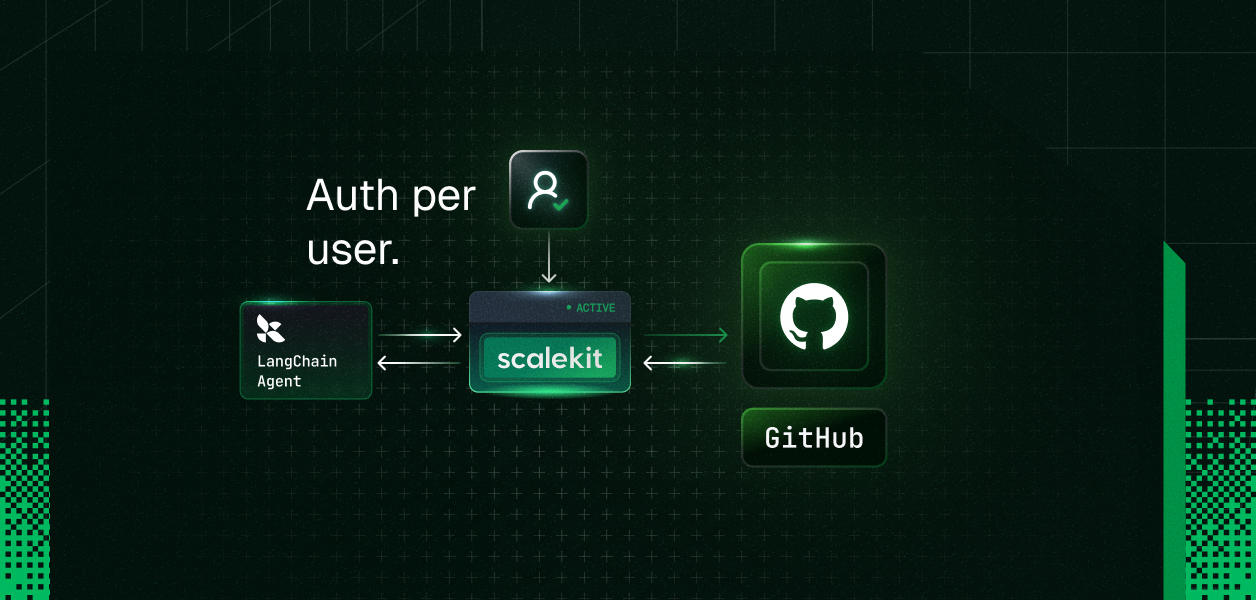
Scalekit AgentKit runs the per-user layer as a service. Its GitHub connector has 217 tools (106 read, 76 write, 35 destructive) and uses OAuth 2.0 with Scalekit's OAuth app or your own. Each user signs in to GitHub once. Scalekit stores the tokens encrypted with AES-256-GCM under a key for each environment, refreshes them, and makes each call as that user, so the agent never holds a GitHub token. New environments include a GitHub connection named github-connect.
If you prefer GitHub's own tool definitions, the GitHub MCP connector routes calls to GitHub's MCP server through Scalekit with the same per-user sign-in. It has 46 tools and uses your own GitHub OAuth app.
Connect each user once. Use your app's internal user ID as the identifier, never an email address. The link opens GitHub's consent screen.
Create one Virtual MCP server per agent role. All users share its mcp_server_url. This one lets a triage agent read repositories, issues and pull requests, and comment on issues. The agent also sees a connect_account tool it can use to send a user who has not connected GitHub an authorization link.
Mint a session token before each run. Check the user's account first, then mint a token for that user on that server.
Connect the agent. Any MCP client works with the server URL and the bearer header. With the Python MCP SDK 2.x:
How session tokens behave:
For your own editor, every connection also has its own MCP server with all of its tools at <environment URL>/mcp/v3/connections/<connection name>. Mint a token with connection_name="github-connect" and add it to Claude Code the same way as GitHub's server. Tokens last at most 24 hours, so mint a fresh one each day for a config you edit by hand.
Remove one user. Delete their connected account. Their next tool call fails until they authorize again, and other users keep working. Scalekit also sends a connected_account.status_updated webhook when an account changes status, for example from ACTIVE to EXPIRED, so you can send a new link before a call fails.
Both paths limit the agent at two levels: which tools it can see, and what the credential behind each call allows.
GitHub's own permission model applies on both paths: neither can reach more than the user could through GitHub's API. On Scalekit, scopes are set per connection, so create a second GitHub connection for a group of users that needs different scopes.
GitHub's server is the better fit when the agent works for you or your team in an editor or Copilot host, needs Copilot-only tools such as handing work to Copilot coding agent, or must reach GitHub Enterprise Server. A managed per-user layer such as the Scalekit GitHub connector fits when your product's agent acts in many customers' GitHub accounts. For calling GitHub through MCP versus its REST API, see GitHub MCP vs API for AI agents.
It is GitHub's official MCP server, open source under the MIT license, that gives AI agents tools for repositories, issues, pull requests, Actions and security alerts. It runs as a hosted server at api.githubcopilot.com/mcp/ or locally in Docker, and acts as the GitHub user whose credential it holds.
Yes. GitHub maintains github/github-mcp-server and hosts a remote version at https://api.githubcopilot.com/mcp/. The older npm package @modelcontextprotocol/server-github is no longer supported as of April 2025.
Yes. GitHub makes it available to all users regardless of plan type, and the code is open source under the MIT license. Tools tied to paid features keep those requirements: Copilot cloud agent tools need a paid Copilot license, and code scanning on private repositories needs a GitHub Code Security license.
It is useful when an agent needs live repository context, such as reading code, triaging issues, reviewing pull requests or checking failed Actions runs. Enable only the toolsets the task needs, since GitHub notes that fewer tools improve tool selection and save context.
Yes. Run claude mcp add --transport http github https://api.githubcopilot.com/mcp/ with an Authorization: Bearer header that holds a fine-grained PAT, then check the server with /mcp. The local Docker server also works in Claude Code and supports an OAuth login.
Use per-user OAuth: each user authorizes once, and every call runs with that user's token. With Scalekit, users share one MCP server URL, and each run carries a short-lived session token bound to one user and one server.
Yes. Use https://api.githubcopilot.com/mcp/readonly, the X-MCP-Readonly header, or --read-only on the local server. Write tools are then left out even if you list them.
Details checked October 2026.


.png)