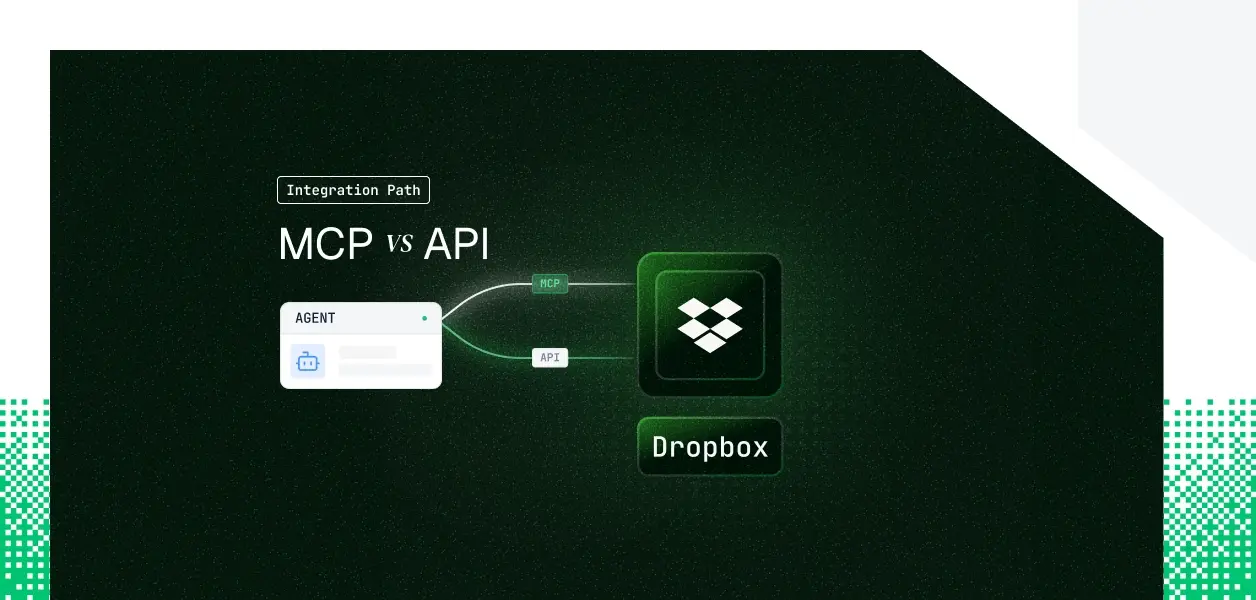


Your agent needs to read and write Dropbox. Dropbox now ships two paths: a hosted remote MCP server at mcp.dropbox.com and the v2 REST API your integrations have used for years. They cover overlapping but not identical territory, they put you on different auth paths, and for background agents specifically, one of those differences is a hard blocker. Here's how to pick.
Dropbox's MCP server is a hosted remote server at https://mcp.dropbox.com/mcp, built on the Model Context Protocol (MCP) standard and maintained by Dropbox. It launched in an open beta that is generally available, and it authenticates through Dropbox OAuth. The server supports Dynamic Client Registration (DCR) for a trusted set of MCP clients (Claude Code, Claude Web, ChatGPT Codex, ChatGPT Web, and Cursor); for any other client you register a Dropbox app manually and supply credentials. Official docs: help.dropbox.com/integrations/connect-dropbox-mcp-server.
The Dropbox API is a versioned v2 REST surface spanning files, sharing, users, file requests, team administration, and change detection, authenticated with a bearer access token in the Authorization header. It supports OAuth 2.0 Authorization Code in two modes: online (short-lived access token only) and offline (short-lived access token plus a long-lived refresh token). Team apps additionally use the Dropbox-API-Select-User and Dropbox-API-Select-Admin headers to act as a specific member or administrator. Official docs: developers.dropbox.com/documentation.
The MCP server covers the file-management surface an assistant needs: browsing, search, reading content out of PDFs and documents, creating files and folders, sharing links, file requests, and revision history. That handles the majority of interactive Dropbox agent workflows.
The gaps appear when an agent needs to operate above the individual file layer, move data at volume, or react to change.
Three gaps decide the path for anything beyond a personal assistant. The first is large-file and batch transfer: the MCP CreateFile tool tops out at 5 MB of inline UTF-8 content, while the API's upload sessions handle files up to 350 GB and batches up to 1,000 entries. The second is change detection: if your agent must react when a file or folder changes, the API exposes webhooks and the MCP server does not. The third is the team surface: member provisioning, per-user file access as an admin, and the team audit log are Business API features, not MCP tools that ship next month.
Both paths run on OAuth, so there is no API key shortcut on either one. The MCP server drives a browser-based OAuth consent flow: a user authorizes, and the client acts within that user's grant. This is correct for interactive, user-present workflows, and it is a hard constraint for anything running without a user in the loop. For a deeper look at OAuth architecture patterns for AI agents, the tradeoffs between interactive and headless flows are covered in detail.
The v2 API supports offline access: the authorization response returns a long-lived refresh token, and your backend exchanges it for a fresh short-lived access token whenever the user is not present. That is the pattern for background execution.
What Dropbox does not offer on either path is a Client Credentials or M2M flow. There is no static service credential that authenticates as the app with no user grant behind it. Every access token traces back to a specific user's authorization. So headless Dropbox work is not "use a service account"; it is "store each user's refresh token and mint access tokens against it." The MCP server, being interactive-consent only, cannot hold or replay a refresh token for background use, which is why headless agents belong on the API.
For a B2B agent serving 40 users across several customer accounts, the per-user model means 40 refresh tokens to store, 40 access tokens to refresh before each one expires, and 40 grants to revoke when a person leaves. The API's Dropbox-API-Select-User header lets a team app act as any member under one team grant, which reduces token count for team-wide jobs but still requires the same encrypted storage and revocation discipline. Neither path manages that lifecycle for you. Understanding how tool calling auth changes when you move from single-tenant to multi-tenant is essential before committing to either path.
The MCP path manages tool schema definitions and endpoint normalization on your behalf. When Dropbox updates the API, it updates the server's tools, and your agent picks up changes without a redeploy. That is a real operational advantage for fast-moving interactive products.
Token storage, refresh, revocation on user disconnect, and tenant isolation remain yours regardless of path. The MCP server also carries a client-support constraint: DCR works only for its trusted client list, so any other client needs a manually registered Dropbox app, and changing an app's scopes forces a reconnect.
The direct API means you own endpoint selection, request construction, error handling, pagination cursors, rate-limit retries (HTTP 429 responses carry a Retry-After header), and the full token lifecycle. That is more surface area and more control. The access token expiry is returned in the expires_in field of the token response, so proactive refresh is driven by a value you can read rather than by waiting for a 401.
MCP tool schemas are unversioned and can change when Dropbox updates the hosted server. The v2 API is a stable, explicitly versioned contract. For deterministic production pipelines where an unexpected schema change is an incident, the versioned API is the more predictable dependency.
Use Dropbox MCP when:
Use the Dropbox API directly when:
Whether you choose MCP or the API, every user in a multi-tenant agent has their own Dropbox credential. Forty customers means forty refresh tokens, forty lifecycles to manage.
Both paths hand you a token per user and stop there. The refresh token has to live somewhere: encrypted at rest, isolated per tenant, and revocable when a user disconnects. Dropbox refresh tokens do not expire on a schedule, but a user or team admin can revoke one at any time from their connected-apps page. Your agent has no built-in way to detect that until a call fails, so you own the detection, the re-auth prompt, and the cleanup. The challenge of handling token refresh for AI agents at scale is one of the most common production pain points teams encounter.
Scalekit's Dropbox connector handles the OAuth flow, token storage, and rotation for both paths, so the MCP vs API decision doesn't change what you build for auth infrastructure.
Scalekit ships both a Dropbox connector for the v2 API (OAuth 2.0, proxied API calls plus prebuilt tools) and a Dropbox MCP connector (OAuth 2.1, 20 prebuilt tools). Both register once per environment in the dashboard, and both put the credential in Scalekit's Token Vault rather than in your agent runtime. The agent calls a tool, gets a result, and never sees a token.
Dropbox's refresh-token model is exactly the lifecycle that breaks homegrown integrations at scale: short-lived access tokens expiring mid-run, refresh tokens revoked without notice, and per-user isolation across tenants. Token Vault stores each user's Dropbox credential encrypted and isolated per tenant, refreshes access tokens proactively, and surfaces revocation instead of failing silently. What the user can't do, the agent can't do.
After creating the Dropbox MCP connection in the dashboard, authorize a user and execute a tool. The connection_name must match the connection configured in the Scalekit dashboard exactly; this is the single most common integration error.
execute_tool runs against the tools the current user's connected account is authorized to call, not a flat connector catalog. That scoping matters for accuracy and cost: an LLM handed every tool selects worse and burns tokens before it does any work. Retrieving the authorized surface for a user, then executing against it, keeps the decision space small. The fix is surface reduction, not better prompting.
If your agent spans Dropbox plus other tools, Scalekit's Virtual MCP Servers give it one scoped, user-specific MCP endpoint declaring exactly which tools it can see and whose credentials it acts with, with no MCP server to deploy, host, or maintain. You create the server once per agent role and get back a static URL of the form https://yourcompany.scalekit.com/mcp/v3/servers/<server-id>. Before each run you mint a short-lived session token scoped to one user's connected accounts. One server definition serves all users; the endpoint is static, the identity is per-user.
For multi-tenant agents, the audit question is not "did a call succeed" but "under whose authorization did the agent touch that file." Agent tool observability ties every tool call to the connected account that authorized it, with correlation IDs and immutable trails, so a Dropbox action traces back to a real user rather than a shared account. That is what a security reviewer asks for.
Scalekit's Dropbox connectors cover file, sharing, and file-request operations. If you need a Dropbox capability the connectors don't expose yet, request it in the Scalekit Slack community (join.slack.com/t/scalekit-community) or through the team at scalekit.com/demo-agent-actions.
If your Dropbox agent runs interactively and its job is searching, reading, and sharing files, the hosted MCP server is the faster path to a working agent, especially on a DCR-supported client. If your agent runs headless, transfers large files, performs team-wide operations, or reacts to changes through webhooks, build against the v2 API directly, because the MCP server's interactive-consent model and file-centric tool surface are genuine constraints. Most production Dropbox agents end up using both: MCP for the interactive assistant, the API for the background pipeline. Either way, the credential management problem is the same, and that is what needs production-grade infrastructure.
Browse the Scalekit Dropbox connector: docs.scalekit.com/agentkit/connectors/dropbox
Browse the Scalekit Dropbox MCP connector: docs.scalekit.com/agentkit/connectors/dropboxmcp









