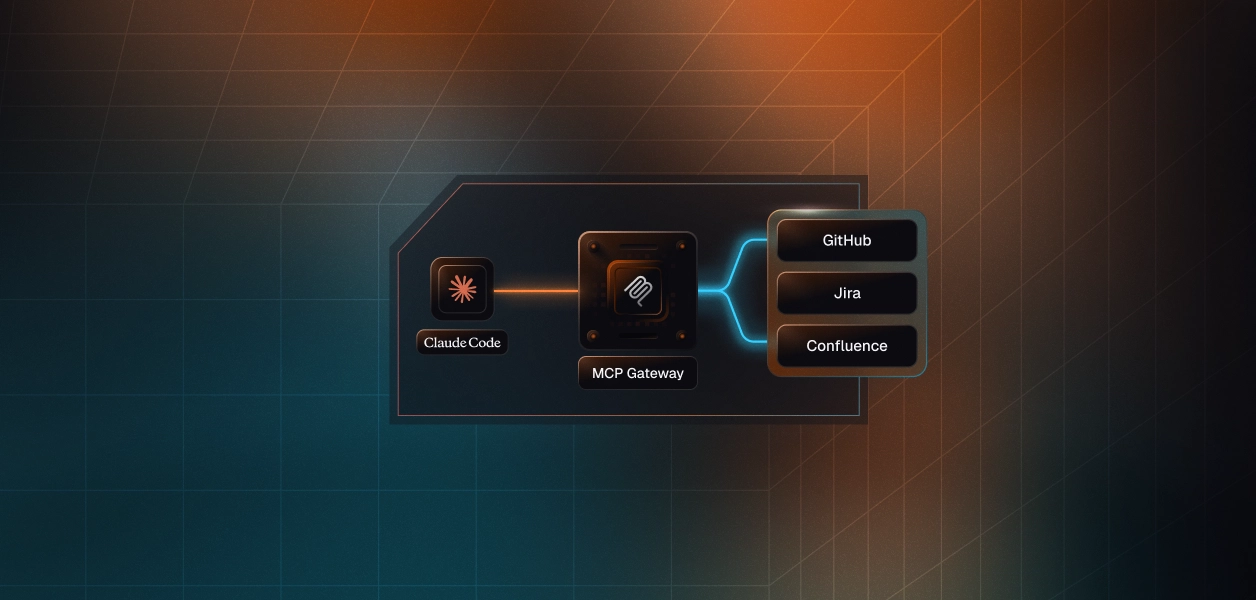

Announcing CIMD support for MCP Client registration
Learn more

Claude Code MCP servers with OAuth: setup, scopes and 401 fixes

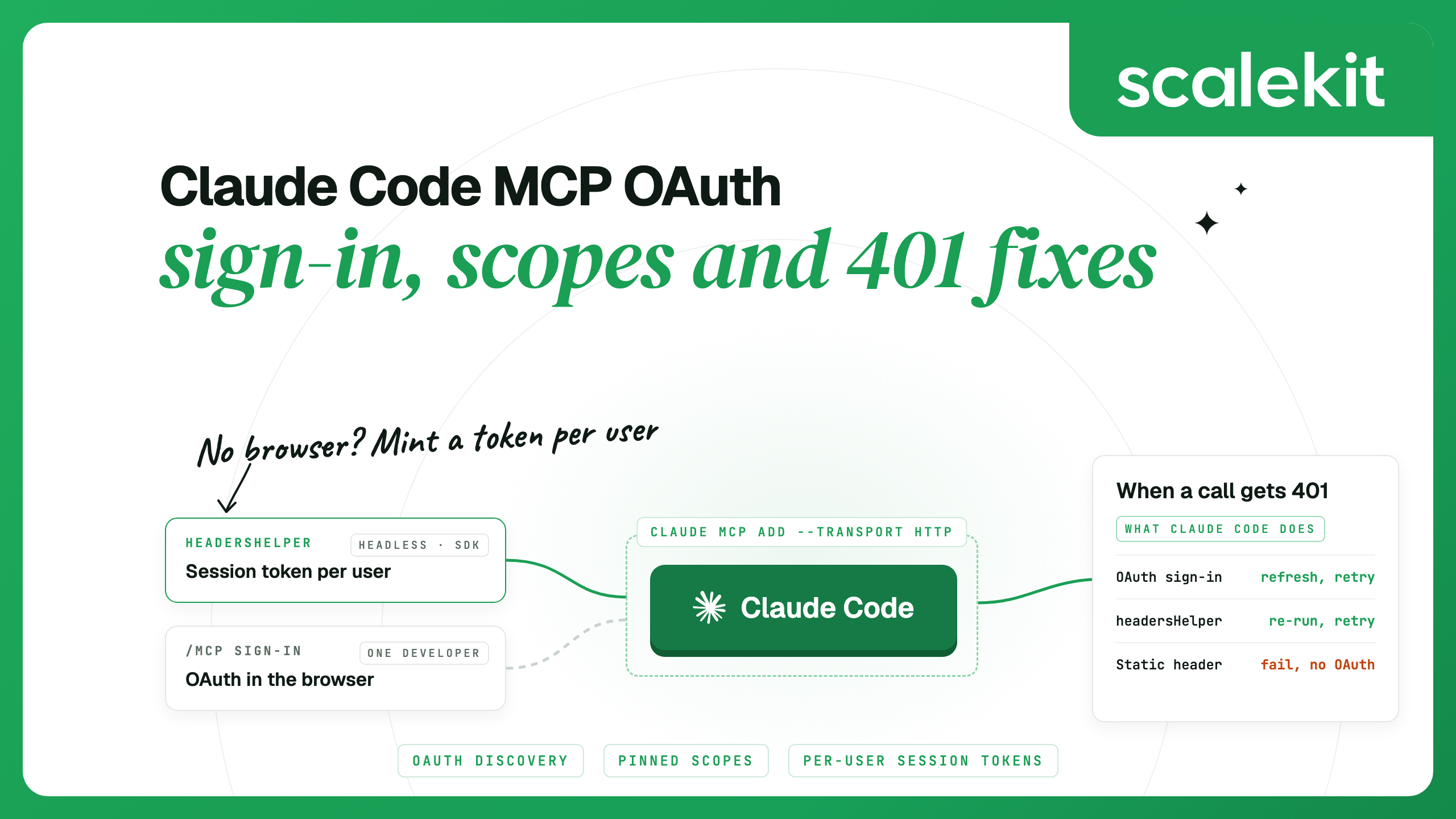
Diagram of two ways Claude Code gets MCP credentials: OAuth sign-in through /mcp, or a headersHelper that mints a per-user session token
Nityashree Yadunath
Product Marketing Manager

To add an OAuth MCP server to Claude Code, run claude mcp add --transport http <name> <url>, then open /mcp in a session (or run claude mcp login <name> in your shell) and sign in in the browser. Claude Code finds the server's authorization server, registers itself as a client, stores the token and refreshes it. Every tool call then runs as you, with the scopes you approved.

That flow covers one developer using their own accounts. The sign-in itself needs an interactive session with a browser, so it cannot run inside claude -p, CI or an Agent SDK app, and it does not help when one setup has to act for many different users. Those cases need a credential minted outside Claude Code for each person, which is the problem a managed MCP integration layer solves. For the IT side of a Claude Code rollout (central control, revocation and audit for a whole engineering team), see Claude Code MCP governance for IT teams.

TL;DR

  • Add a remote server with claude mcp add --transport http, sign in from /mcp or claude mcp login, and check it with claude mcp list. Claude Code handles discovery, client registration, token storage and refresh.
  • When sign-in keeps failing, check three settings: a pinned oauth.scopes list that lacks a scope the server asks for, a static Authorization header (which turns off the OAuth fallback), and the same server name defined at two scopes with different URLs.
  • For headless runs, or one setup serving many users, put a per-user credential in the request headers. With Scalekit, a headersHelper script mints a short-lived session token for one user on a shared Virtual MCP server URL, and Claude Code runs the script again when the token is rejected.

Add an OAuth MCP server to Claude Code

Remote servers use the HTTP transport, which the Claude Code MCP docs recommend for cloud-hosted servers. Sentry's server is the example Anthropic uses for a server that needs sign-in:

# 1. Add the server (local scope by default) claude mcp add --transport http sentry https://mcp.sentry.dev/mcp # 2. Start Claude Code and sign in from the /mcp panel claude > /mcp # 3. Check the status from your shell claude mcp list claude mcp get sentry

Before you sign in, claude mcp list shows the server as ! Needs authentication. Claude Code also prints a startup notice that counts the servers waiting for sign-in. Select the server in /mcp, finish the browser sign-in, and the status changes to ✔ Connected. The /mcp panel then shows how many tools the server exposes, and flags a server that advertises tools but exposes none.

Pick the scope when you add the server, because it decides who sees it:

  • --scope local (the default) keeps the server private to you, in the current project only. Claude Code writes it to ~/.claude.json under that project's path.
  • --scope project writes it to .mcp.json at the repository root so the team shares it. Each person approves project servers the first time, and each person still signs in with their own account.
  • --scope user makes the server available in all your projects.

OAuth sign-ins are stored per endpoint. If the same name points to different URLs in two scopes, Claude Code warns about the conflict, and signing in to one does not sign you in to the other.

Sign in from the shell or over SSH

claude mcp login runs the same OAuth flow without opening a session. When no local browser is available, such as over SSH or on Linux without a display, it prints the authorization URL instead. Open the URL on your own machine, sign in, and paste the full redirect URL from the address bar back into the prompt. The paste step needs an interactive terminal, so connect with ssh -t.

claude mcp login sentry claude mcp login sentry --no-browser # force the paste-the-URL flow claude mcp logout sentry # clear stored credentials

What Claude Code does during the OAuth flow

Claude Code follows the MCP authorization spec, and most steps have a setting you can override:

Step
What Claude Code does
What you can set
Detect
Marks a server as needing sign-in when it answers 401 or 403. A WWW-Authenticate header that points to an authorization server triggers discovery.
Nothing; the server's response decides
Discover
Reads RFC 9728 protected resource metadata at /.well-known/oauth-protected-resource, then falls back to RFC 8414 metadata at /.well-known/oauth-authorization-server.
oauth.authServerMetadataUrl (an https:// URL) to skip the default chain
Register
Uses Dynamic Client Registration, or a Client ID Metadata Document (CIMD) when the server supports it.
--client-id and --client-secret for servers that need a pre-registered app
Redirect
Listens on a random local port for the callback at localhost.
--callback-port or MCP_OAUTH_CALLBACK_PORT to match a registered redirect URI
Request scopes
Lets the server choose the scope set, and adds offline_access to pinned scopes when the authorization server advertises it, so the token can be refreshed.
oauth.scopes to pin an approved subset
Store and refresh
Stores tokens securely and refreshes them. On a 401 it refreshes, reconnects and retries the request once before flagging the server.
Clear authentication in /mcp, claude mcp logout, or claude mcp remove

On the v2 client runtime (built on MCP TypeScript SDK 2.0, the default in recent versions), Claude Code adds two checks. It fails a sign-in whose authorization response names an unexpected issuer, and it sends token requests only to HTTPS endpoints or to localhost, 127.0.0.1 and ::1. Both protect against a malicious or misconfigured authorization server, and the fix for either belongs on the server side.

Removing a server with claude mcp remove also deletes the OAuth tokens and client registration Claude Code stored for it. For a server with a pre-registered app, the client secret is kept in the macOS Keychain or a credentials file, outside your MCP config.

Servers that need a pre-registered OAuth app

Some authorization servers support neither Dynamic Client Registration nor a Client ID Metadata Document. Claude Code then fails with “Incompatible auth server: does not support dynamic client registration”. Register an OAuth app in the server's developer portal with the redirect URI http://localhost:8080/callback (any free port works), then pass its credentials when you add the server:

claude mcp add --transport http \ --client-id your-client-id --client-secret --callback-port 8080 \ my-server https://mcp.example.com/mcp

--client-secret prompts for the secret with masked input. Set MCP_CLIENT_SECRET instead to skip the prompt in a script. You can set the secret only when you add the server, so to change it, remove the server and add it again at the same --scope. For a public client with no secret, pass only --client-id. claude mcp get <name> shows whether OAuth credentials are configured.

Limit the scopes Claude Code requests

When an authorization server advertises more scopes than you want to grant, pin the list in the server's config. oauth.scopes is one space-separated string, the same format as the OAuth scope parameter, and it takes precedence over discovered scopes and authServerMetadataUrl:

{ "mcpServers": { "my-server": { "type": "http", "url": "https://mcp.example.com/mcp", "oauth": { "scopes": "issues:read issues:write" } } } }

Pinning has one side effect to plan for. If a tool later needs a scope outside the list, the server answers 403 insufficient_scope, the call fails with a needs additional permissions message that names the scope, and the server shows as needing authentication. Claude Code requests your pinned scopes on the next sign-in, so signing in again without editing the list returns a token with the same gap. Add the scope to the list first, then authenticate again from /mcp.

Static headers and headersHelper

Servers that use API keys or other tokens take a header instead of OAuth: --header on claude mcp add, or headers in JSON. For credentials that expire, headersHelper runs a command that prints a JSON object of headers. Claude Code merges the output into the connection headers, and dynamic headers override static headers with the same name.

  • When it runs. At session start and on every reconnect, with no caching. If a tool call gets 401 or 403, Claude Code runs the helper again, reconnects and retries the call once.
  • Time limit. The command must finish within 10 seconds. Give it as an absolute path, because the working directory depends on where the server is configured.
  • No OAuth fallback. When the helper or a static header supplies Authorization, Claude Code treats that as the server's credential. A rejection shows as a failed connection that names the header, and Claude Code does not start an OAuth sign-in.
  • Trust and environment. For a server in a project .mcp.json or at local scope, the helper runs only after you accept the trust dialog for that project folder. For servers from a project .mcp.json or a plugin, Claude Code also removes environment variables whose names look like credentials (TOKEN, SECRET, KEY, AUTH and similar), so the helper has to read its credential from a file or a credential store. User-scope and local-scope servers keep the full environment.
  • What the helper receives. CLAUDE_CODE_MCP_SERVER_NAME and CLAUDE_CODE_MCP_SERVER_URL, so one script can serve several servers.

Fix sign-in loops and 401s

Start with claude mcp get <name>. For a failed server it prints an Issue: line with the HTTP status and the server's error text, with credentials redacted. Then match the message:

What you see
Cause
Fix
Needs authentication, or a notice pointing at /mcp
You have not signed in yet, or the server rejected the stored refresh token
Select the server in /mcp and choose Re-authenticate, or run claude mcp login
The browser shows a connection error after you sign in
The redirect to the local callback did not reach Claude Code
Paste the full callback URL from the address bar into the prompt Claude Code shows
“needs additional permissions” after every sign-in
A pinned oauth.scopes list lacks the scope the server asks for
Add the scope to the list, then authenticate again
“rejected the Authorization header in its config”
A static header is wrong or expired, and OAuth fallback is off while it is set
Update the header, or remove it to use the OAuth flow, then reconnect
“Server rejected the Authorization header minted by the configured headersHelper”, or “rejected the credential from its headersHelper” during a session
The helper printed a credential the server does not accept
Run the helper yourself from the same directory and environment, fix it, then choose Reconnect
Signed in for one project but not another
The same server name points to different URLs at different scopes
Keep one definition and remove the others with claude mcp remove and its --scope flag
“Incompatible auth server” or a redirect URI mismatch
No Dynamic Client Registration, or a registered redirect URI with a fixed port
Add the server with --client-id and a matching --callback-port
“OAuth callback port is already in use”
Another process holds the fixed callback port
Stop the process the message names (it suggests an lsof command), or register a different port
“is Anthropic-hosted and doesn't support local OAuth”
The URL is an Anthropic-hosted connector, such as gmail.mcp.claude.com
Remove your entry and connect the service in claude.ai connector settings
Tools missing in a claude -p or Agent SDK run
Headless runs have no /mcp panel and cannot run the browser flow
Sign in interactively first, or pass a credential in the server's headers

Two errors come from the v2 runtime's checks: “Issuer mismatch in authorization response” and “Refusing to send credentials to non-https token endpoint”. Report the first to the server operator. For the second, serve the token endpoint over HTTPS. Starting Claude Code with MCP_SDK_GENERATION=v1 skips both checks for every server in that process, so treat it as a short-term workaround. The Claude Code error reference lists every message, and MCP server errors covers failures that start on the server side.

When each person's own sign-in is not enough

The /mcp flow assumes one person at a terminal with a browser, signing in to their own accounts. Three situations do not fit that:

  • Headless runs. claude -p and the Agent SDK cannot open a browser. The Agent SDK docs say to complete OAuth in your own application and pass the access token in the server's headers. That leaves you to store and refresh the token.
  • A product built on Claude Code or the Agent SDK. Each run acts for a different end user, so each run needs that user's credential for every app it touches, and one user's run must never pick up another's.
  • A team that wants one approved tool set. Every engineer still uses their own account, but the team decides once which tools exist, including whether any of them can write.

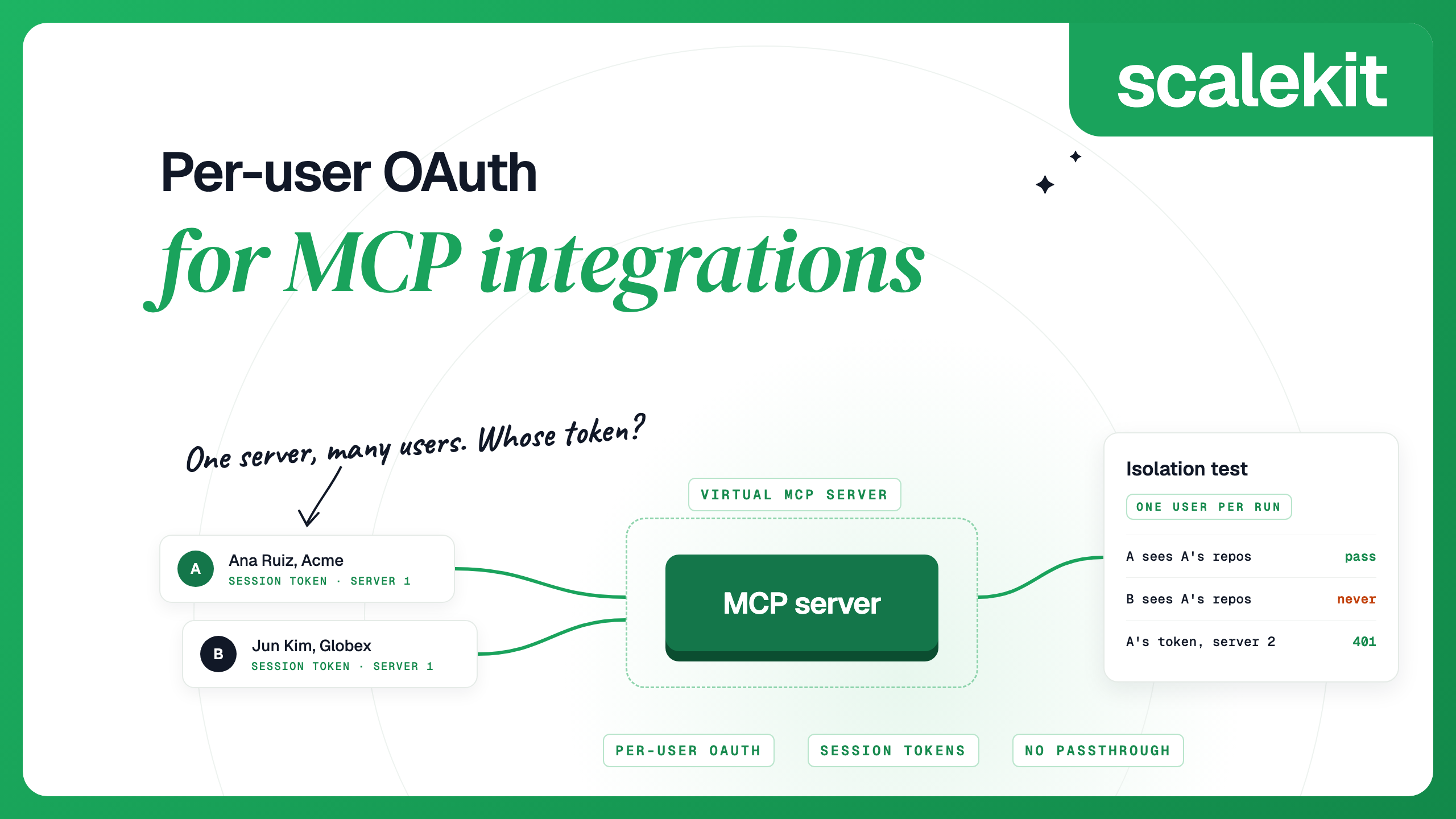
A managed MCP gateway handles this by holding each user's app tokens and issuing a short-lived credential per run. Per-user OAuth for MCP compares the designs. In Scalekit AgentKit, the pieces are:

  • A Virtual MCP server: one URL per agent role that exposes only the tools you choose from one or more connections. All users share the URL.
  • A session token minted per run, bound to one user and one server. It lasts one hour by default, from 60 seconds to 24 hours, and cannot be refreshed: you mint a new one. A token used on any other server URL gets 401.
  • Connected accounts that hold each user's OAuth tokens. The agent never receives them. If a user has not connected an app yet, tools/list includes a connect_account tool that returns an authorization link for the user to open.

Claude Code's headersHelper fits this model. It mints a fresh session token on each connection, and when a token expires mid-session, the next tool call gets a 401, Claude Code runs the helper again and retries. One server can combine tools from several connections, drawn from Scalekit's 500+ connectors.

Create the Virtual MCP server once

Create one server for the agent role and list only the tools it needs. This example uses a Slack connection named slack in the Scalekit dashboard. It prints the server ID and the shared URL:

import os from scalekit import ScalekitClient from scalekit.actions.models.mcp_config import ( McpConfigConnectionToolMapping, ) actions = ScalekitClient( env_url=os.environ["SCALEKIT_ENVIRONMENT_URL"], client_id=os.environ["SCALEKIT_CLIENT_ID"], client_secret=os.environ["SCALEKIT_CLIENT_SECRET"], ).actions response = actions.mcp.create_config( name="claude-code-slack", description="Slack tools for engineers in Claude Code", connection_tool_mappings=[ McpConfigConnectionToolMapping( connection_name="slack", tools=[ "slack_list_channels", "slack_fetch_conversation_history", "slack_get_conversation_replies", "slack_send_message", ], ), ], ) print(response.config.id) print(response.config.mcp_server_url)

Check that the user's account is connected

Before the first run, confirm the user's connected account for each connection is ACTIVE, and send them the authorization link if it is not. MCP_USER_ID is your app's stable ID for the person; Scalekit's docs recommend an ID that is hard to guess over an email address.

import os from scalekit import ScalekitClient actions = ScalekitClient( env_url=os.environ["SCALEKIT_ENVIRONMENT_URL"], client_id=os.environ["SCALEKIT_CLIENT_ID"], client_secret=os.environ["SCALEKIT_CLIENT_SECRET"], ).actions response = actions.mcp.list_mcp_connected_accounts( config_id=os.environ["MCP_CONFIG_ID"], identifier=os.environ["MCP_USER_ID"], include_auth_link=True, ) for account in response.connected_accounts: status = account.connected_account_status if status == "ACTIVE": print(account.connection_name, "is connected") else: print(account.connection_name, status) print("Authorize:", account.authentication_link)

Mint the session token in headersHelper

Save the helper as mcp_headers.py. It prints the header JSON that Claude Code expects. Add access_level="READ_ONLY" to create_session_token if the session should see only read-only tools.

#!/usr/bin/env python3 # Claude Code runs this on every connection and on a 401. import json import os from scalekit import ScalekitClient actions = ScalekitClient( env_url=os.environ["SCALEKIT_ENVIRONMENT_URL"], client_id=os.environ["SCALEKIT_CLIENT_ID"], client_secret=os.environ["SCALEKIT_CLIENT_SECRET"], ).actions session = actions.mcp.create_session_token( mcp_config_id=os.environ["MCP_CONFIG_ID"], identifier=os.environ["MCP_USER_ID"], ) print(json.dumps({"Authorization": f"Bearer {session.token}"}))

Register it at user scope, so the helper keeps the environment it reads its settings from and runs without a folder trust prompt. Paste the server URL that the first script printed, and give absolute paths for the Python interpreter that has the Scalekit SDK and for the script. Start Claude Code from a shell that exports SCALEKIT_ENVIRONMENT_URL, SCALEKIT_CLIENT_ID, SCALEKIT_CLIENT_SECRET, MCP_CONFIG_ID and MCP_USER_ID:

claude mcp add-json --scope user slack-team '{ "type": "http", "url": "<MCP_SERVER_URL>", "headersHelper": "/abs/path/venv/bin/python /abs/path/mcp_headers.py" }' claude mcp get slack-team

claude mcp get slack-team runs the helper and health-checks the server. A working setup shows ✔ Connected. If the helper prints a token the server rejects, the status is ✘ Failed to connect with the headersHelper message from the table above. The server authenticates every request with a session token, so register it with the helper rather than as a bare URL.

This version keeps Scalekit client credentials on the developer's machine, which suits one developer or a pilot. Anyone holding those credentials can mint a token for any identifier. For a team, move the create_session_token call into a small internal endpoint that checks the engineer's SSO session and mints a token for that engineer only. The helper then becomes a short request to that endpoint, and client credentials stay on your backend. A product on the Agent SDK does the same from its backend and passes the token in the server's headers for each run, as described in Mint session tokens.

Gate the tools that write

The example server includes slack_send_message. Claude Code names MCP tools mcp__<server>__<tool>, so an ask rule in settings.json makes Claude Code prompt before every send, even when an allow rule also matches. Claude Code evaluates deny rules first, then ask, then allow:

{ "permissions": { "ask": ["mcp__slack-team__slack_send_message"] } }

A read-only session token goes further: tools that are not marked read-only drop out of the tool list and are refused if called. Use it for sessions that only need to search and read. The permissions docs cover managed settings for rules your users cannot override.

FAQs

How do I add an OAuth MCP server to Claude Code?

Run claude mcp add --transport http with a name and the server URL, then open /mcp in a Claude Code session and sign in through the browser. You can also run claude mcp login with the server name from your shell. claude mcp list shows Connected once the sign-in works.

How does Claude Code store and clear MCP OAuth tokens?

Claude Code stores the tokens securely, outside your MCP config, and refreshes them automatically. A client secret for a pre-registered app goes in the macOS Keychain or a credentials file. To clear the tokens, use Clear authentication in /mcp or run claude mcp logout; claude mcp remove also deletes the tokens and the client registration.

Why does Claude Code keep asking me to sign in to an MCP server?

Check for a pinned oauth.scopes list that lacks a scope the server requests, because each new token then has the same gap. Add the scope, then authenticate again. Also check for the same server name defined at two scopes with different URLs, since sign-ins are stored per endpoint.

Can I use an OAuth MCP server in claude -p or CI?

Headless runs have no /mcp panel, so they cannot run the browser flow. On your own machine, sign in first with claude mcp login in an interactive terminal. In CI, give the server a credential through headers or a headersHelper script.

What does headersHelper do in Claude Code?

It runs a command that prints a JSON object of request headers. Claude Code runs it on every connection and again after a 401 or 403, then retries the call once. When it supplies the Authorization header, Claude Code does not fall back to OAuth.

How do I give each user their own access through one MCP server?

Use a gateway that stores each user's app tokens and issues a per-user credential. With Scalekit, every user shares one Virtual MCP server URL, and each run sends a session token minted for that user, valid for one hour by default.

Details checked October 2026.

No items found.
On this page
Share this article

Acquire enterprise customers with
‍zero upfront cost.

Every feature unlocked. No hidden fees.