

Claude Code is shipped to every Team and Enterprise plan, and if your developers found it before your IT team did, which is likely, you already have an MCP situation that's worth understanding.
Here's what's happening on developer laptops right now. An engineer installs Claude Code, discovers MCP support, and spends 20 minutes connecting it to GitHub, Jira, and your internal incident management tool. Their output improves visibly. They tell three colleagues. Those three do the same thing, each picking slightly different MCP servers, configuring them differently, and authenticating with their own locally-stored credentials. Six weeks later, you have 40 developers running a combined 200+ MCP connections to internal systems, third-party APIs, and a handful of community-built MCP servers nobody formally evaluated — with zero central visibility into any of it.
This is not a reason to pull Claude Code. The productivity gain is real. It's a reason to get the infrastructure in place before it scales past the point of manageable.
Claude Code treats MCP as its primary mechanism for connecting to external systems. This isn't an optional add-on — it's how the tool is designed to extend beyond its local context.
When a developer configures MCP servers in Claude Code, the tool can:
• Read from and write to code repositories (GitHub, GitLab, Bitbucket) — create branches, open pull requests, access commit history, read and modify files, access repository secrets
• Interact with project management tools (Jira, Linear, Asana) — read tickets, update status, create new issues, access sprint data
• Query internal databases and APIs — run queries, retrieve records, interact with custom internal services that your engineering team has built MCP servers for
• Access documentation platforms (Confluence, Notion, internal wikis) — read and update documentation, search across knowledge bases
• Connect to deployment and infrastructure tools — depending on what MCP servers your team has built, potentially including CI/CD systems, cloud provider APIs, monitoring tools
For a developer, this transforms Claude Code from a code suggestion tool into an agent that has live context from the systems their work actually touches. The quality of assistance improves dramatically.
For IT, the question is: who decides what systems Claude Code can reach, and what it can do inside them?
Every MCP client — Claude Code, Cursor, VS Code with Copilot — stores its server configuration locally. Claude Code keeps it in a settings file on the developer's machine. Each developer maintains their own list.
This is workable for one developer. For a team of 50, it creates four concrete problems:
No single point of control. When your security team asks "which engineers have Claude Code connected to our production database?", there's no fast answer. The information is distributed across 50 local config files on 50 laptops. Getting that information requires either asking each developer individually or auditing endpoints — neither is operationally realistic.
Rollout is manual and unreliable. When IT wants to make a new internal tool available through Claude Code — say, the company's support desk API — they have to communicate the MCP server URL to every developer and ask them to add it. Some will. Some won't. Some will configure it incorrectly. There's no way to push a configuration change to all Claude Code instances simultaneously.
Revocation is essentially nonexistent. When a developer moves teams, leaves the company, or loses access to certain systems, removing their MCP access requires tracking down every MCP server they were connecting to and manually revoking credentials for each one. In practice, this doesn't happen. The connections persist. The credentials age and become orphaned.
Claude Code connects to MCP servers and can call any tool those servers expose. Without central logging, IT doesn't know whether a developer's agent:
- Queried the customer database at 2am for reasons unrelated to the task they were working on
- Attempted to call a tool it wasn't supposed to reach
- Made a bulk export of records that would be unusual for a human to do manually
- Encountered sensitive data (PII, credentials, financial records) in a tool response
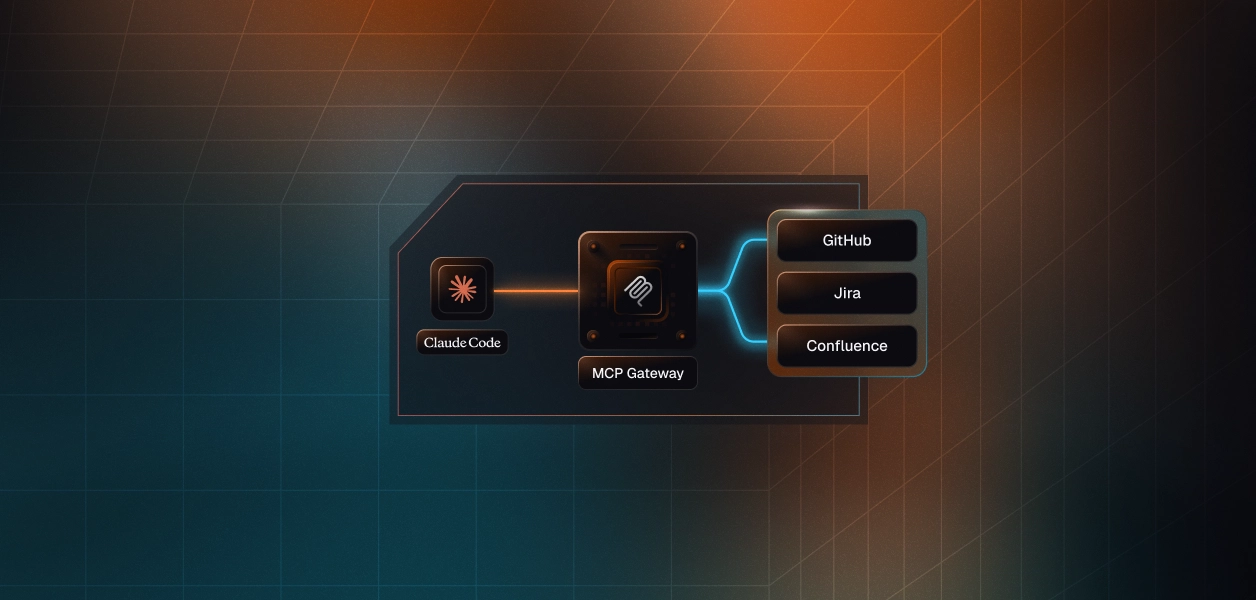
An MCP Gateway gives IT a single URL that all Claude Code instances point to and that single change resolves all four problems above.
Here's what it looks like from the developer's perspective:
Setup: The developer adds one URL to their Claude Code MCP settings — the company gateway endpoint. They authenticate via SSO (same credentials as everything else). That's it. They never touch another MCP server configuration.
Tool discovery: When the developer asks Claude Code to do something that requires a tool — "can you pull the open Jira tickets from this sprint?" — Claude Code queries the gateway: "what tools do you have for Jira?" The gateway responds with the tools that are approved for that developer's role. If the developer is on the engineering team, they get the Jira tools IT has configured for engineers. If they're on a different team with different access, they get the appropriate subset.
Working: The developer uses Claude Code normally. Behind the scenes, every tool call routes through the gateway, which enforces access policy and logs the interaction. From the developer's perspective, it's invisible.
The interesting technical point: a well-built gateway doesn't dump all approved tools into Claude Code's context window at once (which would be slow and expensive when a company has hundreds of MCP-enabled tools). Instead, it responds dynamically to model queries — Claude Code asks "do you have anything for Freshdesk?", the gateway responds with the relevant tools from the 37 Freshdesk tools IT has approved. The model's context stays lean; the available tool set stays comprehensive.
From IT's side, the picture looks completely different from the distributed configuration model.
Access control that's actually granular. Rather than "developers have access to GitHub through Claude Code," IT configures explicit policies per team:
Senior engineers:
Junior engineers:
Engineering managers:
This is the principle of least privilege, applied at the action level. Agents can do what they need to do for their role, and nothing more.
Delegation without losing oversight. IT doesn't need to make every tool-level decision. The model: IT defines which applications are available company-wide and sets the outer boundary for each. Within that boundary, team leads configure the tool-level access for their team. The engineering lead decides exactly which GitHub tools developers can use. The DevOps lead decides which deployment tools are available through Claude Code.
IT sees everything — every policy decision, every delegation, every tool call. They're not the bottleneck for every configuration change.
Centralised credentials. Developers don't manage credentials to downstream systems at all. No personal access tokens in local config files. No API keys on developer laptops. The gateway holds the credentials and authenticates on behalf of each user. When a developer leaves, their gateway access is revoked via IdP SCIM — and that revokes all their downstream MCP access in one event.
IT's role in Claude Code governance doesn't have to be restrictive. The right frame: IT builds the infrastructure that makes Claude Code better for developers, with governance built in by default.
A few specific capabilities worth knowing about:
DLP at the gateway. If a tool response contains a credit card number, IT's DLP policy can redact it before it enters Claude Code's context — automatically, without the developer seeing anything unusual and without IT having to review individual tool calls manually. Same for SSNs, passport numbers, or any other sensitive data pattern IT configures. The policy is set once; it applies to all tool traffic automatically.
Off-hours alerts. If a developer's Claude Code session starts making tool calls at 11pm on a Sunday, that's worth a flag — not necessarily an incident, but worth reviewing. Gateway-level alerting can surface these patterns to IT without requiring constant manual log review.
Unauthorised tool attempt logging. If Claude Code tries to call a tool the developer isn't approved for — because the model reasoned it needed that tool for a task — the gateway blocks the call and logs it as a security event. IT sees it. Patterns of blocked attempts can indicate a developer whose allowed tool set needs to be expanded, or an agent behaviour pattern worth investigating.
OpenAPI-to-MCP conversion. Not every internal system has an MCP server. For systems that expose a REST API, IT can import the OpenAPI spec into the gateway and the gateway auto-generates the MCP interface. No engineering work required. The internal deployment tool your team built three years ago can become available through Claude Code without anyone building an MCP server from scratch.
The frame that doesn't work: IT as gatekeeper, requiring developers to justify every MCP connection through a ticket before they can use a tool.
The frame that does: IT as the infrastructure team that makes Claude Code adoption possible at scale. Developers want to connect Claude Code to internal systems. They'll do it themselves if there's no sanctioned path — which means individual configs, untracked credentials, and no revocation path. Or IT can provide the one URL that gives every developer a better experience than they'd get configuring it themselves, with governance built in.
That's what an MCP gateway actually is. Not a barrier between developers and the tools they want to use. The thing that makes it sustainable to say yes at scale.
No. Claude Code's MCP configuration is just a list of server endpoints. Changing from individual MCP servers to a gateway endpoint is a configuration change — developers update their Claude Code settings to point to the gateway URL instead of individual servers. No software changes, no new tools required.
Yes, which makes gateway reliability an important operational consideration. A well-built production gateway should have the same reliability SLAs as any other critical infrastructure — high availability, redundant deployment, monitoring. During gateway downtime, Claude Code's MCP functionality is unavailable, but Claude Code itself continues working as a code assistance tool (its core function without MCP).
It depends on IT's policy. The gateway can be configured to allow passthrough to arbitrary external MCP servers (with appropriate logging), restrict access to only IT-registered servers, or anything in between. Most organisations start with "only IT-registered servers" and expand from there as specific use cases are validated.
Rather than dumping all available tools into Claude Code's context at the start of every session (expensive, slow), a well-built gateway implements dynamic tool discovery. Claude Code queries the gateway for relevant tools as needed: "do you have tools for Jira?" The gateway returns the relevant subset. Tool lists stay manageable even when IT has registered hundreds of tools across dozens of systems.
1. Deploy the gateway and connect your IdP (Okta/Entra)
2. Register your highest-priority MCP servers (GitHub, Jira, whatever developers use most)
3. Configure access policies for engineering groups
4. Communicate the gateway URL to the engineering team — ask them to update their Claude Code config
5. Monitor adoption via the gateway audit log
6. As adoption reaches critical mass, enforce the gateway as the required path for new MCP connections






