

Your agent needs to put a prospect's logo on a deck, write outreach in a customer's voice, or turn AMZN MKTP US into a merchant with a logo. Brandfetch ships a hosted MCP server and a REST API, and both front the same dataset. The MCP server gets you to a working tool call in minutes, with tool descriptions Brandfetch wrote for models. The REST API gives you caching, prefetching, and quota telemetry that the MCP tools never surface. The choice changes your auth model, your credit burn, and what breaks when a customer rotates a key. Here is how to pick.
Both paths end at the same Brandfetch endpoints. They differ in who writes the HTTP calls and which credential opens the door.
Brandfetch hosts the server and publishes its code under the MIT license. It is built on FastMCP, runs in stateless Streamable HTTP mode, and can be self-hosted with Docker. The first public release shipped on July 3, 2026.
Clients authenticate with OAuth: dynamic client registration (RFC 7591), the authorization code grant (RFC 6749), and PKCE with S256 (RFC 7636). Clients that cannot run OAuth, including CI jobs and scripted agents, send a dashboard-issued MCP token as a Bearer header. Tool calls that fetch brand data spend the same credits as Brand API calls; brand_search and build_logo_urls spend none.
The REST API lives under /v2. The Brand API returns logos, colors, fonts, images, and firmographics by domain, ticker, ISIN, crypto symbol, or email address. Around it sit the Brand Context API, the Brand Search API, the enterprise-only Transaction API, the free Viewer API, and the Logo API on Brandfetch's CDN.
Auth splits by product. The Brand, Brand Context, Transaction, and Viewer APIs take a secret API key as Authorization: Bearer. The Logo and Brand Search APIs take a publishable client ID in the c query parameter. Brand, Brand Context, and Transaction calls can also be paid per request with x402 or MPP, with no account at all.
The data is identical on both paths, because the MCP tools call the same REST endpoints and CDN. The control surface around that data is not.
These are the actions Brandfetch agents actually take.
The MCP tools are thin on purpose. In Brandfetch's source, get_brand and get_brand_data call the shorthand /v2/brands/{identifier} route, get_brand_context takes the default JSON representation, and the API-backed tools return the response body without its headers.
Three consequences follow. Your agent never sees x-api-key-quota or x-api-key-approximate-usage, so it cannot budget credits. It cannot pass cachedOnly=true, so an unindexed brand triggers a live crawl that can take several seconds. And it cannot choose an explicit type route, which Brandfetch recommends to avoid collisions between identifier types. None of this is a bug. It is the boundary of a chat-first surface.
The tool descriptions are the product. Brandfetch's definitions teach the model to search before fetching an ambiguous name, to use the credentialed src URLs from get_brand exactly as returned, and to stop retrying on 429 because brand_search and build_logo_urls keep working when credits run out. That is schema and prompt work you would otherwise write and maintain yourself.
On MCP Apps hosts such as Claude's web app and Claude Desktop, get_brand renders an interactive brand card with logo variants, colors, fonts, and download actions. Clients that support MCP resource reads can also stream asset bytes out of band, which keeps image payloads out of the context window.
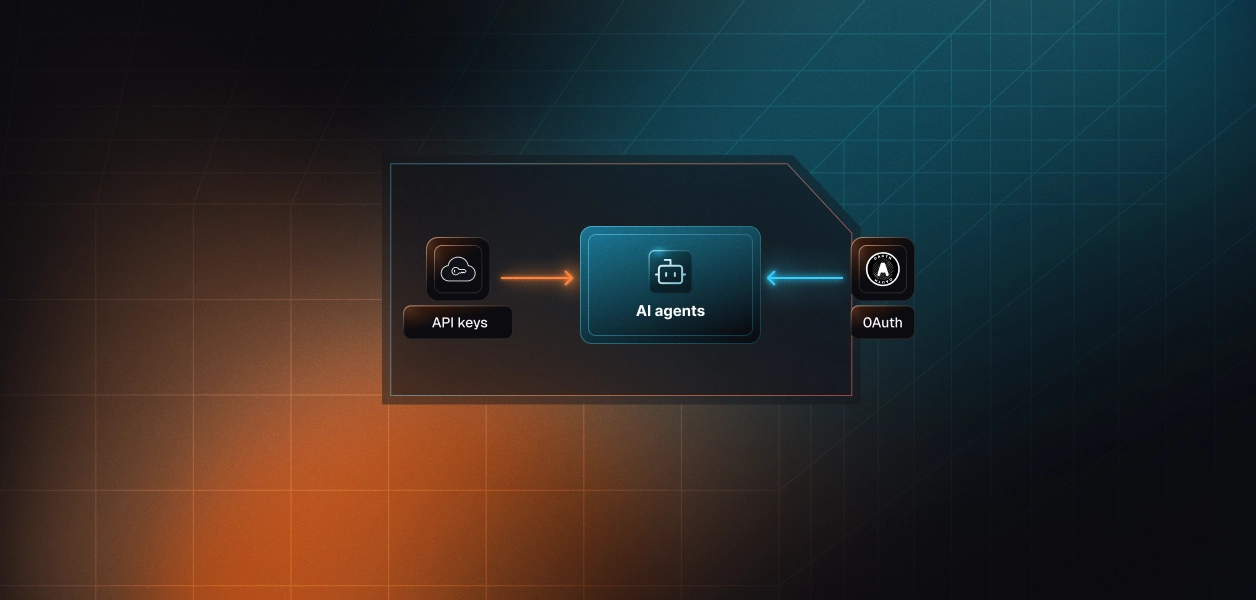
Brandfetch runs one identity system behind both paths, but each path hands your agent a different credential.
Brandfetch's authorization server accepts public clients only, so no client secret is ever issued. The consent screen asks the signing-in user which of their workspace's API keys and client IDs to grant, and every token carries a single scope, read. A user with no API key yet has to create one before the flow can finish.
The resulting token opens the MCP server and nothing else; it is not valid on the REST API or the Logo CDN. For clients that cannot complete a browser flow, Brandfetch documents a dashboard-issued MCP token sent as a Bearer header.
The REST path skips consent entirely. A secret API key goes in the Authorization header for Brand, Brand Context, Transaction, and Viewer calls. A client ID rides in the c query parameter for the Logo and Brand Search APIs, and Brandfetch classes it as safe to embed in HTML.
That makes headless execution trivial: a nightly enrichment job needs one header, not a browser. The tradeoff is identity. An API key identifies an organization's account, not the user who triggered the call.
Recommended reading: OAuth vs API keys for AI agents
Brandfetch's OAuth token response has no expires_in and no refresh_token. The token stays valid until the user revokes or rotates the API key behind it, and there is no RFC 7009 revocation endpoint to call.
In the open-source server, a bf1. token is a base64url-encoded wrapper around the API key and client ID it was minted from. Operationally, treat a leaked MCP token as a leaked API key: same lifetime, same credit pool, same blast radius.
Brandfetch data is public, so isolation is not about hiding one tenant's brands from another. It protects each credential's plan tier, its monthly credit pool, and who pays overage, billed at $0.10 per fetch on the Growth plan. A key without Transaction API access fails every enrich_transaction call.
Consent adds a sharper edge. Tokens bind to an organization's API key, so five users at one customer can hold five MCP tokens that all stop working the moment their admin rotates that key. Both paths require per-tenant credential isolation, and neither path stores, rotates, or revokes anything for you. Understanding credential ownership across agent tool-calling patterns is essential before choosing either path.
Brandfetch iterates quickly on the MCP side and stays stable on the REST side, and that shapes what you maintain.
Brandfetch hosts the endpoint, writes the tool schemas, turns errors into guidance the model can act on, and ships behavior changes without a redeploy on your side. When a customer's credits run out, the server tells the model which tools still work instead of letting it loop on 429 responses. For an interactive assistant, that covers most of the integration work.
You own custody of every user's token, detection of revoked grants (a 401 on a previously working token), and the credit bill. Every get_brand or get_brand_data call spends a credit and nothing on this path caches for you, even though Brandfetch permits caching Brand API responses for 30 days. You also own tool-list freshness: Brandfetch notes that hosts cache a server's tool list, so new capabilities appear only after the connector is removed and re-added.
Everything. You pick routes, decide when to pass cachedOnly=true and when to prefetch with HEAD, build the 30-day response cache, and write the tool schemas your agent sees. You also handle two kinds of 429: quota exhaustion, and a throughput ceiling of 100 requests per second sustained with a hard limit of 30,000 requests per rolling five minutes. In exchange, you get quota headers on every response and the free Viewer API for credential health checks.
Brandfetch tagged nine releases of its MCP server between July 3 and September 9, 2026. Version 1.2.0 added the feedback tool, 1.3.0 removed the base64 asset tool, and 1.4.0 turned get_brand into a card-rendering tool. The main branch, now versioned 1.5.0, also ships get_brand_data for card-free lookups. Any agent that depended on the base64 tool had to change.
The REST API moves differently. Routes are versioned under /v2, and new behavior arrives as opt-in parameters such as cachedOnly. For deterministic pipelines, that is the more predictable dependency.
Both lists are specific to Brandfetch, and most production products end up using both paths.
Pick either path and the same infrastructure problem shows up in your first multi-tenant release.
Say your product serves 150 customer orgs, and each brings its own Brandfetch key. On the MCP path you hold one OAuth token per connected user; on the API path, one API key per tenant. Either way, that is a vault of long-lived secrets, each tied to someone else's credit pool, with no refresh cycle that would ever rotate them for you.
When a customer's admin rotates a key, nothing tells your agent. The first signal is a 401 in the middle of a run. Brandfetch's own guidance is to treat that as revocation rather than an outage, and to confirm it with a Viewer API call. The challenge of secure token management for AI agents at scale is exactly this: long-lived secrets, silent revocation, and no built-in rotation.
Scalekit's Brandfetch MCP connector runs the OAuth flow, stores each user's token in its vault, and tracks connected-account status, and a custom Bearer connector vaults tenant API keys the same way. The MCP vs API decision stops changing your credential infrastructure.
The AgentKit path looks the same whether Brandfetch's MCP server or its REST API sits behind it: a connection, a connected account per user or tenant, and tool calls that never touch the raw credential. The examples use Python and LangChain.
Create a Brandfetch MCP connection in the Scalekit dashboard under AgentKit > Connections. The connection name used below, brandfetchmcp, must match the name in your dashboard exactly; a mismatch is the most common integration error. The Brandfetch MCP connector docs list every tool name and input schema.
Each user signs in to Brandfetch once through an authorization link. Scalekit completes the dynamic client registration and PKCE exchange, then stores the resulting token against your identifier, so your agent never sees it.
The agent should not load the connector catalog. It should load only the tools this user's connected account is authorized to call, filtered to what this agent needs. actions.langchain.get_tools wraps list_scoped_tools and returns native LangChain StructuredTool objects. Filtering matters more for Brandfetch than for most connectors: its own server returns about 30,000 characters of tool definitions for seven tools, roughly 7,500 tokens by the usual four-characters-per-token estimate.
For more on how LangChain tool calling works and where it stops, see our dedicated guide.
The loop is standard LangChain: bind the scoped tools, invoke the model, execute each requested call, and append the results. Every invocation runs through Scalekit's execute_tool, which attaches the user's Brandfetch token server-side. The LangChain guide shows the same pattern for other connectors.
A post-signup job that looks up a new customer's brand needs no model in the loop. Call execute_tool with a fixed tool name and input. Resolve tool names from get_tools or list_scoped_tools output rather than hardcoding them across releases, since Brandfetch has already added and removed tools.
Scalekit's catalog covers Brandfetch through its MCP server. For the REST-only features above, register the Brand API as a custom connector with Bearer auth, then call it through Scalekit's Tool Proxy with actions.request(). Set BRANDFETCH_API_BASE_URL to the API host from Brandfetch's reference, without a path. The create-connector guide covers every auth pattern, and making tool calls covers the proxy.
Then create a connection for this connector in the dashboard. The examples below call it brandfetch-api.
Brandfetch keys belong to an organization, so key the connected account by tenant ID rather than user ID. Your app hands the key to Scalekit once and never persists it, and a rotation is one update_connected_account call with no redeploy. Before a run, the free Viewer API confirms the key still works without spending a credit.
Brandfetch rarely runs alone. A CRM AI agent enriches company records, an outbound prospecting agent writes in the prospect's voice, a sales call prep agent briefs reps on a prospect's brand, and a competitive intelligence briefing agent summarizes rivals' positioning. Each needs Brandfetch plus a few other connectors, scoped to one role.
A Virtual MCP server declares which connections and tools an agent role can see and returns a static mcp_server_url. Create it once per role, not once per user. This one gives an account-personalization agent three Brandfetch tools, two HubSpot tools, and Gmail drafts. The hubspot and gmail connection names must match your dashboard, and the tool names come from the HubSpot and Gmail connector docs.
Before each run, confirm that every connection is active for the user, then mint a session token. The default lifetime is about an hour, there is no refresh, and you remint rather than extend. The agent holds only that token; the Brandfetch credential, which encodes the tenant's API key, never leaves Scalekit. The setup guide covers each step.
Seven tools sounds small, but Brandfetch writes long tool prompts. On its own server, get_brand runs about 7,300 characters and get_brand_context about 4,900. The three tools this role keeps account for roughly half of the 30,000 characters in the full list, and the mapping drops send_feedback, the only tool that is not read-only. The fix is not better prompting. It is surface reduction.
Recommended reading: Agent tool observability: Your agent is running. Is it actually working?
Brandfetch spend is tied to each credential, so every B2B team eventually fields the same question: which agent runs burned this customer's credits?
AgentKit keeps a tool call log for every connector, Brandfetch included. Each record carries the timestamp, connector, connection name and ID, account ID, tool, user identifier, duration, and source, plus the error code and full message on failures. The identifier belongs to the user who triggered the call, not the agent process or a service account. The overview dashboard tracks total calls and success rate over windows from one hour to 30 days.
Each failure is classified where it happens: a connector error failed before leaving Scalekit, and an API error came back from Brandfetch. That split answers Brandfetch questions directly. A run of 429 API errors on one tenant's identifier means its credits ran out. 403 errors on enrich_transaction point to a key without Transaction API access, and 401 errors after weeks of success point to a rotated key. This is the same pattern described in how tool-calling auth changes when you move from single-tenant to multi-tenant.
Recommended reading: Agent tool observability in AgentKit
If your agent is interactive and its job is showing or using a brand in the moment, like a logo in a deck or a palette in a chat, build on Brandfetch MCP through Scalekit and let Brandfetch's tool descriptions carry the prompt work. If your agent runs headless, enriches records in bulk, or needs to budget credits per tenant, call the REST API through a custom connector and own the caching.
Most B2B products end up with both: the assistant on MCP, the pipelines on REST. The credential problem is identical on each path, and that is the part that needs production-grade infrastructure.
Browse the Scalekit Brandfetch MCP connector, which keeps credentials vaulted with AES-256 and out of LLM context, then follow the Brandfetch MCP connector docs or browse all AgentKit connectors. Plans are on the Scalekit pricing page.
Building a Brandfetch agent and want a second pair of eyes on the auth model? Talk to us for immediate help.