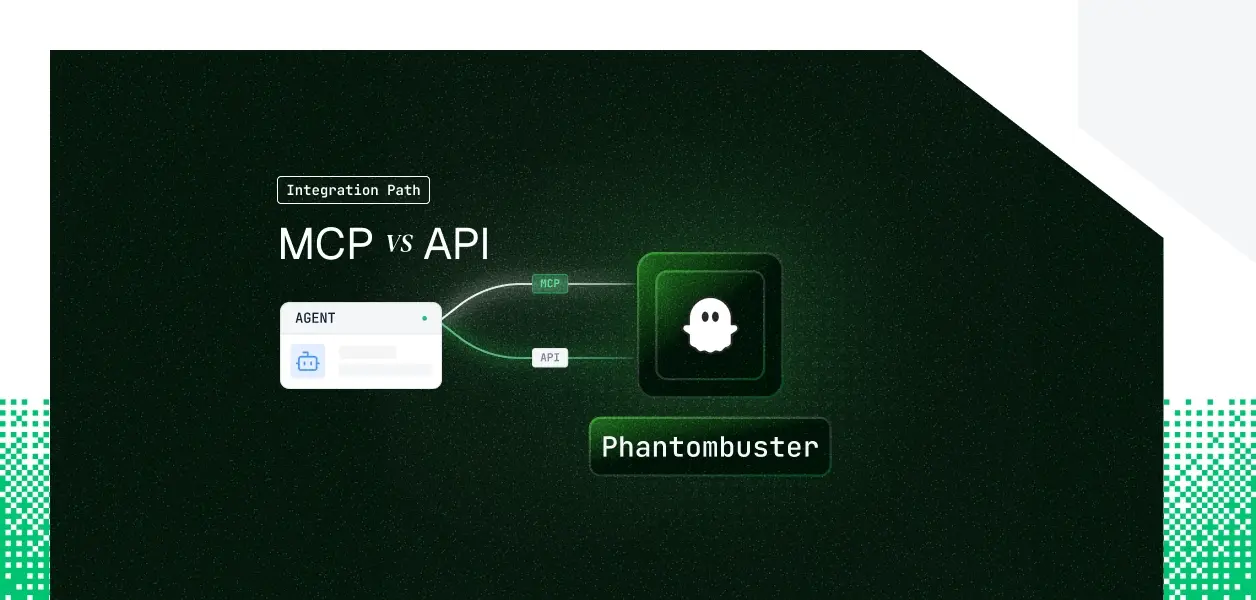


Your agent needs to launch phantoms, poll their output, and push scraped profiles into a lead list. PhantomBuster ships a hosted MCP server and a REST API that has been in production for years. They are not the same surface, they do not cover the same operations, and on PhantomBuster specifically they put you on opposite sides of an identity boundary. Here is how to pick.
Most readers of this series have called the PhantomBuster REST API before. Far fewer have wired an agent to the hosted MCP server. This section establishes the two objects being compared and nothing more.
PhantomBuster hosts and maintains its own MCP server at https://mcp.phantombuster.com, using the Streamable HTTP transport. Authentication is OAuth: the first time a client connects, the user signs in to PhantomBuster and authorizes access, with no API key to copy or paste.
At connect time the user also picks a workspace. The server only ever acts inside that selected workspace, and switching workspaces requires reconnecting. PhantomBuster describes the tool surface as a curated set focused on common workflows rather than the entire API. Details are in the PhantomBuster MCP server documentation.
The REST API is a set of HTTPS endpoints returning JSON, versioned as v1 and v2, with v2 as the current version. It covers agent launch and abort, container output and result objects, script and branch management, org storage for leads and companies, identities, AI endpoints, and captcha solving.
Authentication is a single API key placed in the X-Phantombuster-Key-1 header, or in a key query parameter that PhantomBuster explicitly discourages. The key lives in workspace settings and is displayed only once, at creation. See the PhantomBuster API guide and the full API reference.
There is a subtlety worth naming before the comparison table, because it trips people up when they read tool counts. You are choosing between three things, not two.
The first is the full REST API. The second is PhantomBuster's hosted MCP server, which is a proper subset of it. The third is whatever prebuilt tool set your infrastructure layer wraps around either one. Scalekit's PhantomBuster connector currently ships 38 prebuilt tools over the REST API, while its PhantomBuster MCP connector surfaces 62 tools from the hosted server. A larger prebuilt tool count on the MCP side does not mean MCP is the larger surface. It means the REST connector ships a curated set plus a raw proxy escape hatch.
The comparison runs across four dimensions: what your agent can do, what auth path each choice forces, what you own operationally, and where each one wins. The first dimension is where PhantomBuster's gap is most concrete.
Both paths cover the core loop of launching an automation, watching it run, and reading the structured result. The divergence is at the edges, and the edges are where scraping agents actually break.
Three of those gaps matter disproportionately for production scraping agents.
The first is streaming. The REST API can attach to a running container and stream console output live, and its synchronous launch endpoint returns an NDJSON stream that begins by exposing the container ID so a disconnected client can reattach. The MCP server has no equivalent, so an MCP agent watching a long phantom run is polling.
The second is event delivery. Webhooks are a REST-side platform feature with no MCP representation. An MCP agent cannot be told a run finished; it has to ask.
The third is the utility layer. AI completions, captcha solving, and SERP search are endpoints your scraping pipeline may already depend on, and none of them appear as MCP tools.
The gap does not run in one direction only, which is unusual for this series.
Updating the organization record is restricted by PhantomBuster to web sessions and MCP sessions. An API key session cannot call it. If your agent needs to change workspace timezone, proxy pools, the org-level custom prompt, or CRM integration options, MCP is the only programmatic path.
The MCP server also ships a filter help tool that returns the full operator table and field reference for building org-storage filter objects. That is an LLM affordance with no REST endpoint behind it, and it materially reduces malformed filter calls when an agent is constructing lead list queries. Casing rules there are genuinely non-obvious: lead filter keys are snake_case while company filter keys are mostly camelCase.
This is the dimension that should drive your decision on PhantomBuster, more than capability coverage.
MCP runs confidential OAuth. Each user signs in to PhantomBuster, authorizes your client, and picks a workspace. The resulting grant is tied to that person. PhantomBuster does not publish a granular per-tool scope model for the MCP server, so treat the grant as workspace-wide rather than assuming tool-level scoping.
The REST API supports one credential: a workspace API key. There is no authorization code flow, no client credentials flow, and no per-user delegation. Every request made with that key is indistinguishable from every other request made with it.
In the Slack and Salesforce articles in this series, MCP was the constrained path and the REST API was the escape hatch that let you run headless. PhantomBuster reverses that.
Here, MCP is the only path that carries a human identity. The API path is a shared service credential by construction. Scalekit's connector documentation is direct about the blast radius: the PhantomBuster API key grants full access to your organization, including launching agents, reading lead data, and managing billing.
So the tradeoff is not convenience versus control. It is identity versus capability. MCP gives you attribution and loses you streaming, webhooks, and the utility endpoints. The API gives you the full surface and loses you any way to answer the question of which user triggered a scrape. This is the same structural problem covered in OAuth vs API Keys for AI Agents—static credentials eliminate delegation by design.
There is a second-order effect that shows up once you have more than one customer.
MCP pins a connection to one workspace at authorization time, and changing workspace means reconnecting. For an agent serving a single team that is invisible. For a B2B product where one operator manages phantoms across several client workspaces, it means a distinct connected account per workspace per user, not per user.
The REST API has the opposite shape. The key travels in a header on every request, so fanning out across workspaces is a matter of selecting the right key. What you gain in routing flexibility you lose in attribution, because none of those keys identifies a person.
PhantomBuster hosts and versions the MCP server, and its tool list evolves over time, with clients discovering the current set on connect. You own the OAuth token lifecycle, the reconnect flow when a user changes workspace, and polling logic to replace the streaming you do not have.
On the REST path you own more. You own endpoint versioning across v1 and v2, and the timestamp units differ between them: v1 returns seconds, v2 returns milliseconds. You own pagination and incremental output fetching using byte offsets. You own the key rotation story, which is coarse because rotating one key invalidates access for every consumer of that workspace.
Neither path exempts you from PhantomBuster's plan limits, and agentic workloads hit them faster than scripted integrations do.
PhantomBuster enforces per-plan API rate limits and returns 429 Too Many Requests when you exceed them. Execution time, AI credits, SERP credits, storage, and agent count are all metered per plan. A 429 arriving mid-run leaves you with no partial result to recover from.
Tool availability is also plan-tiered rather than uniform. AI completions require AI credits, branch management requires custom script access, and saving a CRM contact requires an active HubSpot integration in the workspace. Your agent needs to reason about capability availability rather than calling tools blindly, which in practice means checking organization resources before any expensive launch.
Pick the MCP path when identity and attribution are load-bearing:
Pick the REST path when the workload is machine-shaped:
Scalekit maintains both connectors, so the path decision becomes a configuration choice rather than a rewrite. The setup differs in exactly one place: how the credential is established.
The PhantomBuster connector uses API key authentication, so there is no redirect and no consent screen. You register the user's key once, typically after they paste it into a settings page in your product.
The connection_name string must match the connection name configured in your Scalekit dashboard exactly. This is the single most common integration error.
The MCP connector is OAuth 2.1 with dynamic client registration, so the user completes a browser consent and selects their workspace. Scalekit generates the authorization link and stores the resulting grant.
In production you surface that link in your UI and handle the callback rather than blocking on stdin. Everything after this point is identical across the two paths.
Before the agent runs, retrieve the tools this user's connected account is authorized to call. This is not a catalog lookup. The agent is not being handed every PhantomBuster tool that exists; it receives the subset that this specific connected account can execute, which is what keeps scope a function of identity rather than connector configuration.
Filtering by tool name narrows it further, which matters because PhantomBuster's connectors are large. Handing a model 38 or 62 tools produces wrong selections and hallucinated parameters, and burns tokens before the agent does any work. This scoping pattern is a core principle of agent tool calling auth production patterns—scoped access prevents over-permissioned automation at runtime.
Scalekit returns schemas with input_schema, which is the shape Anthropic's tool use API already expects, so no conversion step is needed. The loop below is complete: schema mapping, the client.messages.create call, the stop_reason check, execute_tool, tool result construction, and the message append.
The Node SDK mirrors the Python shape, with listScopedTools and executeTool as the two calls that matter. This version runs against the MCP connector.
Switching between the connectors is not a find-and-replace on the tool prefix, and this is the detail most likely to cost you an afternoon.
The REST connector's launch tool takes agentId as its required identifier and accepts arguments, output, and saveArguments. The MCP connector's launch tool takes id instead, and exposes a different option set including bonusArgument for single-use overrides, maxInstanceCount to skip a launch when too many instances are already running, and userCustomMetadata for tagging the resulting container.
Container retrieval diverges the same way. The REST connector uses containerId on its output and result tools, while the MCP connector uses id and splits result retrieval into a separate result-object tool. Treat the two connectors as different APIs that happen to reach the same platform.
PhantomBuster launches are asynchronous. The launch call returns a container ID, not a result, so any real agent needs an explicit wait loop and a terminal state check.
Checking resource balance before launching is not optional hygiene here. Exceeding quota mid-run returns a 429 and leaves nothing to recover.
Everything above scopes tools at the SDK call site. Once your agent spans PhantomBuster plus a CRM plus Slack, and serves many tenants, you want that scoping declared once and enforced at the endpoint.
Virtual MCP Servers invert the standard model. Instead of pointing your agent at a server that exposes everything a connector has, you declare which connections and which tools an agent role may see. You get one static mcp_server_url created once per role, not once per user.
Per-user isolation is handled by session tokens minted before each run. The endpoint is static; the identity is not.
Before each run, confirm the user's connections are still active, then mint a short-lived token bound to that user.
Set the expiry longer than your expected run. PhantomBuster launches can be slow, and a token that dies mid-scrape leaves you with a half-finished container and no way to read its result.
The observability argument is sharper on PhantomBuster than on most connectors, precisely because the API path has no native identity.
Every tool call resolved through Scalekit is logged against the connected account that authorized it: who triggered it, which tool ran, and what came back, with 90 days of history and SIEM-ready export. On the REST path, where PhantomBuster itself only ever sees one workspace key, this is the only layer that can answer which operator launched a given phantom. This is the exact problem that agent tool observability addresses—without attributed logs, autonomous agents are invisible to your audit trail.
That distinction is what makes a scraping agent auditable. Compliance questions about lead data provenance are not answerable from PhantomBuster's own logs when every call carries the same key.
The credential is resolved server-side at request time and injected into the outbound call.
The PhantomBuster API key or MCP token lives in an encrypted vault namespaced per tenant. It does not appear in your agent's memory, in the model's context window, or in your application logs. When a user revokes access, the next tool call for that user fails closed, and other users in the tenant are unaffected.
Both paths hand you a credential per user. Neither hands you a vault, rotation logic, or a revocation flow. That infrastructure is yours to build regardless of which path you chose.
A single PhantomBuster API key in an environment variable looks correct in a demo. In production it is a service account with full organization access, and every phantom launch, every lead read, and every billing-adjacent call looks identical in your audit trail.
Rotation is the sharper edge. Because the key is workspace-scoped rather than user-scoped, rotating it after one employee leaves invalidates access for every consumer of that workspace at once. There is no per-user revocation on the API path. This mirrors the broader challenge of revoking an employee's AI agent access when they offboard—shared credentials make targeted revocation structurally impossible.
In a multi-user B2B agent, which is the norm rather than the exception, every operator has their own PhantomBuster credential. That is N credentials to store encrypted, refresh where refresh applies, and revoke on offboarding.
Offboarding is where this fails quietly. The Okta account gets disabled, the laptop gets wiped, and a PhantomBuster API key generated eight months ago and stored in a config file is still valid. A scheduled agent does not decide to keep using it. It just does.
Scalekit's PhantomBuster connectors resolve the per-user credential on every tool call, so actions are attributed to the operator who authorized them rather than a shared workspace key. The same auth infrastructure works whether you chose the MCP path or the direct API path.
The token type differs across the two. The credential management problem does not. For a deeper look at how credential ownership shapes agent tool-calling patterns at scale, that tradeoff is covered in full in the companion piece.
If your agent is interactive, serves multiple operators, and needs audit trails that name a person, build against PhantomBuster MCP. It is the only path that carries user identity, and on this platform that is a capability, not a convenience.
If your agent runs headless on a schedule, needs live output streaming or webhooks, or calls the AI, captcha, and SERP endpoints, build against the REST API. Accept that the workspace key is a service credential and solve attribution at the infrastructure layer instead.
Most production PhantomBuster agents will end up running both. The interactive assistant sits on MCP; the nightly enrichment pass sits on REST. The credential management problem is identical either way, and that is the part that needs production-grade infrastructure. Understanding how tool calling auth changes when you move from single-tenant to multi-tenant is the right next read for teams at this stage.
Building a PhantomBuster agent and stuck on the auth path, quota handling, or per-user isolation? Join the Scalekit Slack community and ask the engineers who maintain these connectors.
If you need an answer today, talk to us directly.
Browse the Scalekit PhantomBuster connector.









