.webp)


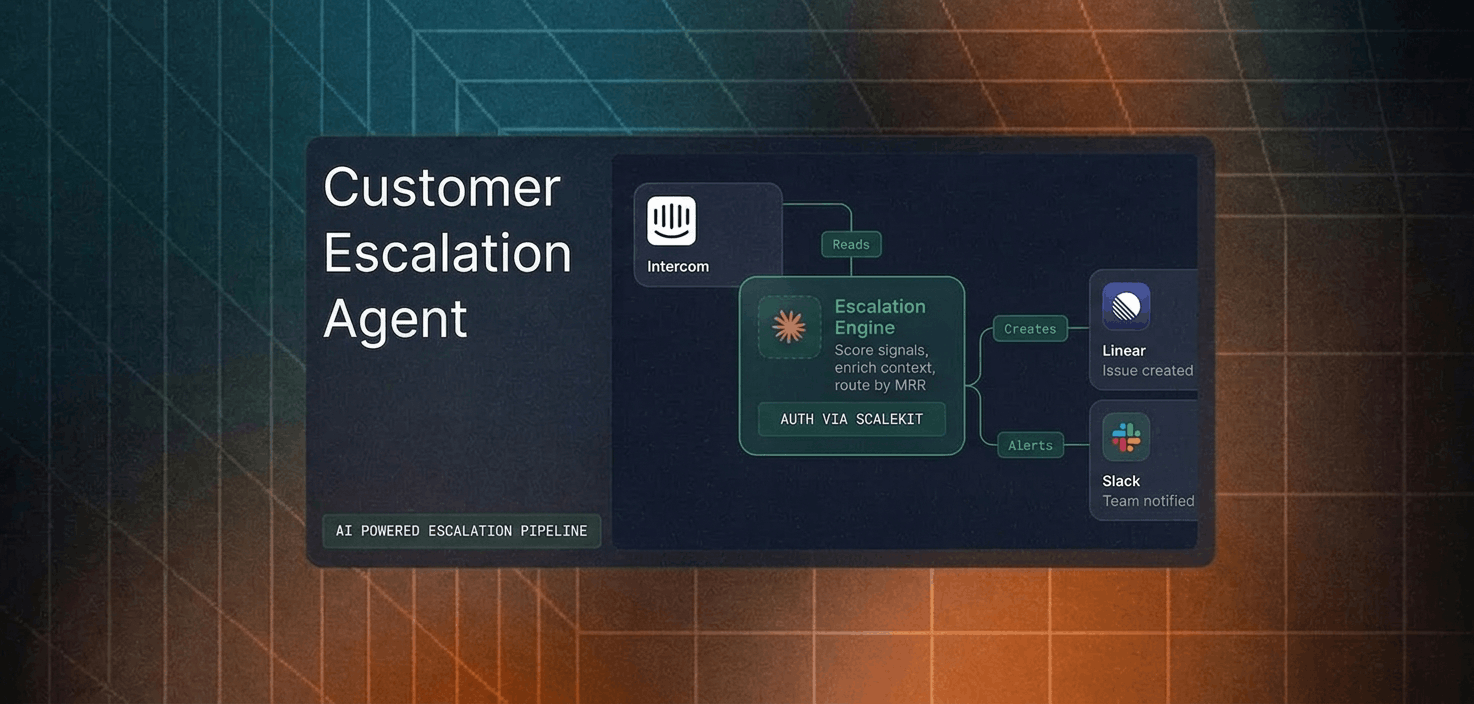
Your support agent needs to read and act on Intercom. Intercom ships both a hosted MCP server at mcp.intercom.com and a REST API at api.intercom.io. They are not the same surface: different tool coverage, different auth options, different operational constraints in production. The obvious read on MCP (faster, simpler, do everything) is wrong for Intercom specifically, and the reasons are worth knowing before you commit engineering time. Here is how to pick.
Intercom hosts a remote MCP server at https://mcp.intercom.com/mcp over Streamable HTTP, with a deprecated legacy SSE endpoint maintained for backward compatibility. It is built and run by Intercom on Cloudflare infrastructure, and it was introduced in September 2025. One regional constraint matters up front: the MCP server is currently supported only in US-hosted Intercom workspaces. Authentication accepts an OAuth flow (recommended) or a Bearer access token passed in the Authorization header.
Official docs: developers.intercom.com/docs/guides/mcp
The Intercom REST API is the full platform surface at api.intercom.io, versioned by date and number through the Intercom-Version header. It exposes conversations, tickets, contacts, companies, tags, articles, data events, data export, webhook subscriptions, admins, custom objects, and the Fin Agent API. Authentication is a Bearer token in the Authorization header, supplied as either a workspace Access Token (for your own workspace) or an OAuth access token (for other workspaces).
Official docs: developers.intercom.com/docs/references/rest-api/api.intercom.io
The MCP server is solid at the conversational read path: searching across conversations and contacts, pulling a single conversation with all its parts, resolving companies, and managing Help Center content. For an agent whose job is to find context and answer questions, that surface is enough. The gap appears the moment the agent needs to act on a conversation or touch anything operational.
Because aggregator sites disagree on the count (you will see four, six, and other numbers), here is the authoritative list. Intercom's MCP documentation lists 13 tools. Two are universal, eleven are direct API tools.
The universal tools are search (a query DSL across object_type:conversations or object_type:contacts) and fetch (full detail for a conversation, contact, or company ID).
The direct tools are search_conversations, get_conversation, search_contacts, get_contact, list_companies, get_company, list_articles, search_articles, get_article, create_article, and update_article.
Read the inventory by what it omits. Conversations, contacts, and companies are read-only through MCP. The only write tools are create_article and update_article, both scoped to the Help Center. There is no reply, no assign or close, no tag, no contact or company write, no ticket tool of any kind, no event subscription, and no data export. A support agent that resolves tickets, replies to customers, or routes conversations cannot do those jobs through the official MCP server. It can read, and it can author knowledge base articles.
Intercom does something its peers do not: the MCP server accepts both an OAuth flow and a static Bearer token. So the common "MCP forces an interactive browser flow, which blocks background agents" argument is simply not true for Intercom. A headless agent can drive the MCP server with a workspace access token in the Authorization header.
The REST API uses the same Bearer model, with two token sources. A workspace Access Token, created in the Developer Hub, is for private apps acting on your own workspace; no consent flow is involved. An OAuth access token, issued through the Authorization Code flow, is for public apps acting on other people's workspaces, which is the multi-tenant B2B case.
Here is the Intercom-specific detail that changes your production design: Intercom's OAuth implementation has no refresh tokens, and access tokens do not expire on a fixed schedule. A token stays valid until the authorizing teammate revokes it in Intercom, or the app deauthorizes itself.
That inverts the usual agent-auth worry. You are not fighting 401s and refresh races. You are holding a long-lived credential that keeps working until someone explicitly kills it. A non-expiring token is a larger standing liability, not a smaller one, because the failure mode is silent over-retention rather than noisy expiry. Your agent needs to detect revocation, isolate tokens per tenant, and have a clean way to invalidate them. None of that comes from the protocol.
Intercom runs the MCP server, maintains its tool schemas, and normalizes the endpoints behind it. You still own token storage, revocation detection, tenant isolation, and the US-region constraint. When Intercom updates the hosted server, the tool schemas can change without a versioning contract, so an agent built against a specific tool signature may need attention after an upstream change.
On the REST API path, you own everything: endpoint selection, request construction, pagination, error handling, and the token lifecycle. The tradeoff is stability. The REST API is explicitly versioned through the Intercom-Version header, so you pin a version and migrate on your own schedule. For a deterministic pipeline where an unannounced schema change is an incident, that control matters.
Intercom's published defaults for private apps are 10,000 API calls per minute per app and 25,000 API calls per minute per workspace. The detail that breaks naive implementations: the per-minute budget is distributed across 10-second windows, so a default of 10,000 per minute is roughly 1,666 operations per 10-second window. A burst during an initial sync blows past the window and starts returning 429s even though you are well under the per-minute figure. MCP tool calls and direct REST calls both consume this budget; the protocol you pick does not change the math.
Use Intercom MCP when:
Use the Intercom REST API when:
Whichever path you choose, every customer in a multi-tenant agent has their own Intercom credential. Fifty customers, fifty workspace tokens, fifty lifecycles to manage. The MCP OAuth flow gives you a token per authorizing teammate. The REST API's OAuth flow gives you the same. In both cases, the token has to live somewhere: encrypted at rest, isolated per tenant, and revocable when a teammate disconnects or leaves.
Neither path solves this for you. And Intercom's no-expiry model raises the stakes, because a token you forgot about does not lapse on its own; it keeps working. Your agent has no built-in way to know a teammate revoked access unless you watch for the failure and handle it.
Scalekit's Intercom connector handles the OAuth flow, vaulted per-tenant token storage, and revocation handling for both paths, so the MCP versus API decision does not change your auth infrastructure.
Scalekit stores each authorizing teammate's Intercom credential in an AES-256 token vault, namespaced per tenant. The credential is resolved server-side at request time and never enters your agent runtime or the LLM context. Tenant A's token is unreachable by an agent acting for tenant B on the same connection. When a teammate revokes Intercom access, the connection fails closed on the next call, and the event is recorded. Because Intercom tokens do not expire, vaulted storage plus revocation handling is the actual lifecycle requirement here, not refresh.
Scalekit's Intercom connector is built on the REST API, so it exposes the action surface the official MCP server omits: intercom_conversation_reply, intercom_conversation_assign, conversation close, private notes, alongside intercom_conversations_list, intercom_conversation_get, intercom_contacts_search, and intercom_contact_get. The agent receives only the tools the authorizing teammate is permitted to call, not a flat catalog. What the teammate cannot do in Intercom, the agent cannot do either, because Intercom enforces teammate permissions and assignment rules on the resolved token.
Tool bloat is an accuracy problem and a cost problem. LLMs select poorly when handed every available tool, and every tool in context consumes tokens before the agent does any work. list_scoped_tools returns the authorized subset for this teammate, this connection, this task. The fix is not better prompting. It is surface reduction.
Register the Intercom connection once in the Scalekit dashboard under AgentKit, Connections. The connectionName you pass in code must match the connection name configured in the dashboard exactly; this is the most common integration error.
Discovery comes first: list_scoped_tools retrieves the tools the current teammate's connected account is authorized to call. Scalekit returns schemas in Anthropic's native input_schema format, so no conversion is needed before the agent loop. Execution runs through execute_tool, with the credential resolved server-side on each call.
If you orchestrate with LangChain, wrap the scoped tools as structured tools and hand them to the agent. The scope and execution model is identical; only the framework adapter changes.
If your host expects MCP rather than SDK tool calls, Scalekit's Virtual MCP gives each teammate a scoped, user-specific MCP endpoint with no server for you to deploy, host, or maintain. One server definition serves all teammates; before each run, a short-lived session token is minted scoped to that teammate's connected account. The endpoint is static; the identity is per-user.
A shared token looks fine in a demo. In production, every call looks like one service account, attribution breaks, and per-tenant analytics are meaningless. Scalekit resolves the real teammate credential on each call, so every Intercom action is logged with who triggered it, which tool ran, and what came back. That history is retained for 90 days and tied to the teammate who authorized it. For a multi-tenant support agent, that is the difference between an answerable audit question and a three-week investigation.
If your agent needs an Intercom capability that is not yet a Scalekit tool, for example ticket creation or webhook-driven triggers, request it rather than dropping back to raw API plumbing. Ask in the Scalekit Slack community, or talk to a Scalekit engineer.
If your Intercom agent is interactive and its job is reading conversations, retrieving customer context, or authoring Help Center content in a US-hosted workspace, the MCP server is the faster path to a working assistant. If your agent replies, assigns, closes, tags, files tickets, reacts to webhooks, or runs outside the US, build against the REST API; the MCP server's read-heavy surface and region limit are genuine constraints, not configuration. Most production support agents end up on the API for the action path and may use MCP for read-only context. Either way, the credential management problem is identical, and that is what needs production-grade infrastructure.
Browse the Scalekit Intercom connector: scalekit.com/connectors/intercom
Connector docs: docs.scalekit.com/agentkit/connectors/intercom