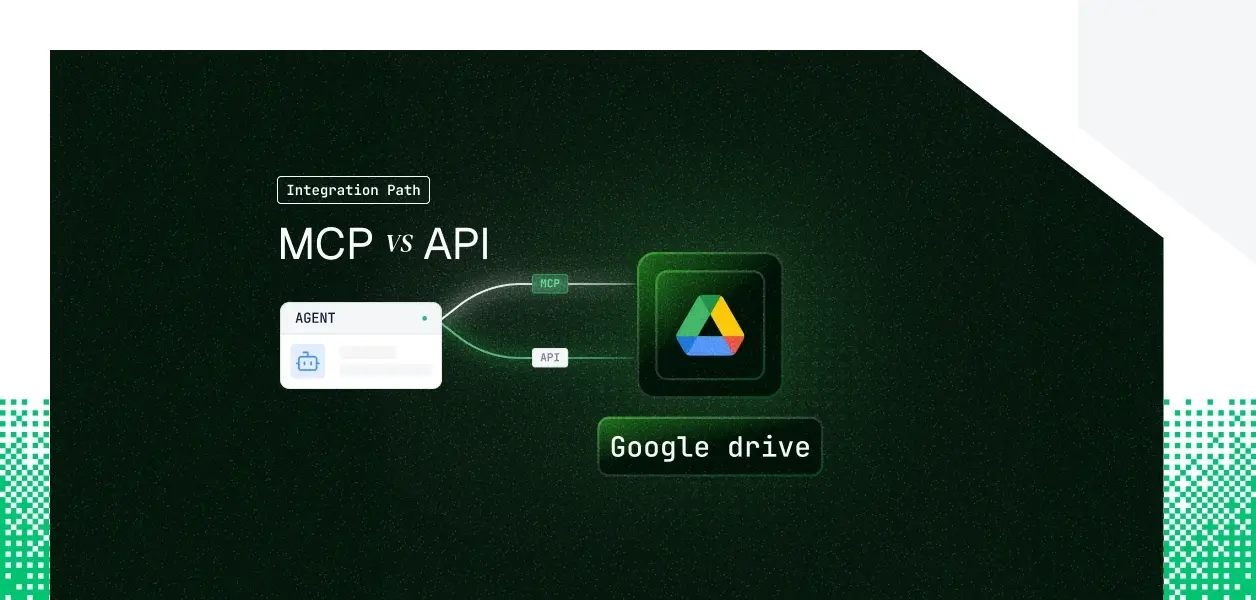


Your agent needs to read and write Google Drive. Google now ships a remote Drive MCP server at https://drivemcp.googleapis.com/mcp/v1 and the same Drive REST API your code has called for years. They are not the same object: different capability coverage, different auth paths, different operational surface area in production. The choice also is not permanent; what your agent does determines which one fits. Here is how to pick.
The Google Drive MCP server is a Google-hosted remote server, available through the Google Workspace Developer Preview Program. Its endpoint is https://drivemcp.googleapis.com/mcp/v1, transport is HTTP, and authentication is OAuth 2.0. You enable two services in a Google Cloud project, drive.googleapis.com and drivemcp.googleapis.com, then point an MCP client at the server.
The server requests two scopes: https://www.googleapis.com/auth/drive.readonly and https://www.googleapis.com/auth/drive.file. It inherits the authorizing user's Drive permissions, so the agent can only see what that user can see. Using it with Claude clients specifically requires a Claude Enterprise, Pro, Max, or Team plan; Gemini CLI and other clients do not carry that requirement.
Official docs: Configure the Drive MCP server.
The Drive REST API is path-versioned at v3. It exposes the full workspace surface: files (create, get, list, update, delete, copy, export, watch), permissions, changes, revisions, comments, and drives for shared drive administration. Authentication accepts OAuth 2.0 user delegation, service accounts with JWT Bearer for server-to-server calls, and domain-wide delegation for impersonating Workspace users.
There are no agent-specific affordances here. Schema handling, pagination, upload types, error responses, and quota management are yours to own.
Official docs: Google Drive API v3 reference.
The MCP server covers search and retrieval well and can create files. Everything that mutates existing content or reacts to change is API-only.
The read side is solid: an agent can search, summarize, and pull file content through the MCP server with no integration code. The write side is where coverage stops. There is no tool to edit a file in place, delete one, reorganize a folder tree, or change who a document is shared with.
Change notifications make the point sharply. If your agent needs to act when a document changes, when a permission is added, or when a file moves, that requires the API's changes feed or a files.watch channel. The MCP server has list_recent_files, which is a poll, not a subscription. Shared drive administration is similar: the drives resource is an API surface, not a missing MCP tool.
The MCP server runs on OAuth 2.0 with a browser consent flow. Each user who connects authorizes the two requested scopes, and the agent then acts with that user's Drive permissions. There is no service-account option and no static credential. A background job with no browser cannot complete this flow.
The Drive API gives you three patterns. OAuth Authorization Code is the per-user delegation path. Service accounts with JWT Bearer authenticate server-to-server with a private key and no interactive step. Domain-wide delegation lets a service account impersonate Workspace users, which is the model for org-wide automation.
The MCP server is capped at drive.readonly and drive.file. The drive.file scope only grants access to files the app created or the user explicitly opened with it. Broad management, editing arbitrary existing files, full content access, requires the restricted drive scope, and restricted scopes require OAuth app verification plus a security assessment. That ceiling is invisible until an agent tries to write outside its lane.
In a multi-tenant B2B agent, every user has their own Drive credential. MCP's OAuth flow gives you one token per user. The API's delegation path gives you one credential per user, or one service account per org under domain-wide delegation. Neither path stores, refreshes, or revokes those credentials for you.
Google manages hosting, the tool schemas, and scope enforcement. You own per-user token storage, refresh, and revocation, plus tenant isolation. When OAuth issues misfire, the troubleshooting trail lives in the Google Admin security investigation tool's OAuth log events, not in your application logs.
You own the full stack: endpoint selection, upload type (simple, multipart, or resumable), pagination, error handling, retries, and quota management. You also own notification channel lifecycle. Push channels created by files.watch expire and have no automatic renewal, so you must replace each channel before it lapses to avoid silently missing events.
MCP tool schemas can change when Google updates the hosted server, and the server is still in Developer Preview, so behavior can shift. The REST API is pinned at v3 and changes follow a deprecation process. For deterministic pipelines where an unexpected schema change is an incident, the versioned API is the more predictable dependency.
Whether you chose MCP or the API, every user in a multi-tenant agent has their own Drive credential. Fifty customers means fifty OAuth grants, fifty refresh cycles, fifty revocation events to handle. The token type differs between the two paths; the infrastructure you must build does not.
A shared service account looks correct in a demo. In production it breaks attribution: every Drive action shows the service account, not the user who triggered it, and the audit trail cannot answer who authorized what. Worse, a token generated months ago and stored locally stays valid after a user is offboarded. The agent does not decide to keep using it; it just does.
Neither MCP nor the API gives you encrypted storage, per-tenant isolation, proactive refresh, or revocation that fails closed. Those are infrastructure problems, identical on both paths.
Scalekit acts as the OAuth client for Google Drive. It redirects the user, obtains the token, and refreshes it before expiry. Tokens live in an AES-256 vault, namespaced per tenant, resolved server-side at request time. Your agent code passes a connectionName and a user identifier; the credential never reaches your agent runtime or the LLM context. For more on why this architecture matters, see Token vault: Why it's critical for AI agent workflows.
A document agent acts on files that belong to specific people. That makes per-user identity the whole game. Scalekit resolves the authorizing user's credential on every tool call, so access stays tied to that user, attribution stays accurate, and one user's files are never reachable by an agent acting for another. What the user cannot do in Drive, the agent cannot do either.
Scalekit's Google Drive connector ships LLM-ready tools that cover both reads and the writes the official MCP server lacks. Tested against the live API, they include:
Raw upload and download run through the Scalekit proxy, with the OAuth token injected automatically. The connector tool reference is on the Scalekit Google Drive docs.
If you want any MCP-compatible framework to reach these tools without writing a tool-calling loop, Scalekit's Virtual MCP Server gives you a scoped, per-user endpoint with no server to deploy or host. You declare which connections and tools the server exposes once, then mint a per-user URL. The endpoint is static; the identity is per-user. A Scalekit Virtual MCP URL looks like https://companyName.scalekit.com/mcp/v3/servers/<server-id>.
The connection_name below must match the connection configured in your Scalekit dashboard; this is the most common integration error.
Per user, you call ensure_instance once. The user authorizes Google Drive, and Scalekit returns the pre-authenticated MCP URL for that user. Point any MCP client at it, and tool calls flow to Drive under that user's token.
Recommended: An end-to-end version is in the Claude managed agents example; setup starts from the AgentKit quickstart and the Configure an MCP server guide.
Every Drive tool call is logged: who triggered it, which file was touched, and what came back. The history runs 90 days and exports to a SIEM, tied to the user who authorized the action rather than a shared account. When a user revokes access, the connection is invalidated on the next call and fails closed, while other users in the tenant stay unaffected. For a deeper look at why this matters, see Agent Tool Observability: Your Agent Is Running. Is It Actually Working?
For an agent spanning several tools and many tenants, that per-user audit chain is the difference between answering a security questionnaire and stalling on it.
If your agent is interactive and its job is searching, reading, and summarizing Drive content, the Developer Preview MCP server is the fastest route to a working agent, and the user's permissions constrain it automatically. If your agent runs headless, edits or deletes files, automates sharing, manages shared drives, or reacts to changes, build against the Drive API, where service account auth and the changes feed give you what the MCP server cannot.
Most production Drive agents end up using both: MCP for the interactive surface, the API for background and write work. The credential management problem is identical either way, and that is the part that needs production-grade infrastructure. Scalekit covers both paths and adds the per-user scoped tool surface and audit trail that the raw MCP server and raw API leave to you.
Browse the Scalekit Google Drive connector: scalekit.com/connectors/googledrive
Need a Google Drive tool or another connector Scalekit does not expose yet? Request it in the Scalekit Slack community or talk to us.