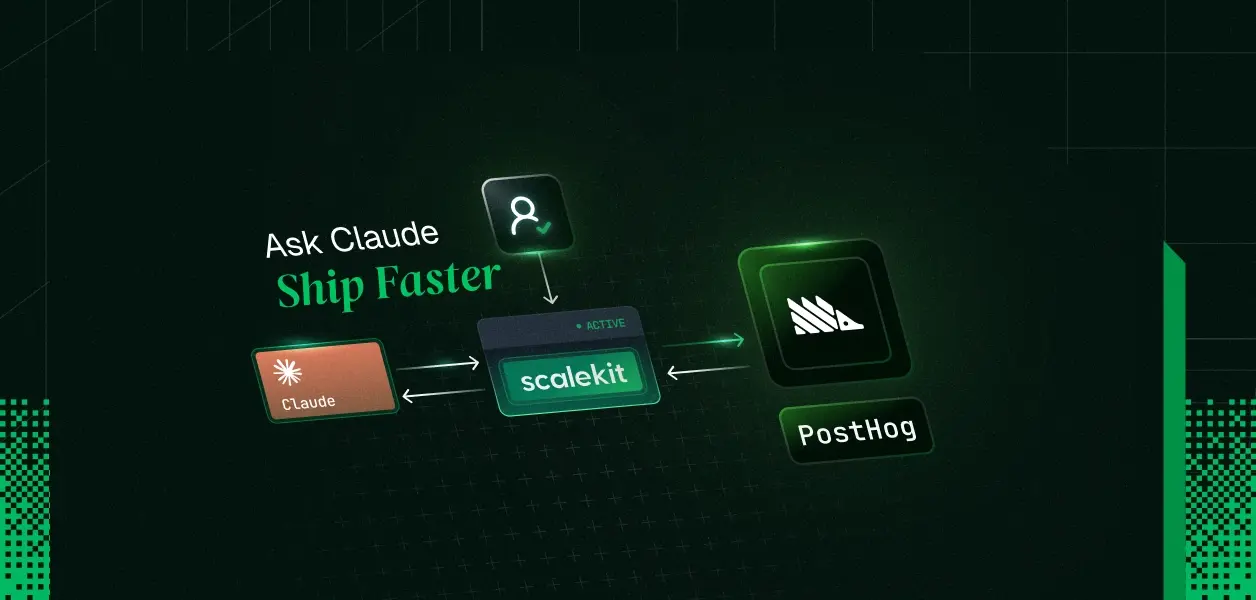
TL;DR
- A shared PostHog credential works for a single developer in a demo. It breaks the moment a second user needs their own project access, permission scope, or audit trail.
- The hard part is not the tool schemas. It is ensuring the agent always acts with the correct user's connected account, not a shared credential that bypasses the permission model entirely.
- Scalekit handles the PostHog OAuth per user, stores tokens per identifier, refreshes automatically, and returns only the tools that user is authorized to call.
- What the user cannot do in PostHog, the agent cannot do. Scope is derived from identity, not from connector configuration.
- The identifier is the secure key that maps your user to their PostHog connection. Resolve it server-side after authenticating the request. Never accept it from client input.
You connect PostHog to your Claude agent in an afternoon. One API token, a few tool definitions, and the agent is capturing events and querying insights. The demo lands. You ship it to your team.
Three weeks later, a second person wants access. Their PostHog project. Their team's permissions. Their event data. Here is where the architecture breaks; not loudly, but quietly. The agent was never acting as a user. It was acting as a credential. One credential. Now that credential serves everyone, which means it enforces no per-user permissions, respects no project boundaries, and cannot be individually revoked without breaking the entire team.
The fix is architectural. Each user connects their own PostHog account, scoped to their own project and identity. You do not write or maintain the OAuth flow, token storage, or refresh logic to make that happen. Scalekit does it for you.
Why the Shared Credential Fails at User Two
A single PostHog token hardcoded into your agent creates compounding problems, and they surface in sequence. The token belongs to whoever created it — usually the developer who built the agent. That means every event capture and insight query runs with that developer's project access, not the actual user's.
- A product manager querying their team's funnel data gets results from the wrong project.
- A customer using an embedded analytics agent interacts with your internal PostHog account, not theirs.
- When that developer leaves, or the token is rotated, every user's agent breaks simultaneously. There is no per-user revocation path.
- And if the agent serves external customers — users who have their own PostHog projects and want the agent to operate inside them — a single shared credential is simply the wrong architecture. The agent needs their PostHog identity, not yours.
Teams who try to solve this themselves quickly own a secondary product: OAuth flows for PostHog, a token table per user, refresh scheduling, error handling for revoked tokens, and a mapping layer between internal user IDs and PostHog projects. That is not the product they are building.
This is the same pattern regardless of whether the agent is used by an internal growth team or embedded in a product for external customers. The architectural problem is identical. So is the fix.
How the Two Flows Work: Connection Time and Runtime
There are exactly two moments that matter in a multi-user PostHog agent.
- Connection time
The user authorizes PostHog through Scalekit's OAuth flow. Scalekit stores the token under a stable identifier you control — your user ID, session token, or any string that identifies that user in your system. You verify that the authenticated user in your system completed the OAuth before trusting the identifier. After that, Scalekit owns the token lifecycle: storage, refresh, revocation handling. - Runtime
When the agent runs for a user, your code resolves the identifier for the currently authenticated user from your session or database. Scalekit uses it to return only the tools that the user's connected PostHog account is authorized to call. The agent runtime never sees a token.
You control the identifier-to-user mapping. Scalekit controls the PostHog token, refresh logic, and authorized tool surface. Your agent only ever uses the identifier.
Recommended Reading: Scalekit AgentKit Quickstart — connected accounts, scoped tools, and the execution model in one place.
Prerequisites
- Python 3.10+
- A Scalekit account with a PostHog connection created in the dashboard under Agent Auth > Connections. The connection name must match exactly — for example, posthog.
- Anthropic SDK and Scalekit Python client.
- An Anthropic API key.
- Working familiarity with Anthropic tool calling.
Step 1: Install Dependencies and Set Up Clients
pip install anthropic scalekit
Create a .env file:
SCALEKIT_ENVIRONMENT_URL=https://your-env.scalekit.cloud
SCALEKIT_CLIENT_ID=skc_...
SCALEKIT_CLIENT_SECRET=sks_...
ANTHROPIC_API_KEY=sk-ant-...
USER_IDENTIFIER=user_123
Initialize both clients:
# agent.py
from scalekit import Scalekit
from dotenv import load_dotenv
import os
load_dotenv()
scalekit = Scalekit(
os.getenv("SCALEKIT_ENVIRONMENT_URL"),
os.getenv("SCALEKIT_CLIENT_ID"),
os.getenv("SCALEKIT_CLIENT_SECRET"),
)
Step 2: Connect the User's PostHog Account
Before the agent can act, the user's PostHog account must be connected. get_or_create_connected_account returns the current connection state. If the account is not yet active, generate a one-time authorization link for that user.
IDENTIFIER = os.getenv("USER_IDENTIFIER") # resolve server-side from your session
CONNECTION = "posthog" # must match the connection name in your Scalekit dashboard
response = scalekit.connect.get_or_create_connected_account(
connection_name=CONNECTION,
identifier=IDENTIFIER,
)
if response.connected_account.status != "ACTIVE":
link = scalekit.connect.get_authorization_link(
connection_name=CONNECTION,
identifier=IDENTIFIER,
)
print("Authorize PostHog:", link.link)
input("Press Enter after authorizing...")
The first run prompts the user to authorize. Every subsequent run uses the stored, automatically refreshed connection. You do not touch the token.
Step 3: Retrieve the Authorized Tool Surface
Do not pass the full PostHog connector catalog to the model. Pass only the tools this user's connected account is permitted to call. list_scoped_tools returns exactly that surface.
scoped_response = scalekit.tools.list_scoped_tools(
identifier=IDENTIFIER,
filter={"connection_names": [CONNECTION]},
page_size=100,
)
llm_tools = [
{
"name": tool.definition.name,
"description": tool.definition.description or tool.definition.name,
"input_schema": tool.definition.input_schema,
}
for tool in scoped_response.tools
]
print(f"Discovered {len(llm_tools)} PostHog tools for {IDENTIFIER}")
What the user cannot do in PostHog, the agent cannot do. Scope is derived from their connected account — not from a shared service credential provisioned with admin-level access for convenience.
Typical tools surfaced for an active PostHog connection:
- posthog_capture_event — capture custom events with properties
- posthog_query_insights — query dashboards and insight results
- posthog_get_person_properties — retrieve person or user data
- posthog_feature_flag — check or manage feature flags
- posthog_list_events — list recent events in the project
See the authoritative list for your live connection in the Scalekit dashboard.
Step 4: Run the Agent Loop
import anthropic
client = anthropic.Anthropic(api_key=os.getenv("ANTHROPIC_API_KEY"))
messages = [
{
"role": "user",
"content": "Capture a 'user_signup' event for user_123 with properties, then query recent insights for the last 7 days.",
}
]
while True:
response = client.messages.create(
model=os.getenv("ANTHROPIC_MODEL", "claude-sonnet-4-6"),
max_tokens=1024,
tools=llm_tools,
messages=messages,
)
if response.stop_reason == "end_turn":
print(response.content[0].text)
break
tool_results = []
for block in response.content:
if block.type == "tool_use":
print(f" -> Calling: {block.name}")
result = scalekit.tools.execute_tool(
tool_name=block.name,
identifier=IDENTIFIER,
tool_input=block.input,
)
tool_results.append({
"type": "tool_result",
"tool_use_id": block.id,
"content": str(result.data),
})
messages.append({"role": "assistant", "content": response.content})
messages.append({"role": "user", "content": tool_results})
Every execute_tool call resolves back to that user's token inside Scalekit's vault. The agent runtime never sees a credential.
The Identifier Is Sensitive — Treat It That Way
The identifier is the key that maps your user to their PostHog connection. It is the architectural boundary that separates a secure multi-user agent from one with the exposure surface of a shared service account. If an attacker can supply an arbitrary identifier — by passing it from client input, reading it from an unvalidated cookie, or accepting it from any untrusted source — they can call PostHog tools with another user's credentials. No OAuth bypass required. No token theft needed. Just the wrong identifier in the right place.
# Correct: resolve the identifier server-side after authenticating the request
identifier = get_current_user_id_from_session(request)
# Incorrect: accept it from anything the client controls
identifier = request.query_params.get("user_id") # never do this
The identifier must come from your authentication layer: your session, your JWT claims, your database record for the authenticated user. The identifier is sensitive. Handle it accordingly.
Running It
Expected output:
Authorize PostHog: https://... # first run only
Discovered 8 PostHog tools for user_123
-> Calling: posthog_capture_event
Event captured.
-> Calling: posthog_query_insights
Recent insights: [...]
See all the code examples
Tradeoffs
Build your own OAuth + vault
Scalekit connected accounts
No — all users share one scope
Yes, if implemented correctly
Yes — scope derived from each user's authorization
No — one credential reaches all users
Yes — tokens isolated per identifier
No — revoking breaks everyone
Rarely worth the maintenance cost
Production multi-user agents
Troubleshooting
1. Why does my connection never become ACTIVE after the user finishes OAuth?
You probably skipped the verification step.
After the user finishes the PostHog consent screen, you must confirm server-side that the authenticated user in your system owns the identifier before trusting it. If verification never runs, the account stays pending. Fix: verify in a protected server-side callback, not in client-side code.
2. Why do the tools return permission errors or empty results?
The connected account either did not receive the required PostHog scopes during OAuth, or the token was revoked afterward. Re-authorize with a fresh link for the same identifier using get_authorization_link.
3. Why is the identifier "not found" or list_scoped_tools empty?
- No active connection for that identifier + connection name.
- You are trusting an identifier from the client instead of resolving it server-side after your own auth check.
Rule: Identifier is sensitive. Resolve from your session/DB after authenticating the caller.
4. How do I handle re-auth or expired connections?
Call get_authorization_link again with the same connection_name and identifier. Scalekit handles re-authorization and token refresh. The identifier stays stable across re-auth cycles.
5. Can one user connect multiple services?
Yes. Use the same identifier with different values in the connection_names filter. The identifier is stable across all connectors.
What the Right Credential Model Actually Enables
Fixing the credential model is not a security nicety. It is what determines whether the agent is usable as a product.
An agent operating on a shared credential cannot express per-user PostHog projects. It cannot be individually revoked without breaking every other user. It cannot enforce the permission boundaries that PostHog already enforces for humans. The agent becomes less capable than a logged-in user — because it bypasses the permission model entirely.
Per-user connected accounts invert this. The agent inherits each user's permissions exactly. Nothing more, nothing less. Users can connect and disconnect their PostHog on their own. Token refresh runs automatically. You do not write the refresh logic that breaks at 3am when six enterprise tenants are silently failing.
The same identifier, the same pattern, works across every connector Scalekit supports — not just PostHog. Whether you are building a CRM agent with HubSpot, a standup agent across GitHub and Slack, or a support triage workflow with Zendesk, the credential ownership model remains identical.
Browse all AgentKit connectors