

The HubSpot MCP server is HubSpot's official remote MCP server at https://mcp.hubspot.com. It acts as the HubSpot user who signs in through OAuth 2.1 with PKCE, and it respects that user's permissions, so an agent can only read and change records the user can already reach. HubSpot made it generally available to all HubSpot accounts on April 13, 2026.
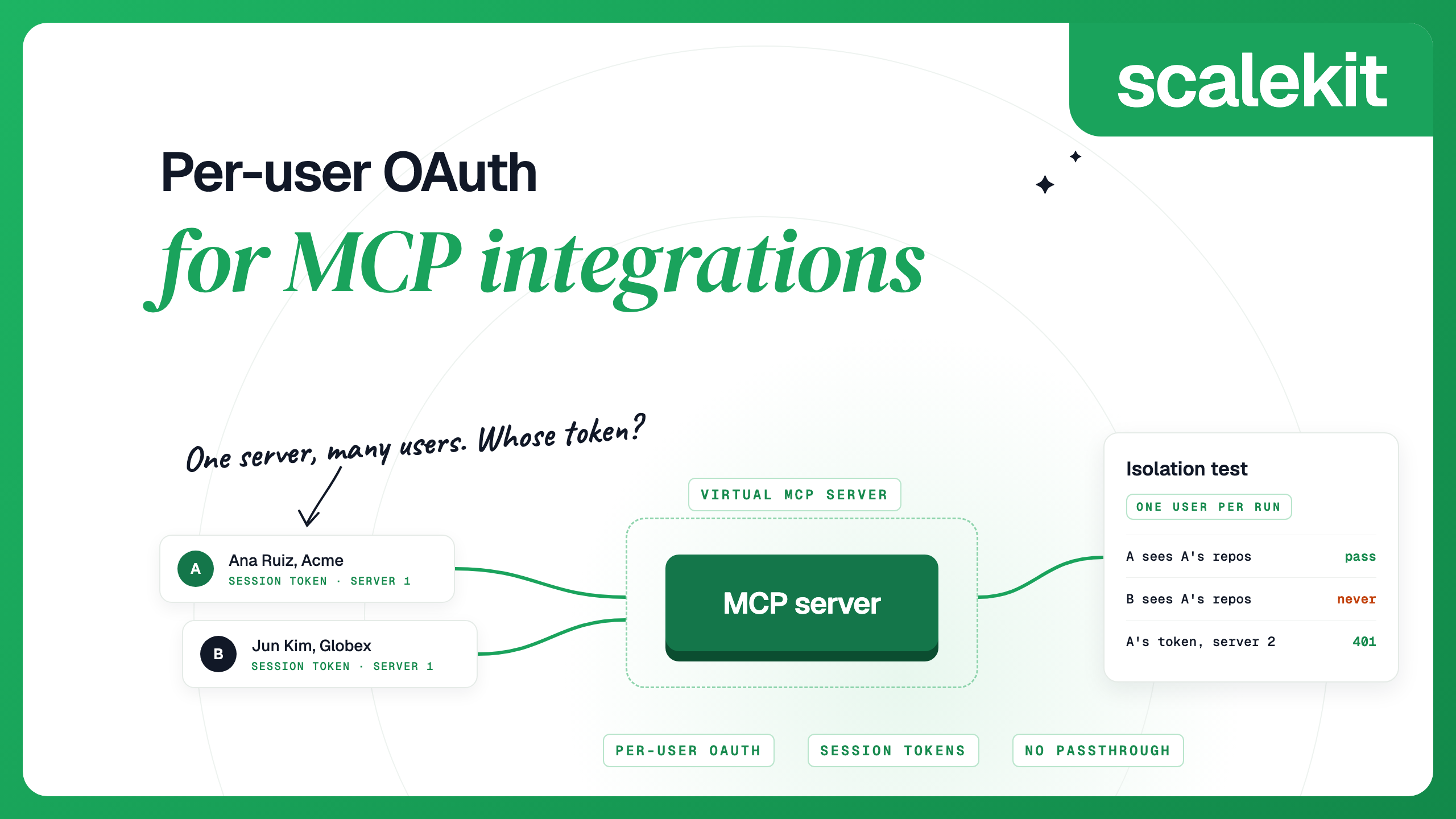
HubSpot's own AI connectors for Claude, ChatGPT, Gemini and Microsoft Copilot run on this server. Clients such as Claude Code, Cursor and Codex can also connect through an MCP connector you create in HubSpot. A product whose agent works in many customers' HubSpot accounts needs one more layer, because each user's tokens have to be stored, refreshed and revoked, which is the per-user side of MCP integrations.
HubSpot's MCP server documentation lists what an agent can reach:
Tool availability depends on the account's subscription, the user's permissions and the account's configuration, so HubSpot recommends running get_user_details first: it returns the user, the account and read and write access per object. A few limits are worth knowing before you design around the server:
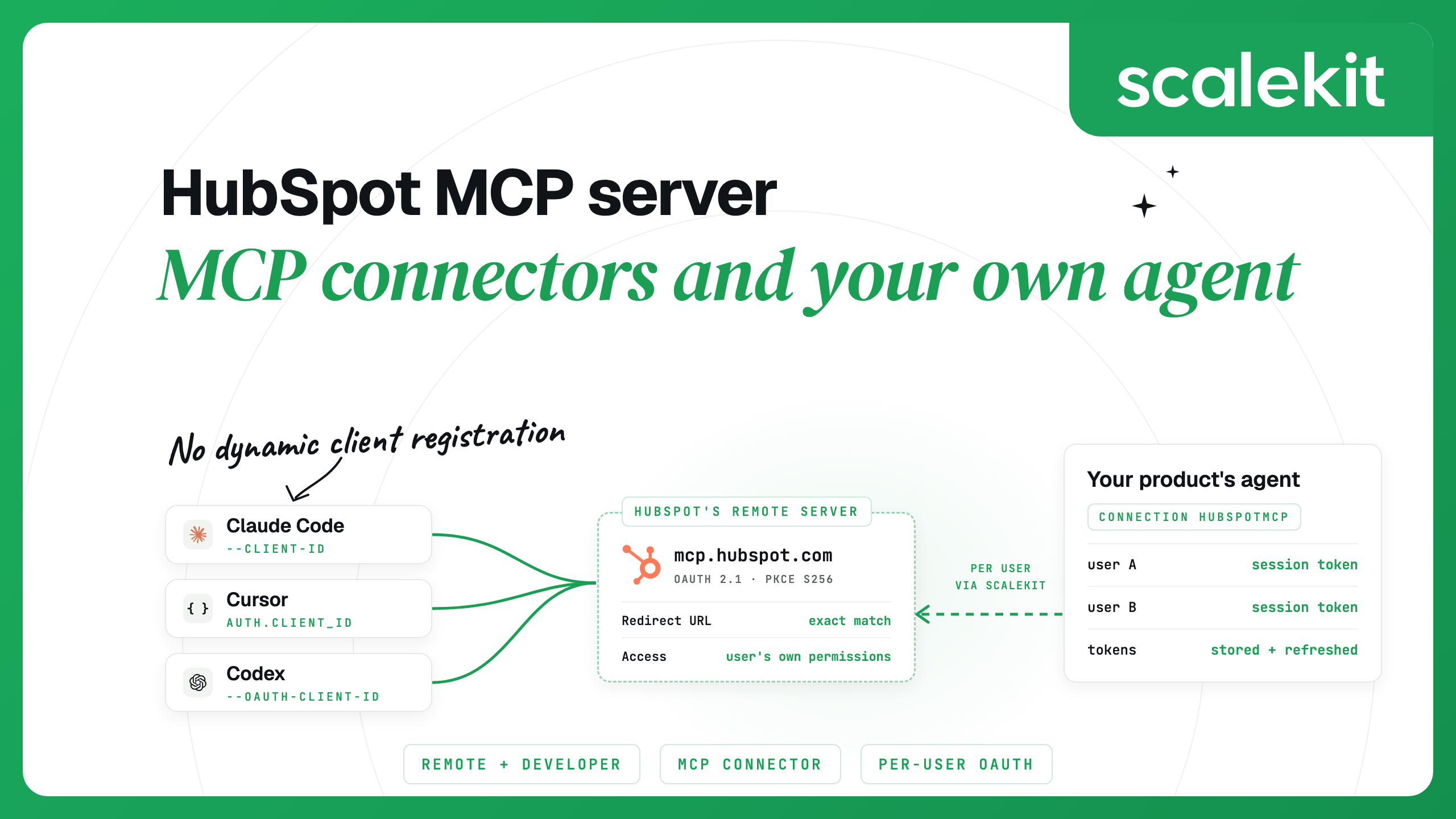
A request without a token gets a 401 whose WWW-Authenticate header points to the server's protected resource metadata. That metadata names https://mcp.hubspot.com itself as the authorization server, which supports the authorization code grant with S256 PKCE and authenticates clients with a client secret in the request body. It publishes no registration endpoint, so a client cannot register itself. That is why HubSpot's setup starts with creating an MCP connector.
You don't define scopes on an MCP connector. HubSpot derives them from the tools the server has when a user installs the connector and from the permissions that user grants. When HubSpot adds tools that need new scopes, users who installed earlier have to reinstall to grant them; HubSpot's changelog notes that an existing app may show a REQUIRES_REAUTHORIZATION status for newly added object types.
MCP connectors were called MCP Auth Apps when HubSpot introduced them, and some guides still use that name. To create one:
Each client sends its own redirect URL during sign-in, and it has to match one on the connector exactly:
During sign-in, the user selects which HubSpot account to connect and grants the connector's permissions. To test the connector first, run the MCP Inspector with the Streamable HTTP transport, the URL https://mcp.hubspot.com/ and your client ID and secret, then call get_user_details.
If you use Claude with a paid plan, the quickest route is HubSpot's connector for Claude. In Claude, go to Settings, choose Customize, click Browse and search for HubSpot, then sign in and choose what the connector can access. A Super Admin, or a user with App Marketplace permissions, enables it in HubSpot first. Claude Code shows connectors you added in claude.ai when you log in to Claude Code with your claude.ai account.
To add the server under your own MCP connector, register http://localhost:8080/callback on the connector and pass its credentials. The --client-secret flag prompts for the secret with masked input, and Claude Code keeps it in your system keychain on macOS or a credentials file elsewhere:
Then run /mcp in Claude Code and finish the sign-in in your browser. claude mcp get hubspot shows whether the client ID, secret and callback port are configured. If you add https://mcp.hubspot.com without --client-id, sign-in fails with an error saying the auth server does not support dynamic client registration.
Cursor reads static OAuth credentials from the auth object of a server entry. Put this in ~/.cursor/mcp.json for every project or .cursor/mcp.json for one, with the client ID and secret in environment variables:
Register http://localhost:8787/callback on the connector for the desktop app, and https://www.cursor.com/agents/mcp/oauth/callback as well if anyone signs in from the web or Cursor Agents. Then connect the server from Cursor's MCP settings.
Codex appends a server-specific ID to its OAuth callback for HubSpot, and it fills in the listener port at sign-in time unless you fix it. Set a fixed port and callback at the top of ~/.codex/config.toml first, so the redirect URL stays stable:
Then add the server with your connector's credentials:
Codex prints a line starting with OAuth callback URL, followed by the full URL, in the form http://127.0.0.1:8765/callback/<id>. Add that exact URL to the connector's redirect URLs before you sign in, then run codex mcp login hubspot. Codex stores the secret in config.toml, so keep that file private and out of version control. To have Codex ask before any tool the server does not mark read-only, add default_tools_approval_mode to the [mcp_servers.hubspot] table that codex mcp add wrote:
The developer MCP server became generally available on February 19, 2026. It needs HubSpot CLI 8.2.0 or later, and hs mcp setup adds it to Claude Code, Codex, Cursor, Gemini CLI, VS Code or Windsurf as a server named HubSpotDev:
Setup asks whether to use standalone mode, which runs the server through npx @hubspot/cli instead of a global install and suits machines where global npm installs are restricted. Its tools search and fetch HubSpot's developer docs, create, validate, upload and deploy projects, read build logs and create CMS templates, modules and serverless functions. It authenticates through your HubSpot CLI account with a personal access key. Older tutorials point to the @hubspot/mcp-server npm package, a beta that ran with a private app access token; its last release, 0.4.0, dates from June 2025.
HubSpot's remote server is the right default for anyone working in their own AI client. HubSpot's AI connectors page makes the case directly under the heading "Write-back without the wrapper": agents get read and write access without a custom development layer, permissions come from HubSpot, and every write is attributed in the audit log. New tools arrive without changes on your side.
Community servers wrap the REST API instead. shinzo-labs/hubspot-mcp is MIT-licensed, runs through npx @shinzolabs/hubspot-mcp with a HUBSPOT_ACCESS_TOKEN environment variable, and lists OAuth as a planned enhancement. Its README also says it collects anonymous telemetry, with an opt-out. HubSpot now files private apps under Legacy apps, and creating one requires a Super Admin. A private app token works for the app across the account with the scopes you chose, so it suits one developer's tooling better than a team of users. HubSpot's Agent CLI, in beta, is HubSpot's own terminal tool for bulk updates and CRM clean-up, with a dry-run mode that previews every change.
HubSpot MCP vs API compares the two surfaces for agents in more detail. In short, interactive assistants fit the MCP server, while background jobs and work the MCP tools don't cover fit the REST API, and a product with many users needs per-user credentials on either path.
HubSpot built MCP connectors for ecosystem partners as well as customers, and each user picks the HubSpot account to connect during sign-in. That makes the remote server usable from a product that serves many companies. This differs from HubSpot's REST OAuth in one important way. The MCP server limits every action to what the signed-in user can see and edit. A REST OAuth access token reflects the app's scopes, so HubSpot's OAuth guide notes that a user who can only view their own contacts, but authorizes the contacts read scope, produces a token that can view every contact in the account.
Built by hand against the MCP server, per-user access looks like this:
Per-user OAuth for MCP integrations covers this design and its failure modes in more depth.
AgentKit is an MCP gateway that runs each user's OAuth flow, stores their tokens encrypted with AES-256-GCM under a key per environment, refreshes them and calls tools as that user. It has two HubSpot connections:
For the HubSpot MCP connector, Scalekit's own OAuth credentials are available, so you can start without creating an MCP connector. To show your own app on HubSpot's consent screen, create an MCP connector, add the redirect URI from your Scalekit connection to it, and paste the connector's client ID and secret into the connection. Every connection has its own MCP server, at your environment URL followed by /mcp/v3/connections/ and the connection name, so there is nothing else to create.
Once per user: send an authorization link.
Before each run: mint a session token. This one is read-only and lasts 30 minutes.
During the run: connect any MCP client with the server URL and the session token as a bearer header. With the Python MCP SDK (version 2):
Scalekit checks the token, finds that user's HubSpot account and calls HubSpot's server with it, so your agent never receives the user's HubSpot tokens. How session tokens behave:
When an agent needs a few tools from several apps, a Virtual MCP server lets you choose them and share one URL across users in the same way. To revoke one user, delete their connected account; their next call fails until they authorize again, and other users keep working:
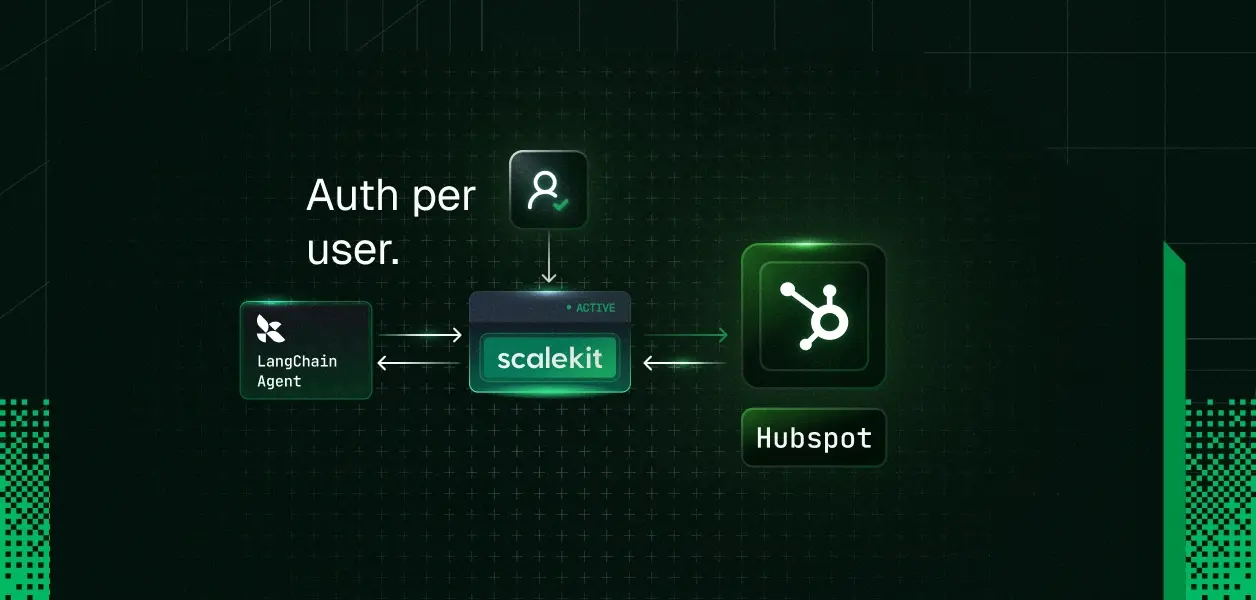
For a framework walkthrough on the hubspot connection, see building a LangChain agent for multiple HubSpot users.
The Claude Code ask rule goes in your settings.json, or you can add it from /permissions:
HubSpot made the remote server generally available to all HubSpot accounts. HubSpot says its connector for Claude is free to install and works on all HubSpot tiers, including Free, with a paid Claude plan. Some tools need specific subscriptions, such as Marketing Hub Professional or Enterprise for AEO tools and Revenue Hub Professional or Enterprise for quotes.
No. The remote server moved out of beta on April 13, 2026, and the developer MCP server became generally available on February 19, 2026. Revenue objects such as quotes, invoices and subscriptions are still in beta on the remote server.
Yes. HubSpot lists custom objects among the CRM records the server can read, and custom object records among those it can create and edit. Run get_user_details to see which objects your account and user can access.
HubSpot's authorization server does not let clients register themselves, so you need an MCP connector's client ID and secret. Create the connector under Development > MCP Connectors with the redirect URL http://localhost:8080/callback, then add the server with --client-id, --client-secret and --callback-port 8080.
The remote HubSpot MCP server at mcp.hubspot.com reads and writes an account's CRM data as the signed-in user. The developer MCP server runs locally through the HubSpot CLI and helps you build HubSpot apps, CMS assets and serverless functions.
Yes. HubSpot built MCP connectors for ecosystem partners as well as customers, and each user picks the HubSpot account to connect during sign-in. Your product then has to store, refresh and revoke each user's tokens, which Scalekit's hubspotmcp connection does for you.
Details checked October 2026.


.png)