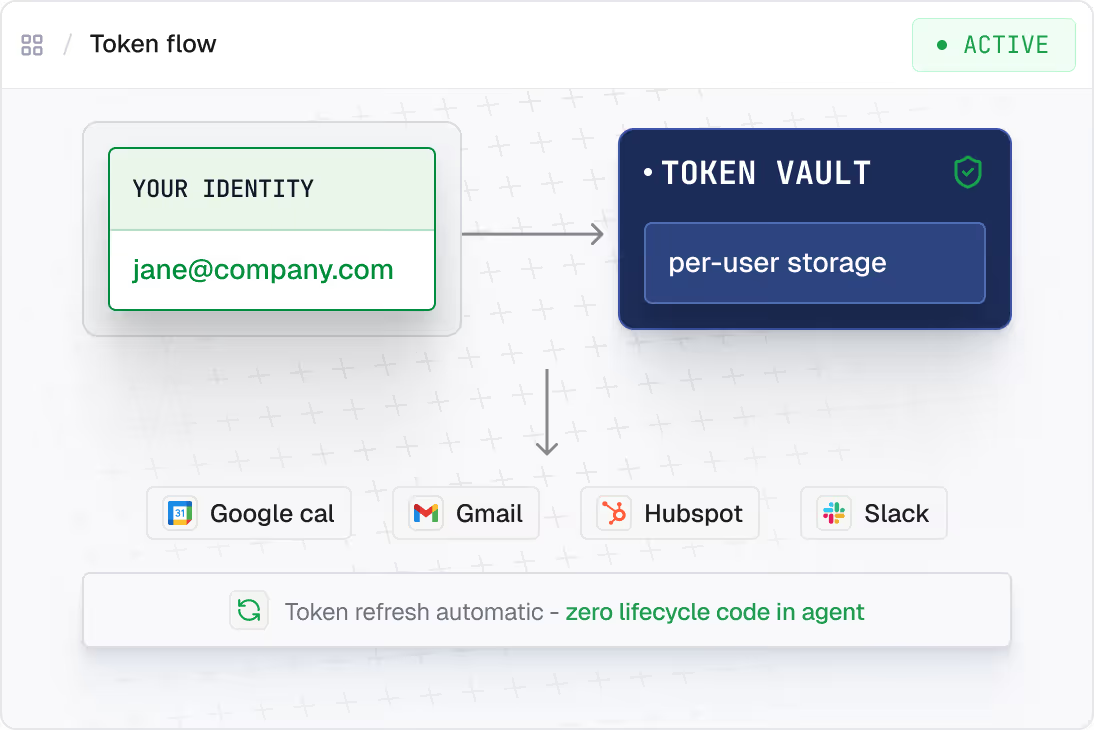
Connect two real services, delegate OAuth to your users, and ship a working agent in minutes. Clone the sample, swap in your tools, and go from zero to multi-connector in a single afternoon.
This repo uses a single SCALEKIT_USER_ID env var to simulate one user. In production, pass each user's real ID as the identifier on every Scalekit call, and send them an authorization link whenever their connector status is not ACTIVE.
import os
from scalekit import ScalekitClient
from langchain.agents import create_tool_calling_agent
client = ScalekitClient(
env_url=os.environ["SCALEKIT_ENV_URL"],
client_id=os.environ["SCALEKIT_CLIENT_ID"],
client_secret=os.environ["SCALEKIT_CLIENT_SECRET"],
)
# LangChain-compatible tools scoped to this user
tools = client.actions.langchain.get_tools(
identifier="user@example.com",
connection_names=["slack", "linear"],
)
agent = create_tool_calling_agent(llm, tools, prompt)
Two things you'd otherwise build: Slack OAuth with event subscriptions per user and Linear token storage. Works with LangGraph out of the box. Handled.
tools = client.actions.langchain.get_tools(
identifier=user_id,
connection_names=["slack", "linear"],
)
agent = create_tool_calling_agent(llm, tools, prompt)client = ScalekitClient(
env_url=os.environ["SCALEKIT_ENV_URL"],
client_id=os.environ["SCALEKIT_CLIENT_ID"],
client_secret=os.environ["SCALEKIT_CLIENT_SECRET"],
)
# Credentials never in agent code or LLM context# Day 1 or day 180 - same call works
tools = client.actions.langchain.get_tools(
identifier=user_id,
connection_names=["slack", "linear"],
)Each one runs on delegated identity, scoped per user.
Don't sweat the integration. Point a coding agent at the repo. It clones, swaps in your connectors, and adds new steps for you.
Clone github.com/scalekit-inc/python-connect-demos/langchain. Set connection_names = ["slack", "linear"]. Build a LangGraph Slack workflow agent: listen for Slack triggers (slash commands, emoji reactions, mentions), route each through a LangGraph workflow graph, execute actions in connected services (Linear issue creation, standup synthesis) as the triggering user via Scalekit, reply in the Slack thread. Set SCALEKIT_ENV_URL, SCALEKIT_CLIENT_ID, SCALEKIT_CLIENT_SECRET in .env.