Pulls open pipeline from Salesforce and HubSpot, calculates coverage against quota, flags at-risk stages, posts commentary to Slack, and logs every snapshot to Google Sheets.


















This repo labels each cycle under a single ANALYST_EMAIL with per-connector *_USER identities from .env. In production, pass each analyst's real ID as the identifier on every Scalekit call, and send them an authorization link whenever their connector status is not ACTIVE.
logger.info("Step 0: Checking connector auth")
for connector_name, identifier in cfg.get_connector_users().items():
    conn = Connector(actions, connector_name, identifier)
    conn.check_auth()

# connectors.py -- check_auth()
resp = self.actions.get_or_create_connected_account(
    connection_name=self.connector_name,
    identifier=self.identifier,
)
if resp.connected_account.status != "ACTIVE":
    link = self.actions.get_authorization_link(
        connection_name=self.connector_name,
        identifier=self.identifier,
    ).link
logger.warning(f"Authorize here: {link}")Four things you'd otherwise build: Salesforce OAuth, HubSpot refresh, Slack auth, Google Sheets credentials. Handled.
Clone github.com/scalekit-developers/workflow-agents-demos/tree/main/revenue-forecast-commentary-agent and adapt it for my RevOps stack.

I am building for: my RevOps team (or: a revenue analytics product)   ← edit this line
Connectors my users need: Salesforce, HubSpot, Slack MCP, Google Sheets   ← edit this line
Trigger: weekly cron (Monday mornings) or POLLING_MODE=true. Deliver: forecast commentary in Slack + an append-only snapshot log in Google Sheets.

Steps:
1. Create Scalekit AgentKit connections for salesforce, hubspot, slackmcp, googlesheets -- copy the exact (auto-suffixed) connection names from the dashboard into .env. HubSpot must be the plain REST connector, not HUBSPOTMCP.
2. Map identifier to each analyst's real user ID (not a shared RevOps bot). Per-connector *_USER overrides exist if identities differ per service.
3. If I swap a connector, mirror an existing class in connectors.py: execute_tool(tool_name, identifier, connection_name, tool_input) → read result.data (MCP envelopes unwrap automatically).
4. Keep the fingerprint gate in state.py: Sheets logs every cycle, Slack only posts when a stage's deal count, value, or at-risk flag actually changed.
5. Set QUOTA_TARGET and COVERAGE_RATIO_TARGET for my team, and point GOOGLE_SHEETS_SPREADSHEET_ID at an existing spreadsheet (the tab auto-creates).
6. Run python run_flow.py for one cycle, then describe how to deploy for many analysts.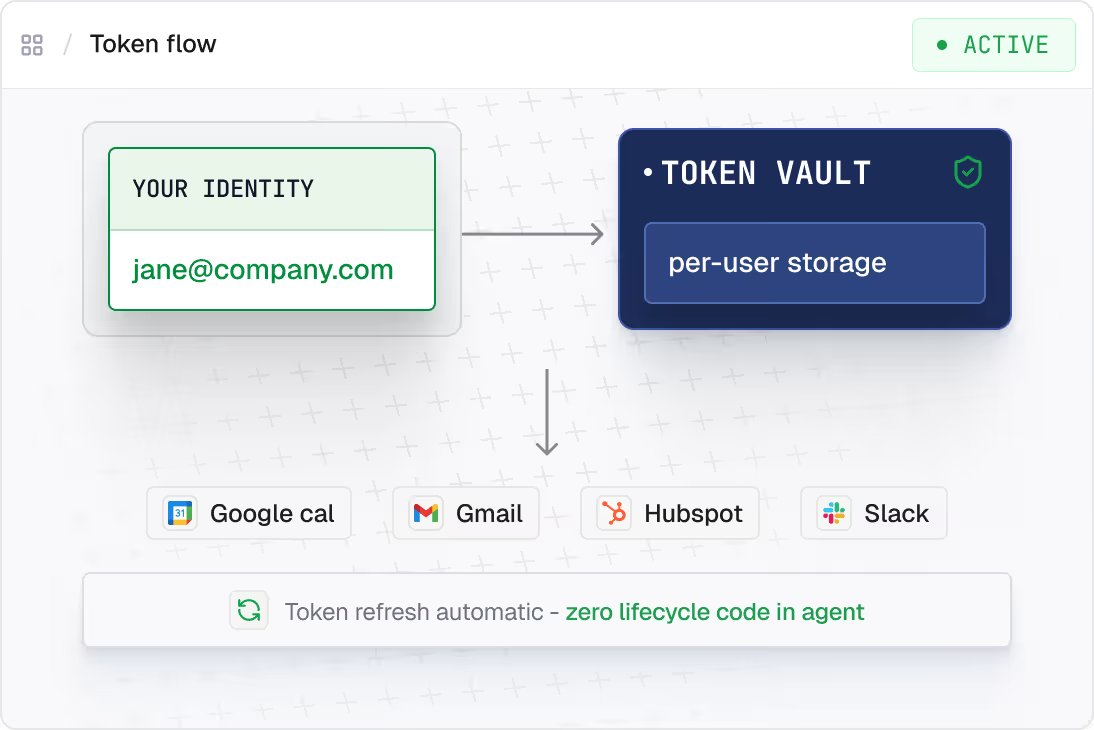
Each one runs on delegated identity, scoped per user.











.svg)