October 13, 2026
AgentKit

Read-only session tokens and an MCP server for every connection

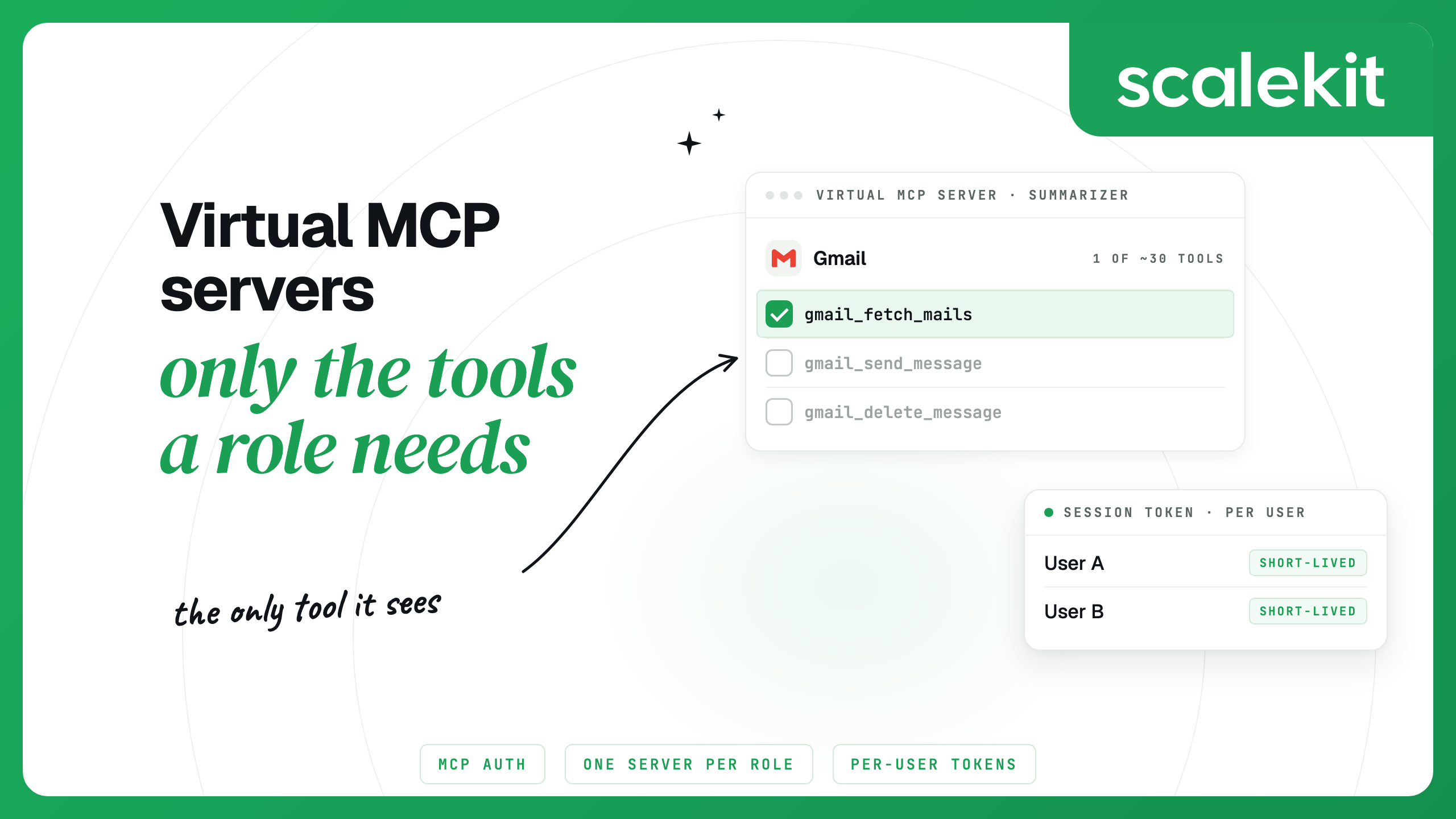
A session token can now be read-only, so the agent sees and calls only tools that read data. Every connection also has its own MCP server, with all of that app's tools and nothing to create.

A Virtual MCP server let you choose which tools an agent sees, but every token on it could call every tool you chose, and an agent that needed all of one app's tools still needed a server built for it. We shipped two changes. A session token can now be read-only, and every connection has its own MCP server with nothing to create.

Agents read content other people wrote: emails, tickets, documents. Some of it will tell the agent to forward a thread or delete a file. With a read-only token, write tools are not in the agent's tool list, and a call to one is refused before anything reaches the app.

Take a coding agent with an Ask mode and a Build mode. Ask mode gets a READ_ONLY token, Build mode gets a FULL token, on the same server and the same OAuth grant, so the user authorizes once. For an agent that reads code but still files tickets, mint a read-only token for the GitHub connection's MCP server and a full token for the Linear one.

How it works

  • Every tool on a connector page is labeled Read-only, Write, or Destructive. A tool without a read-only label counts as a write.
  • Add access_level: "READ_ONLY" when you mint a session token. tools/list returns only read-only tools, plus connect_account.
  • A call to any other tool returns JSON-RPC error -32602 and never reaches the app. Tools from an MCP connector you bring count as read-only when the upstream marks them with readOnlyHint.
  • Each connection's MCP server is at /mcp/v3/connections/<connection-name> under your environment URL. Mint its token with POST /api/v1/mcp/connections/<connection-name>/tokens.

Read the read-only token docs and connection MCP server docs.

Share on

Read-only session tokens and an MCP server for every connection

—

A Virtual MCP server let you choose which tools an agent sees, but every token on it could call every tool you chose, and an agent that needed all of one app's tools still needed a server built for it. We shipped two changes. A session token can now be read-only, and every connection has its own MCP server with nothing to create.

Agents read content other people wrote: emails, tickets, documents. Some of it will tell the agent to forward a thread or delete a file. With a read-only token, write tools are not in the agent's tool list, and a call to one is refused before anything reaches the app.

Take a coding agent with an Ask mode and a Build mode. Ask mode gets a READ_ONLY token, Build mode gets a FULL token, on the same server and the same OAuth grant, so the user authorizes once. For an agent that reads code but still files tickets, mint a read-only token for the GitHub connection's MCP server and a full token for the Linear one.

How it works

  • Every tool on a connector page is labeled Read-only, Write, or Destructive. A tool without a read-only label counts as a write.
  • Add access_level: "READ_ONLY" when you mint a session token. tools/list returns only read-only tools, plus connect_account.
  • A call to any other tool returns JSON-RPC error -32602 and never reaches the app. Tools from an MCP connector you bring count as read-only when the upstream marks them with readOnlyHint.
  • Each connection's MCP server is at /mcp/v3/connections/<connection-name> under your environment URL. Mint its token with POST /api/v1/mcp/connections/<connection-name>/tokens.

Read the read-only token docs and connection MCP server docs.

Schedule a demo with Scalekit today.