TL;DR
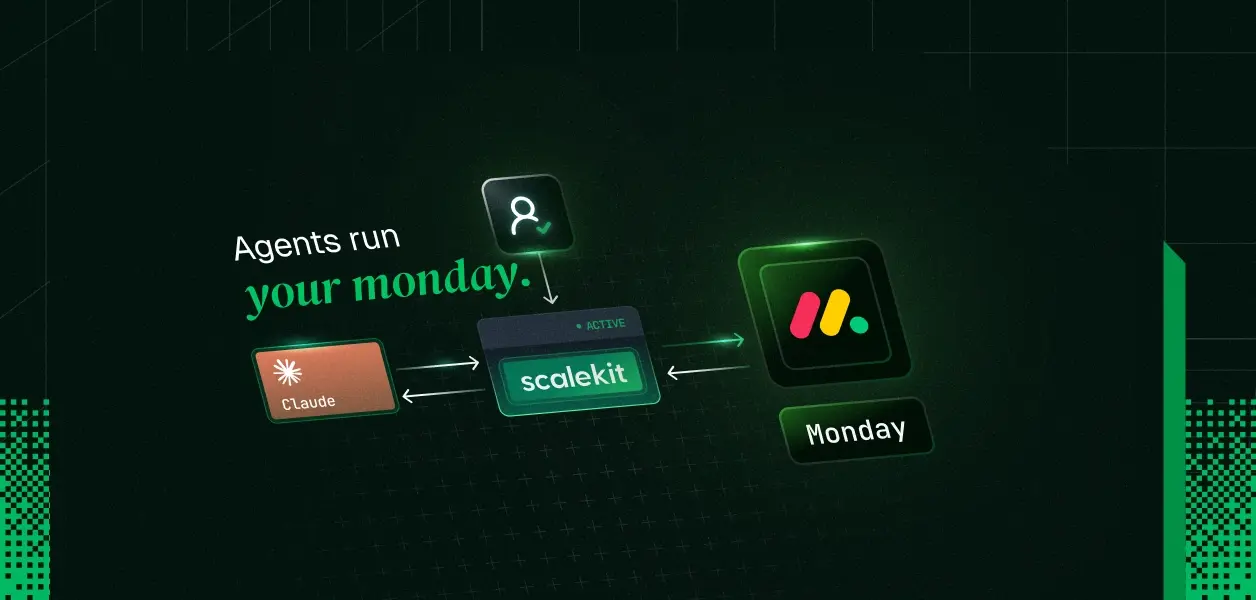
- A Python Claude agent can triage new Monday.com items (classify, set priority and status, route to the right group, notify the owner) acting as the specific user who connected their Monday account, not a shared service credential.
- Scalekit handles the Monday OAuth flow and token storage per user; your code calls list_scoped_tools and execute_tool and never touches a Monday access token.
- Monday still requires you to register your own OAuth app in the Monday Developer Center; Scalekit doesn't remove that step, it removes everything downstream of it: token vaulting, revocation detection, and the per-user scoped tool surface.
- A triage agent shouldn't see the same 44 tools an admin agent would. Passing a tool_names filter to list_scoped_tools restricts the agent to a deliberately smaller surface than what the user's Monday permissions alone would allow.
- Monday's connector supports webhooks, unlike some connectors in this series, so triage can eventually run event-driven instead of only on request.
The triage bot starts as one engineer's weekend project. New items land in the Requests board faster than anyone can read them, so she wires a script to Monday's API using her own personal token, has Claude read new items, guess a priority, set the status, and post a note to the assigned owner. It works. Nobody's request sits unread for more than a few minutes anymore, and the team notices.
Three weeks in, two more engineers join the on-call rotation and start expecting the same bot to triage items on boards they own, not her boards. It can't. The bot sees exactly what her personal token sees: her boards, her workspace visibility, nothing more. A private engineering board one of the new on-call engineers needs surfaced never appears, because the identity behind the "shared" bot belongs to one person who was never subscribed to it in the first place.
Nobody misconfigured anything. The architecture never had a slot for more than one identity to begin with.
Prerequisites
What a Task Triage Agent Actually Needs From Monday
Triage is a specific job, narrower than "manage the board." The agent needs to read new items, decide urgency, write a priority and status back, move the item to the right group, and tell someone it happened. It does not need to delete boards, remove teammates, or restructure workspaces, even if the person who connected their Monday account technically could.
That distinction matters more here than it did for a read-heavy connector. Monday's connector exposes 44 tools covering boards, items, columns, groups, updates, tags, teams, workspaces, and webhooks. A triage agent touches maybe ten of them. The other thirty-four are not a convenience; left exposed, they're the difference between an agent that sets a status and an agent that could, if the model made a bad call, archive the board out from under the team. This is the first thing to design for, not an afterthought bolted on after the demo works.
Auth, With Scalekit and Without It
Every version of this agent needs the same underlying capability: act on Monday as a specific person, not as whoever's token happens to be hardcoded into the script. What differs is how much of that you build yourself.
With Scalekit's Monday connector
Monday OAuth app registration
You still do this either way; Monday requires a registered app
Same requirement; Scalekit doesn't remove it
Token storage and encryption
You design and maintain an encrypted, per-user token store
Handled; tokens are vaulted per identifier, never touch your code
Monday's OAuth tokens don't expire and there's no refresh token flow; a token stays valid until the user uninstalls your app. You still need to detect that uninstall and stop using the token
The connected account status reflects revocation; you check it before running, same interface as connectors that do expire
You poll or wait for a failed call to discover a user revoked access
The connected account status flips; you check it before running
You write logic to map users to their own Monday permissions
list_scoped_tools returns only what that user's connection allows
You track Monday's GraphQL schema changes yourself
Scalekit maintains the tool definitions against Monday's live API
The one row that doesn't change: Monday requires its own registered OAuth app regardless of how you build this. Scalekit doesn't make that step disappear. What it removes is everything downstream of getting a token: the vault, the revocation handling, and the scoped tool surface that lets the same code serve every user without a rewrite.
Setting Up the Connection: What Happens Where
This is a three-surface setup: Monday's Developer Center, the Scalekit dashboard, and your codebase, in that order, because each step depends on something generated by the previous one.
- Monday.com Developer Center. Open the Developer Center (profile picture > Developers in your Monday account) and create an app, or open an existing one. You'll need its Client ID and Client Secret later, both on the App credentials tab under General settings.
- Scalekit dashboard. Go to AgentKit > Connections > Create Connection, select Monday.com, and click Create. Scalekit generates a redirect URI in the form https://<SCALEKIT_ENVIRONMENT_URL>/sso/v1/oauth/<CONNECTION_ID>/callback. Copy it; you need Monday's app to know about it before anything else can work.
- Monday.com Developer Center. In your app's OAuth & Permissions tab (under Build), paste the redirect URI from step 2 into Redirect URLs and save.
- Monday.com Developer Center. In the same OAuth & Permissions tab, select the scopes your app requests. Monday's available scopes are account:read, assets:read, boards:read, boards:write, departments:read, departments:write, docs:read, docs:write, me:read, notifications:write, tags:read, teams:read, teams:write, updates:read, updates:write, users:read, users:write, webhooks:read, webhooks:write, workspaces:read, and workspaces:write (full reference). A triage agent needs boards:read, boards:write, updates:read, updates:write, notifications:write, and users:read, not the write access to teams, workspaces, or departments a broader admin integration might request.
- Scalekit dashboard. Open the connection you created in step 2, and enter the Client ID, Client Secret, and the scopes from step 4. Save.
- Your codebase. Install the SDKs, set your environment variables, and write the agent script (below).
- Your codebase, first run. get_or_create_connected_account reports the account isn't ACTIVE yet for a new identifier. Your code calls get_authorization_link and surfaces that URL to the user however fits your app: printed to a terminal, emailed, or rendered in your UI.
- The end user, in Monday.com. They open the link, log into Monday, and approve the requested scopes.
- Scalekit, automatically. Monday redirects back through Scalekit's callback. Scalekit exchanges the authorization code for tokens, encrypts and vaults them under that user's identifier, and flips the connected account to ACTIVE.
- Your codebase, every run after. list_scoped_tools now returns the Monday tools that specific user's connection authorizes, filtered further by whatever tool_names allowlist you've set for this agent role (next section).
- Claude, via the Anthropic API. Claude runs its normal tool-use loop against that scoped list. Your code executes each call through execute_tool with the same identifier, and Monday sees the request as that user, not your service.
Steps 1 through 6 happen once per environment. Steps 7 through 11 repeat for every new user.
Scoping the Tool Surface: What This Agent Should and Shouldn't Touch
A connected Monday account authorizes everything that user's own Monday role permits. Deciding what this specific agent can call is a separate, narrower boundary that you set, not Monday and not Scalekit's OAuth layer by itself. list_scoped_tools takes a tool_names filter for exactly this.
For a triage agent, a reasonable allowlist looks like this:
TRIAGE_TOOLS = [
"monday_boards_list",
"monday_items_list",
"monday_items_search",
"monday_item_column_value_change",
"monday_item_column_values_change",
"monday_item_move_to_group",
"monday_update_create",
"monday_notification_create",
"monday_users_list",
"monday_me_get",
]
Notably absent: monday_board_delete, monday_workspace_create, monday_team_users_remove, monday_column_delete, and anything else that restructures or destroys, rather than classifies and routes. The user's own Monday permissions might allow all of it. This agent doesn't need to, and giving a model access to destructive tools "in case it's useful" is a cost with no corresponding benefit for a triage workflow.
Recommended Reading: Human-in-the-Loop Tool Calling: Approval Gates for AI Agents covers the same scope-boundary problem from the other direction: what to do when an agent needs a permission it wasn't granted, rather than preventing it from having permissions it doesn't need.
The Agent Script
The complete agent. Copy it, set your environment variables, and run it.
"""
Claude agent with Scalekit-authenticated Monday.com tools, scoped to triage.
"""
import os
import anthropic
import scalekit.client
from dotenv import find_dotenv, load_dotenv
from google.protobuf.json_format import MessageToDict
load_dotenv(find_dotenv())
scalekit_client = scalekit.client.ScalekitClient(
client_id=os.getenv("SCALEKIT_CLIENT_ID"),
client_secret=os.getenv("SCALEKIT_CLIENT_SECRET"),
env_url=os.getenv("SCALEKIT_ENVIRONMENT_URL"),
)
actions = scalekit_client.actions
client = anthropic.Anthropic(
base_url=os.getenv("ANTHROPIC_BASE_URL"),
api_key=os.getenv("ANTHROPIC_API_KEY"),
)
# The connection_name below must match exactly what you named
# the Monday.com connection in the Scalekit dashboard (Agentkit > Connections).
identifier = os.getenv("USER_IDENTIFIER", "user_123")
response = actions.get_or_create_connected_account(
connection_name="monday",
identifier=identifier,
)
if response.connected_account.status != "ACTIVE":
link = actions.get_authorization_link(connection_name="monday", identifier=identifier)
print("Authorize Monday.com:", link.link)
print("Re-run this script after completing the OAuth flow.")
exit(0)
# Deliberately narrower than what this user's Monday role allows.
TRIAGE_TOOLS = [
"monday_boards_list",
"monday_items_list",
"monday_items_search",
"monday_item_column_value_change",
"monday_item_column_values_change",
"monday_item_move_to_group",
"monday_update_create",
"monday_notification_create",
"monday_users_list",
"monday_me_get",
]
scoped_response, _ = actions.tools.list_scoped_tools(
identifier=identifier,
filter={"connection_names": ["monday"], "tool_names": TRIAGE_TOOLS},
)
llm_tools = [
{
"name": MessageToDict(tool.tool).get("definition", {}).get("name"),
"description": MessageToDict(tool.tool).get("definition", {}).get("description", ""),
"input_schema": MessageToDict(tool.tool).get("definition", {}).get("input_schema", {}),
}
for tool in scoped_response.tools
]
print(f"Connected account for {identifier} is active.")
print(f"Discovered {len(llm_tools)} scoped tools")
messages = [
{
"role": "user",
"content": (
"Look at items in the Requests board with status New. For each one, judge "
"urgency from the title and description, set Priority and Status accordingly, "
"move anything urgent into the Escalations group, and notify the assigned owner."
),
}
]
while True:
response = client.messages.create(
model=os.getenv("ANTHROPIC_MODEL", "claude-sonnet-4-6"),
max_tokens=1024,
tools=llm_tools,
messages=messages,
)
if response.stop_reason == "end_turn":
print(response.content[0].text)
break
tool_results = []
for block in response.content:
if block.type == "tool_use":
result = actions.execute_tool(
tool_name=block.name,
identifier=identifier,
tool_input=block.input,
)
tool_results.append(
{
"type": "tool_result",
"tool_use_id": block.id,
"content": str(result.data),
}
)
messages.append({"role": "assistant", "content": response.content})
messages.append({"role": "user", "content": tool_results})
Run it
Environment variables:
SCALEKIT_ENVIRONMENT_URL=https://your-env.scalekit.cloud
SCALEKIT_CLIENT_ID=skc_...
SCALEKIT_CLIENT_SECRET=sks_...
USER_IDENTIFIER=user_123
ANTHROPIC_API_KEY=sk-ant-...
Expected output:
Connected account for user_123 is active.
Discovered 10 scoped tools
[Tool calls happen here]
Reviewed 6 new items on Requests. Marked 2 as High priority and moved them
to Escalations with a notification sent to their owners. Set the remaining
4 to Medium priority and left them in the main group.
(Exact item count and classifications depend on what's actually sitting in your Requests board. Run it against a real board to see your data.)
What Your Agent Can Do
Reading the queue
"What's currently sitting in the New group on the Requests board?"
The agent calls monday_boards_list to resolve the board ID, then monday_items_list or monday_items_search filtered by group or status column.
Classifying and writing back
"Set the Priority on item 4021 to High and Status to In Progress"
The agent calls monday_item_column_values_change, updating both columns in a single request rather than two separate calls.
Routing
"Move anything marked High priority into the Escalations group"
The agent calls monday_item_move_to_group for each matching item, using the group ID resolved from an earlier monday_items_list call.
Notifying the owner
"Let the assigned owner know this item was escalated"
The agent calls monday_notification_create, or monday_update_create if the note should live as a visible comment on the item instead of a notification.
The full loop
"Triage everything new on the Requests board"
This is the default prompt in the script above, and it chains all four capabilities: list new items, classify each one, write priority and status back with monday_item_column_values_change, move urgent ones with monday_item_move_to_group, and notify owners with monday_notification_create. One connected account, one pass through the queue.
Available Monday Tools
The full connector exposes 44 tools. These are the ones a triage agent actually uses; the rest cover board, workspace, and structural administration this agent is deliberately not scoped to touch.
Retrieve boards, with filters for kind, workspace, and state
Retrieve items from a board, with column values and group
Search items on a board filtered by a specific column value
monday_item_column_value_change
Update a single column value on an item (status, date, and more)
monday_item_column_values_change
Update up to 50 column values on an item in one call
monday_item_move_to_group
Move an item to a different group on the same board
Create a new group on a board (for a custom escalation lane)
Post a comment or update on an item
monday_notification_create
Send a notification to a specific user about an item or board
List users, filterable by name, email, or kind
Retrieve the profile of the currently authenticated user
Register a webhook for a board event (see below)
Full list of all 44 tools, including board and workspace administration, in the Monday.com connector docs.
The Monday-Specific Gotchas You Need to Know
Column updates need the column ID, not its display title
monday_item_column_value_change and monday_item_column_values_change both require the column's id, not the label a person sees in the Monday UI. Common built-in columns use predictable IDs like status, person, and date, but custom columns get generated IDs like color_abc123. Get the real ID by calling monday_items_list first and reading column_values[].id from any item on the target board. Guessing from the visible column name is a reliable way to get a silent no-op or a clear error, depending on the column type.
The value format for a column update depends on the column's type
The value parameter on monday_item_column_value_change is a JSON string, and its shape changes by column type: a status column expects a label or index, a people column expects an array of user IDs, a date column expects a date object. If the classification the agent produces doesn't match an existing status label, pass create_labels_if_missing: true rather than having the call fail on an unrecognized value.
Almost every tool needs an ID you don't have yet
Board IDs, item IDs, group IDs, and column IDs all come from list or read tools you call first, never from the model guessing. monday_boards_list gives you board IDs, monday_items_list gives you item, group, and column IDs from that board, and monday_users_list or monday_me_get gives you user IDs for notifications. This is worth stating explicitly in your prompt or system instructions, since Claude will otherwise try to invent a plausible-looking ID rather than fetching the real one.
Board-level privacy is enforced, not advisory
Every call runs under the authorizing user's own Monday permissions. Private boards the connected user isn't a member of are not returned by monday_boards_list, and items on them are not reachable by ID either. If a triage agent seems to be missing a board someone expects it to see, the fix is adding that person to the board in Monday, not a Scalekit setting.
monday_boards_list defaults to 10 results
If your account has more than a handful of boards, the default limit will silently truncate the list. Set an explicit limit or paginate with the page parameter when the agent needs to search across an entire workspace rather than a known board.
Webhooks need somewhere to land
monday_webhook_create can register a webhook against events like create_item, change_status_column_value, or move_item_to_group. Registering the webhook doesn't make triage event-driven by itself: you still need a publicly reachable endpoint to receive Monday's POST request, and that endpoint is what decides to call execute_tool (with the right user's identifier) in response. Scalekit authenticates the resulting Monday call; it doesn't host the receiving side of the webhook for you.
Making Triage Event-Driven: Where Webhooks Fit
Everything above runs when someone asks. That's fine for a first version, and it's the only option for connectors without webhook support. Monday isn't one of those. Once the interactive version works, monday_webhook_create lets a board push a signal the moment a new item lands, rather than waiting for a scheduled poll or a manual prompt.
The shape of it: register a webhook on the Requests board for create_item, pointed at an endpoint you host. When Monday calls that endpoint, your code resolves the identifier for whichever user's connected account should handle triage for that board, then runs the same agent loop from this post, triggered instead of prompted. No polling, no stale state between when an item lands and when it gets triaged.
Same Script, Different Identifier
Nothing above is specific to one person. The identifier value is the only thing that changes between users, and it's what keeps this agent from becoming another shared bot. Swap it, and the same code runs triage against a different person's Monday visibility, their own boards, their own scoped tool surface.
In production, resolve that identifier from your authenticated session, not from anything a client sends. For the broader pattern behind this, see access control for multi-tenant AI agents.
Explore More
Other connectors: Notion, Slack, Gmail, Linear, GitHub, HubSpot, and more: full connector list
Other frameworks: LangChain, Mastra, CrewAI, Vercel AI SDK, Google ADK: framework examples