Pulls agenda, participant context, and open action items before every meeting.


















This repo uses a single SCALEKIT_USER_ID env var to simulate one user. In production, pass each user's real ID as the identifier on every Scalekit call, and send them an authorization link whenever their connector status is not ACTIVE.
from dotenv import load_dotenv
from scalekit.client import ScalekitClient

load_dotenv()

client = ScalekitClient(
    env_url=os.environ["SCALEKIT_ENV_URL"],
    client_id=os.environ["SCALEKIT_CLIENT_ID"],
    client_secret=os.environ["SCALEKIT_CLIENT_SECRET"],
)
USER_ID = os.environ["SCALEKIT_USER_ID"]

CONNECTORS = [
    ("Google Calendar", "meeting-prep-google-calendar"),
    ("HubSpot", "meeting-prep-hubspot"),
    ("Gmail", "meeting-prep-gmail"),
    ("Slack", "meeting-prep-slack"),
]

def check_all_connectors():
    missing = []
    for label, name in CONNECTORS:
        acct = client.actions.get_or_create_connected_account(
            connection_name=name, identifier=USER_ID,
        ).connected_account
        if acct.status != "ACTIVE":
            link = client.actions.get_authorization_link(
                connection_name=name, identifier=USER_ID,
            ).link
            missing.append((label, link))
    if missing:
        for label, link in missing:
            print(f"  {label}:\n    {link}\n")
        raise SystemExit(1)

def main():
    check_all_connectors()
    for meeting in get_external_meetings():
process_meeting(meeting)Three things you'd otherwise build: OAuth, token storage, refresh. Handled.
Clone github.com/scalekit-inc/meeting-prep-agent-example and adapt it for my agent product.

I am building for: my sales org (or: external customers as a product)   ← edit this line
Connectors my users need: Google Calendar, HubSpot, Gmail, Slack   ← edit this line
Trigger: before every external meeting. Deliver: post the brief to each user’s Slack.

Steps:
1. Create Scalekit AgentKit connections named meeting-prep-{tool}. The code resolves connections by name.
2. Map identifier to our user IDs from our auth system (not a single shared service account).
3. For any connector I changed, mirror an existing lookup_*.py module:
   get_or_create_connected_account → execute_tool(tool_name, identifier,
   connected_account_id, tool_input) → read resp.data.
4. When a user’s connector is not ACTIVE, return our app’s authorization link from get_authorization_link.
5. Wire each new step into process_meeting() in main.py.
6. Run python main.py locally with one test user in .env, then describe how to deploy for many users.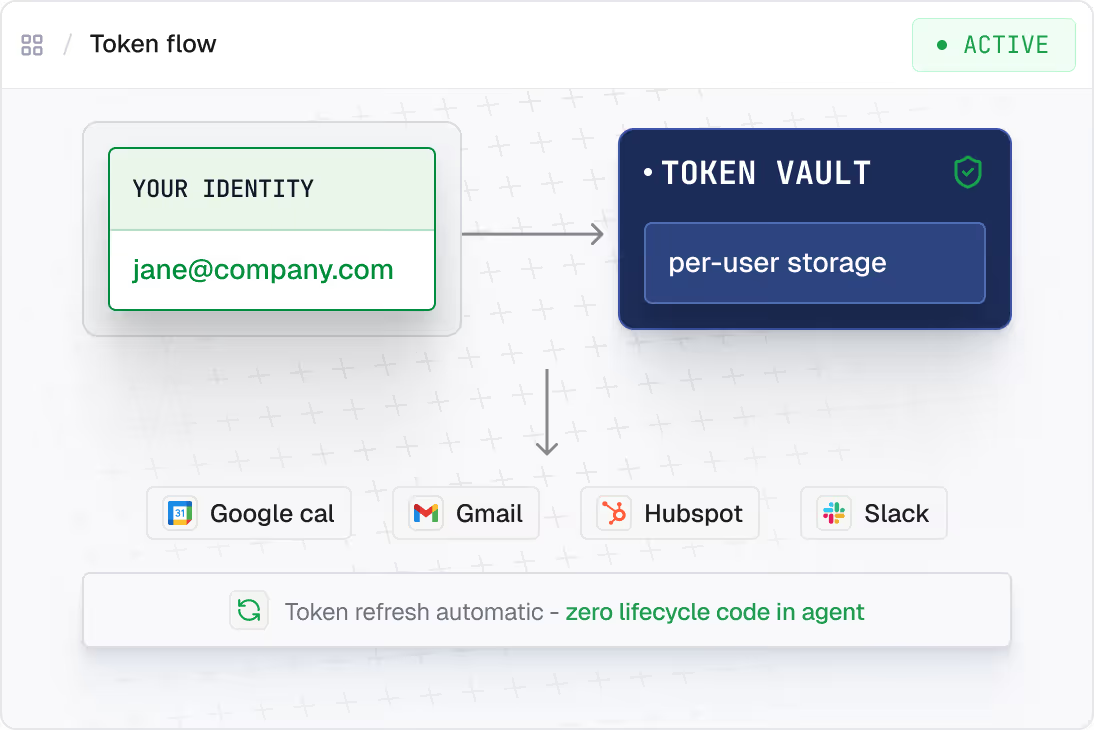
Each one runs on delegated identity, scoped per user.




.svg)




.svg)