The budget was approved. The licenses were procured. The all-hands announcement was made. And twelve months later, when someone asks how AI is actually changing how work gets done; the honest answer is: not as much as we expected.
This isn't a people problem. It isn't a training problem. The tools are genuinely capable. The gap is almost always structural, and it comes down to one thing: your AI tools can't reach your systems.
Here's the situation most enterprises are actually in.
Your organization runs somewhere between 100 and 500 internal systems. CRM. ERP. ITSM. Code repositories. Internal wikis. Finance platforms. HR systems. Dozens of databases. Proprietary APIs built over a decade of custom development.
When an employee sits down with their AI tool and asks it something that matters — "pull together the customer renewal data from Salesforce and cross-reference it with open support tickets in Zendesk" — the AI can't do it. Not because it's not smart enough. Because it has no connection to Salesforce or Zendesk. It's answering from context the employee pastes in manually, or from whatever integration exists in that specific tool.
The productivity gain employees actually want — the one where AI reaches into the systems they spend their day in — requires connectivity. And connectivity, until recently, required bespoke engineering work for every tool and every system. Custom APIs. Maintenance overhead. Months of integration development.
This is why most enterprise AI deployments produce underwhelming results. The tools are good. The access isn't there.
In November 2024, Anthropic published the Model Context Protocol — an open standard for connecting AI tools to external systems. Think of it as USB-C for AI integrations: a universal interface that any AI tool can use to talk to any system that supports it.
What happened next was fast. Within months, MCP support appeared in:
• Claude Code — Anthropic's AI coding tool, which added MCP as its primary integration mechanism
• GitHub Copilot Agent Mode — GitHub's agentic layer, now MCP-compatible
• Cursor and Windsurf — both popular AI development environments, now with MCP support
• Microsoft 365 Copilot — Microsoft's enterprise AI suite, building toward MCP connectivity
• Atlassian, Salesforce, and dozens of SaaS vendors — all building or deploying MCP servers
On the system side, an MCP server is relatively straightforward to build. A system exposes its tools and data through the MCP interface, and any MCP-compatible AI tool can query it. The N-to-N integration problem — where every AI tool needs a custom integration to every system — collapses to N-to-1-to-N. Every AI tool speaks MCP. Every system exposes an MCP server. They all work together.
This is the unlock. Your AI tools can now, in principle, reach your 200 internal systems without a custom integration for each pair. The engineering lift that made this impossible is now manageable.
Here's where it gets complicated for enterprise IT.
MCP solves the connectivity problem. It doesn't solve the governance problem that shows up the moment you try to deploy it at scale. And in an enterprise environment, unsolved governance is the same as "not deployed."
Consider what actually happens when an employee connects their AI tool to internal systems through MCP without any central oversight:
Scenario: An employee connects Claude Code to four internal MCP servers
1. They add their GitHub MCP server — the agent can now create branches, open pull requests, access repository secrets, push to protected branches, and delete branches. The employee meant to use it for code review. The agent has full repository access.
2. They add the Salesforce MCP server — the agent can read, update, and export CRM data. It can also run bulk queries against the entire customer database. Nobody set a scope limit.
3. They add the internal data warehouse MCP server — the agent can query production data, including tables with PII it was never meant to touch.
4. They generate API keys for each of these connections and store them locally in a configuration file on their laptop.
Now answer these questions from IT's perspective:
The answer to every question is: you don't know. The connections are invisible. The credentials are local. The access is unbounded.
This is the governance gap that stops enterprise AI deployment in its tracks — not lack of ambition, not lack of capable tools, but absence of the infrastructure layer that makes deployment safe to actually do at scale.
What enterprises need is the same layer they already built for application access — but applied to AI agent connectivity.
When employees needed access to SaaS applications a decade ago, the answer wasn't "let everyone manage their own passwords and access." It was centralised identity. Okta. Azure AD. SSO. SCIM provisioning. Application-level access control, administered centrally, with an audit trail.
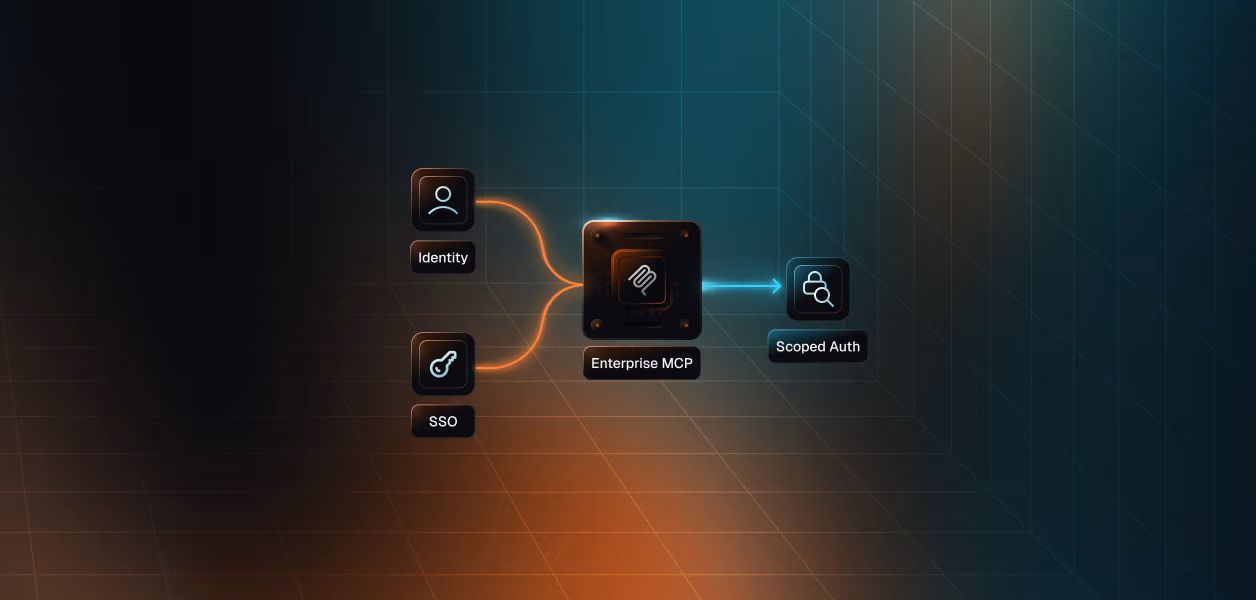
An MCP Gateway is that layer for AI agents. It sits between your employees' AI tools and the systems those tools connect to. Rather than each employee configuring direct connections to individual MCP servers, every AI tool points to a single gateway endpoint. The gateway handles authentication to downstream systems, enforces access policy, and logs every tool call.
What this changes in practice:
This isn't hypothetical. Here's a concrete example of how a governed MCP Gateway deployment works.
An IT admin sets up three connectors in the gateway: GitHub, Jira, and the internal knowledge base. For GitHub, they configure the tool allow-list: developers can create pull requests, list branches, and review diffs. They cannot push to main, delete branches, or access repository secrets — those remain off-limits. For Jira, the sales team can read and update tickets; they cannot bulk export or delete. The knowledge base is read-only for everyone.
Now the employee experience: a developer opens Claude Code, adds the single gateway URL to their MCP configuration. When they ask Claude to help with a PR, it queries the gateway ("what tools do you have for GitHub?"), the gateway responds with the 37 approved developer tools, and Claude can use them — and only them. The employee doesn't need to find, evaluate, or configure individual MCP servers. They get what IT has approved.
Meanwhile, IT gets:
• A real-time view of which employees are using which tools
• Security alerts when an agent attempts to call a tool it's not authorised for
• DLP enforcement — if a tool response contains credit card data, the gateway redacts it before it reaches the model
• One place to revoke all agent access if something goes wrong
The productivity story and the governance story are the same architecture. This is what makes enterprise AI deployment actually viable.
Here's the framing that tends to resonate with CIOs who've heard the AI productivity pitch before.
The return on AI investment is proportional to how much of your organization's capabilities you expose through it. A tool that can see nothing but the employee's current document produces a certain amount of value. A tool that can reach all 200 of your internal systems — the customer data, the engineering repositories, the financial models, the support tickets — produces a fundamentally different category of value.
The gap between "we have AI tools" and "AI is actually changing how work gets done" is almost entirely a connectivity and governance problem. The infrastructure to close that gap now exists. The organizations that build it this year are the ones who will have a real answer to the ROI question by next year.
MCP (Model Context Protocol) is an open standard, introduced by Anthropic in late 2024, that lets AI tools connect to external systems through a common interface. It's the reason why Claude Code, GitHub Copilot, Cursor, and other AI tools can now reach internal systems — and why enterprise IT needs a governance layer to manage those connections.
An MCP Gateway is an infrastructure layer that sits between employees' AI tools and the internal systems those tools connect to. It centralises credentials, enforces access policies at the tool level (not just the application level), logs every agent action, and integrates with existing identity systems like Okta and Entra for provisioning and offboarding.
Not quite. The classic integration challenge was building custom connectors between each AI tool and each internal system — an N×M problem that required significant engineering time for each pair. MCP inverts this: systems build one MCP server, AI tools speak one MCP standard, and the gateway manages the policy layer. The engineering lift is significantly lower, and it's centralised rather than per-team.
An MCP Gateway integrates with your existing identity infrastructure via SCIM and SSO/OIDC. Employee group membership in Okta or Entra drives access policy in the gateway. When an employee is offboarded in your IDP, that event automatically revokes their gateway access. You're extending your existing identity model to cover AI agents — not building a separate system.
Minimal change. The user experience for the employee is adding a single URL to their AI tool's MCP configuration — the gateway endpoint. From there, they get access to whatever systems IT has approved for their role, surfaced automatically when they use their AI tool. No per-system configuration, no credential management, no hunting for MCP server documentation.