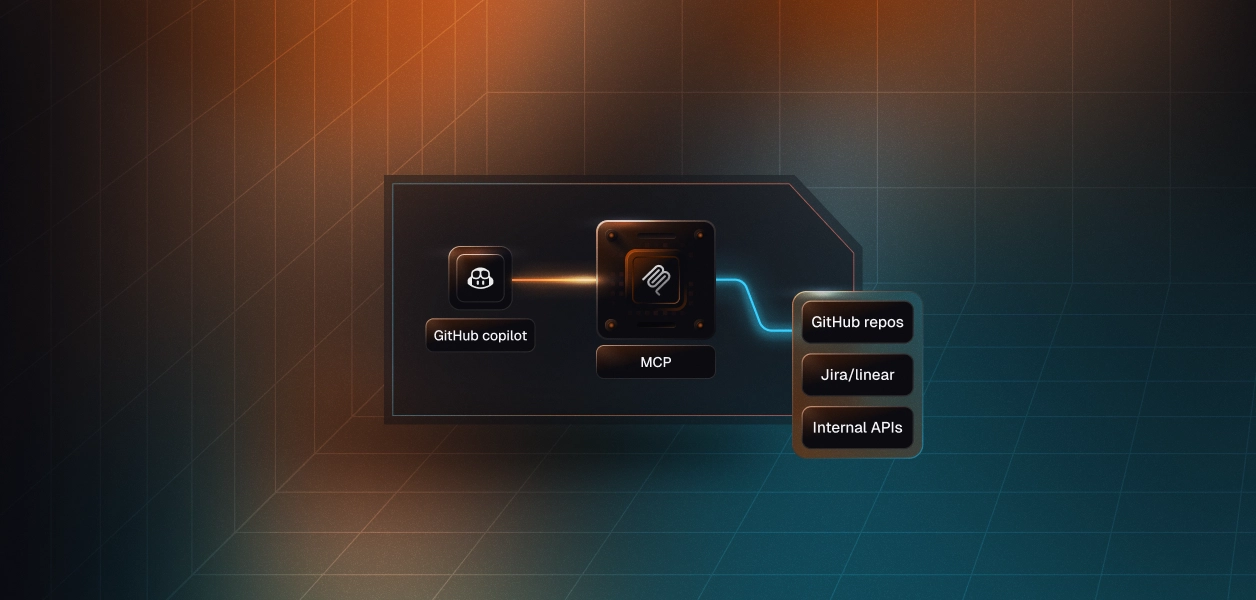


GitHub Copilot is now in the business of connecting to your internal systems.
Agent Mode — GitHub's shift from Copilot as code autocomplete to Copilot as an active participant in engineering workflows — shipped with Model Context Protocol support. That means Copilot can now query internal APIs, read from databases, interact with project management tools, access your Confluence documentation, and push changes to repositories. All from inside the editor, all on behalf of the engineer using it.
If your organisation is one of the hundreds of thousands running GitHub Copilot enterprise licenses, this change happened without a security review being triggered. No new procurement. The capability appeared in a product you already licensed and started expanding what Copilot could reach.
Your security team's instinct to ask questions about this is correct. The harder reality is that your current setup probably doesn't give them answers.
Standard Copilot — the version most engineers have been using for the past two years — is a code assistance tool. It reads code in the editor context, suggests completions, helps with explanations, generates test stubs. Its access footprint is essentially limited to what the engineer has open in their IDE.
Agent Mode changes the footprint materially. Here's what Copilot can now do with MCP enabled:
• Query internal databases through an MCP-enabled data connector — run queries, retrieve records, aggregate data
• Read and update project management systems — Jira, Linear, GitHub Issues — read ticket details, update status, create new issues, link PRs to tickets automatically
• Access repository contents beyond the current file — browse the full repo tree, read any file, access commit history, branch configurations, and repository settings
• Interact with internal APIs that expose MCP servers — anything your engineering team has built an MCP interface for
• Search and retrieve documentation from Confluence, Notion, or internal knowledge bases
• Execute multi-step workflows that chain together multiple tool calls — research, draft, create PR, link to ticket, all in one agent session
The actions available depend on which MCP servers are configured and what tools those servers expose. For a senior developer with broad system access, "what Copilot can now do" could be: quite a lot.
From the engineer's perspective, this is genuinely powerful. They can ask Copilot to pull context from three different internal systems while they're debugging, have it draft a PR with the Jira ticket automatically populated, or run a research workflow across the codebase and internal documentation simultaneously. The friction between intention and execution drops significantly.
From a security perspective: the product your company licensed for code completion is now an agent with access to your internal systems. What policy governs what it can do?
Recommended Reading: Tool calling authentication for AI agents
When your organisation provisioned GitHub Copilot, you made a decision about who gets access to an AI coding assistant. You didn't make a decision about what internal systems that assistant can reach — because that wasn't the product at the time.
Here's the specific gap, broken down:
MCP servers are configured in per-user or per-repository configuration files. A developer adds a Jira MCP server to their Copilot settings. Another adds a Salesforce connector. A third adds an internal data warehouse MCP server the data engineering team built. There is no central registry of which internal systems Copilot is connected to across your engineering organisation.
IT cannot answer "what does Copilot have access to across our engineer population?" from a single place. The only way to get that information is to survey developer machines individually — not a realistic operational option at scale.
GitHub's own permission model for Copilot operates at the application level: the user has Copilot, or they don't. The tools that Copilot can call once connected to an MCP server are governed by that server's configuration, not by any company-wide policy you've established.
Consider what a typical GitHub MCP server exposes:
An engineering team might reasonably want Copilot to handle the top four and nothing below. But that distinction doesn't exist at the Copilot configuration layer. Without action-level access control in the MCP layer, Copilot operates with whatever the server exposes and whatever the user has permission to do.
Copilot's existing audit log covers Copilot usage: suggestions shown, suggestions accepted, active users. It doesn't comprehensively log:
• Which tools a Copilot Agent Mode session called
• What data passed through those tool calls
• What changes were made in downstream systems as a result of agent-initiated actions
• Whether a specific change to a GitHub repository was made directly by the developer or through a Copilot agent workflow
For incident response, this matters. If a change was made to a protected branch, or data was extracted from a system, your ability to understand what happened depends on having this log. It doesn't exist by default.
By the way, you might want to check out self-serve SSO and SCIM setup with Admin Portal.
The approach that closes these gaps introduces a gateway layer between Copilot and the systems it connects to.
Rather than each developer configuring connections directly to individual MCP servers, Copilot points to a single gateway endpoint that IT manages. The gateway handles authentication to downstream systems and enforces access policy on every tool call.
The configuration change is minimal. Instead of adding individual MCP server URLs to Copilot's settings, the developer adds the gateway URL. They authenticate via SSO. The gateway surfaces whatever tools IT has approved for their role — automatically, without the developer needing to find, evaluate, or configure individual servers.
When the developer asks Copilot a question that requires a tool, the agent queries the gateway ("what tools do you have for Jira?"), gets the approved tool set, and operates within that surface area. They get the same functionality — often more, because IT can systematically expose the full company MCP catalog rather than whatever each developer found and configured themselves.
The gateway is the control point that currently doesn't exist. Specifically:
Rather than "developers have access to GitHub through Copilot," the policy is explicit and enforced:
• Developers can create pull requests, review diffs, list branches, and read file contents
• They cannot push directly to main, delete branches, or access repository secrets
• These aren't configuration suggestions — the gateway blocks calls not on the allow list, and logs them as security events
Developers don't manage credentials to individual systems. The gateway authenticates to downstream MCP servers using credentials that IT manages. No orphaned API keys in local config files. When access needs to be revoked — offboarded developer, retired integration, security incident — it's a single gateway operation.
Recommended: Agent Auth
Every tool call made through the gateway is logged: what tool, what parameters, what response, when, by which agent, on whose behalf. This is the audit trail security teams need for incident response and compliance — one coherent log, not five different system logs pieced together after an incident.
Tool responses that contain sensitive data — PII, credentials, financial records — can be inspected at the gateway before they reach Copilot's context. Credit card numbers in a response get redacted. High-severity patterns block the tool call entirely. This layer operates transparently between the tool call and the response.
For most engineering organisations, the realistic starting point is not rebuilding all Copilot access from scratch overnight.
Step 1: Understand current exposure.
What MCP servers do developers have configured today? This requires a survey or endpoint audit — imperfect, but gives you a starting point. Which internal systems are connected? What credentials are being used? Are any connections using broad-access tokens that should be scoped down?
Step 2: Establish the governance standard going forward.
Decide that new MCP connections go through the gateway — even before the gateway is fully deployed. This stops the gap from growing while you build out the solution.
Step 3: Deploy and connect your IDP.
The gateway's integration with Okta or Entra is what makes lifecycle management work — provisioning, access updates on role changes, revocation on offboarding. This is the foundation that makes everything else sustainable.
Step 4: Communicate the gateway URL to developers.
The migration from individual MCP configurations to the gateway is a configuration change, not a workflow change. Developer tooling (Copilot, Claude Code, Cursor) works the same way. The URL they point to is different. Most developers will find the gateway experience better than the individual-server alternative because they get access to more tools with less setup.
Step 5: Monitor and iterate.
The gateway audit log tells you what tools are actually being used, which blocked attempts suggest policies that need adjustment, and which DLP events need investigation. This is the operational loop that makes the governance sustainable.
Both use the MCP protocol as their standard integration interface, so the governance architecture is the same — a gateway endpoint that all MCP-compatible tools can point to. The specific setup steps differ per tool (each has its own MCP configuration location), but one gateway serves all MCP-compatible AI tools in your environment simultaneously.
GitHub Advanced Security covers code security — secret scanning, dependency review, code scanning for vulnerabilities. It doesn't cover the governance of what Copilot Agent Mode can do once connected to MCP servers. These are complementary controls: GAS for code security, MCP gateway for agent access governance.
A reasonable approach, especially for organisations that want to move carefully. Senior developers typically have the context to use agent capabilities responsibly and can provide feedback on which tool access is actually useful. The governance infrastructure (gateway, audit logging, access policies) should still be in place even for a limited rollout — starting with governance from day one is easier than adding it after widespread adoption.
Copilot Enterprise data protection controls govern how Copilot handles prompt data (whether it's used for training, how it's stored). These controls operate at the Copilot-to-GitHub-model layer. MCP gateway DLP operates at the tool-call layer — inspecting what data enters and exits tool calls before it enters Copilot's context. They address different parts of the data flow and are complementary.
Copilot Agent Mode with MCP support is primarily relevant in IDE integrations (VS Code, JetBrains, etc.) where developers are doing their actual work. The web interface (github.com's Copilot chat) has more limited agent capabilities. Governance focus should be on the IDE integrations where the actual system connections are being configured and used.