


Enterprise organizations today use multiple applications for various needs, such as project management, CRM, ERP, and HR. To streamline access management, IT admins use centralized identity providers (IdPs) such as Okta and Microsoft Entra ID, which benefit both users and administrators.
Users don’t need to remember multiple passwords; they can use their company’s credentials to log in to different applications. An identity system like Okta simplifies the password reset process and allows administrators to enforce different policies, making user access management of multiple applications easier.
This centralized approach also enhances the organization's security posture, as users don’t need to go through password fatigue of reusing passwords across applications and resetting passwords repeatedly.
To attract enterprise organizations, B2B SaaS applications must facilitate authentication with these centralized identity providers, enabling seamless access. One of the standards facilitating this seamless access is SAML.
In this blog, we will examine SAML and its role in B2B SaaS apps and provide a step-by-step guide for developers to implement SAML using Okta.
SAML (Security Assertion Markup Language), finalized in 2005 by the OASIS foundation, is designed to promote seamless interoperability between B2B SaaS apps and Identity Providers (IdPs). It is an XML-based framework for authentication and authorization, allowing users to authenticate once and gain access across multiple applications.
Before implementing SAML, let’s review its components and concepts:
Authentication defines how a user is identified and validated using a set of credentials, usually a username and password, during the sign-in process. Authorization, in contrast, defines which resources users have access to. The SAML protocol facilitates this data exchange between an Identity Provider (IdP) and a Service Provider (SP).
In the context of web browser-based Single Sign-On (SSO), SAML defines two primary roles: the Service Provider (SP) and the Identity Provider (IdP). The SP is the entity that offers a service to the user, typically an application users are trying to log in to. The IdP manages user identities, including profile information and attributes like firstname, nickname, profile URL, and more.
A typical SAML authentication workflow involves the following steps:
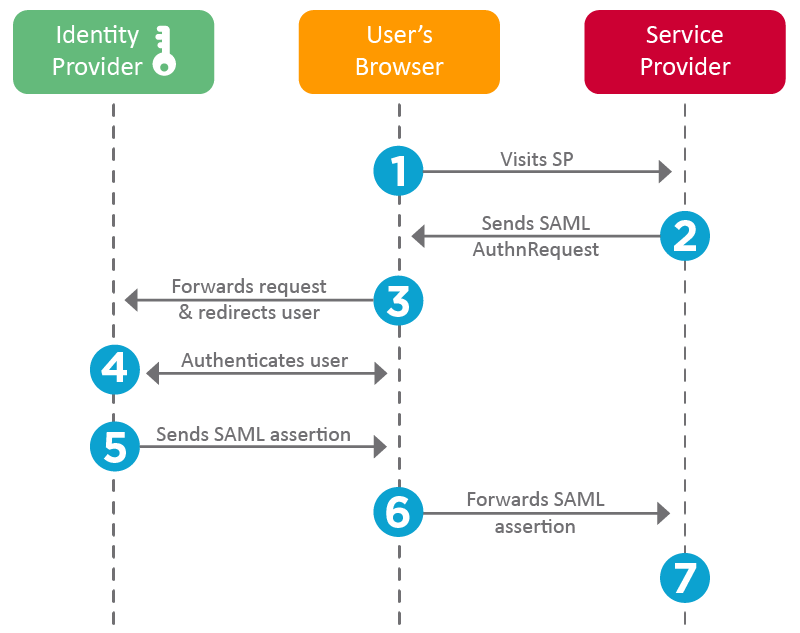
SP accomplishes this using the following three components:
These elements ensure that the SP can securely receive and process SAML assertions, allowing users to authenticate seamlessly.
When the SP initiates a request to IdP, it is called a SAML Request. When the IdP responds, it is called a SAML Response.
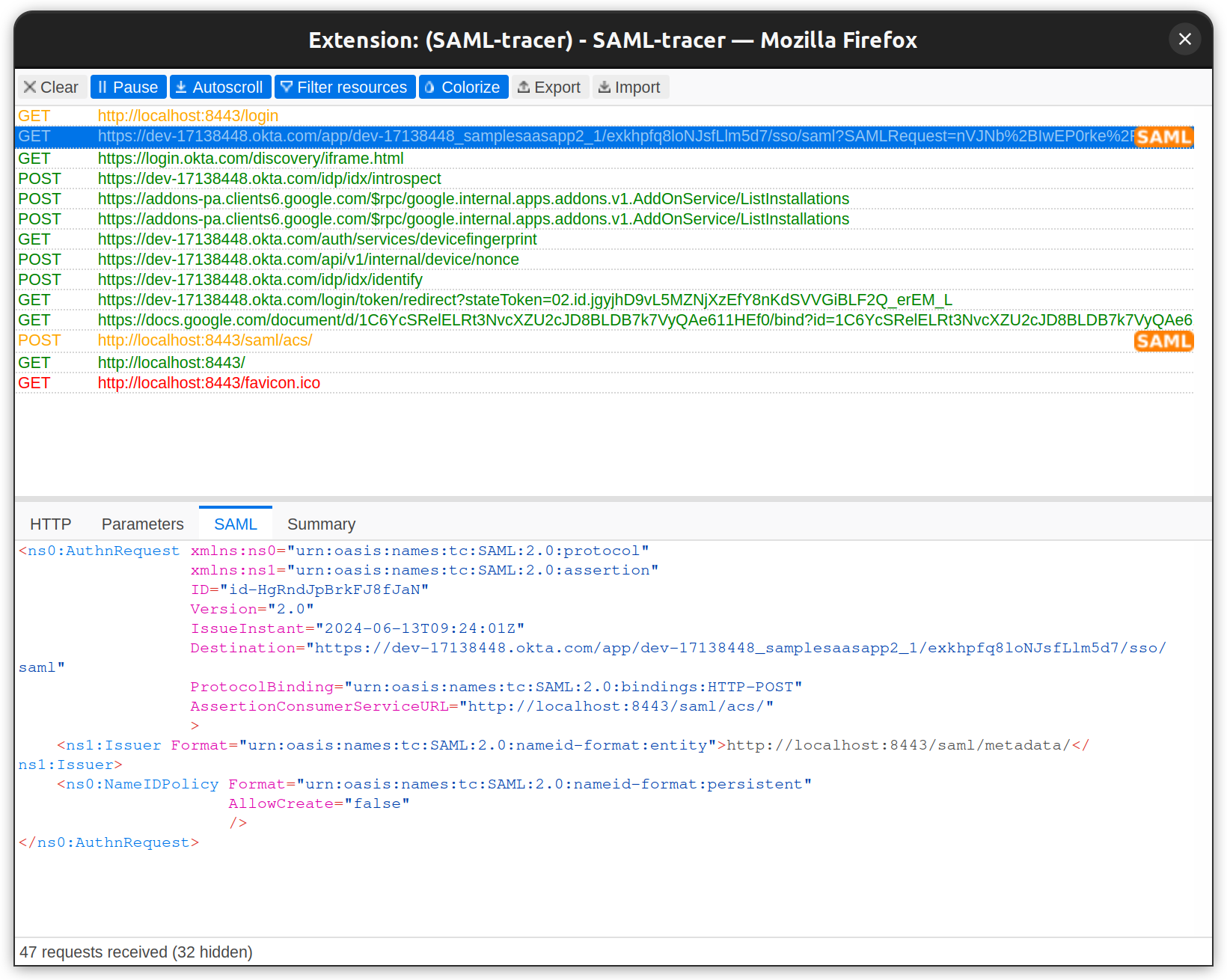
Example of a SAML Request initiated from a SP application:
To view the complete request, refer to the sample_request.xml file.
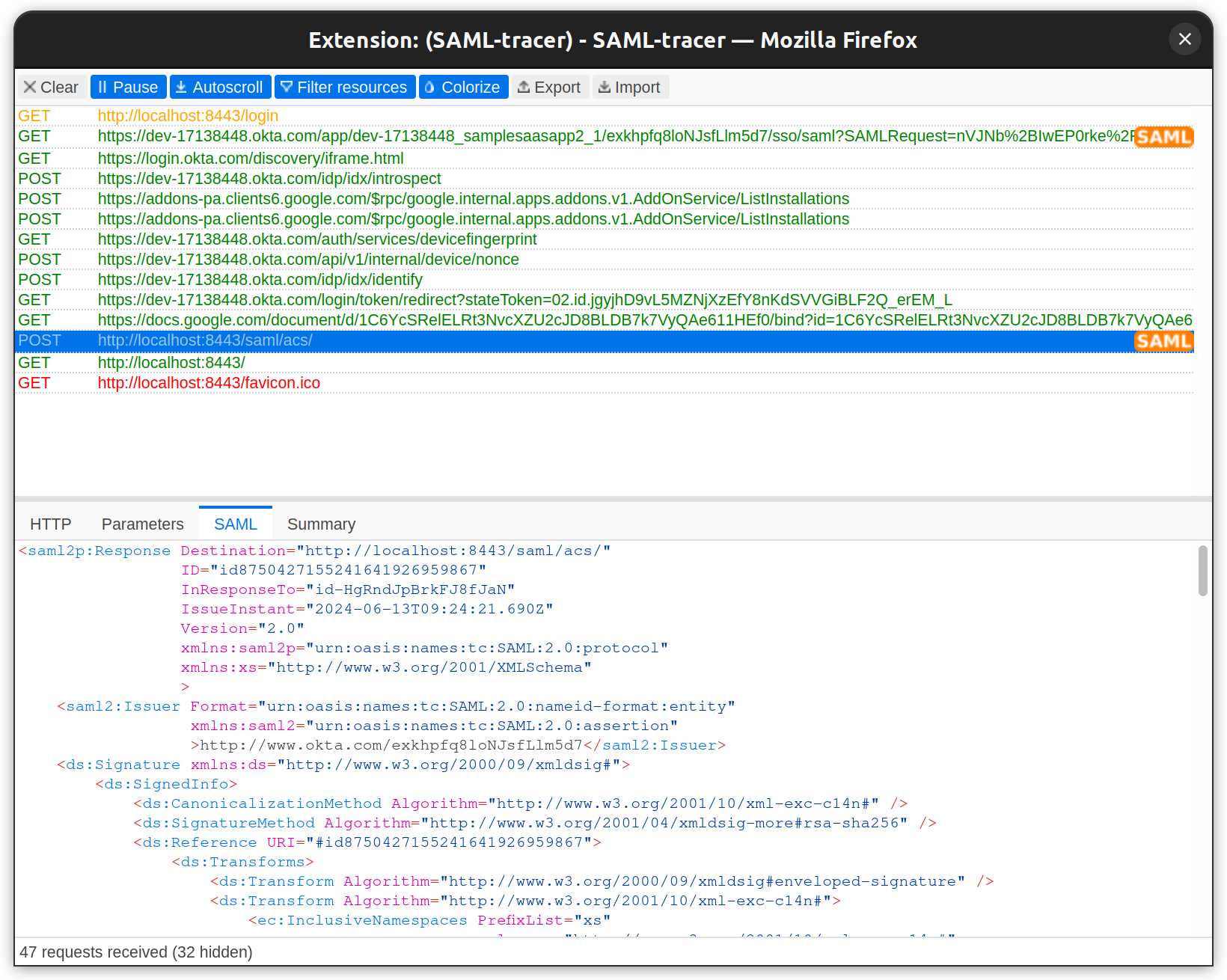
Example of SAML Response from IdP for authentication with additional attributes.
To view the complete request, refer to the sample_response.xml file.
SAML Assertions are XML documents issued by the IdP that contain statements about a user. The SP uses these assertions to grant or deny access to resources. Assertions consist of:
Assertions serve as the core of SAML authentication, enabling the secure transfer of user identity and attributes between IdP and SP, facilitating Single Sign-On.
SAML Attributes carry additional user information within assertions. Common attributes include
Attributes enable SPs to enforce fine-grained access control and customize user experiences based on identity information.
XML Signature ensures the integrity and authenticity of SAML messages. It uses digital signatures to verify that the message has not been altered and comes from a trusted source.
SAML Metadata provides configuration details about the IdP and SP. The IdP metadata includes entity ID, Single Sign On (SSO), and Single Logout (SLO) endpoints. For the SP, it includes details like the Assertion Consumer Service (ACS) endpoints, entity ID, and certificates. It facilitates interoperability by allowing entities to share and understand each other's configuration.
Example SAML Metadata of IdP.
To view the complete request, refer to the sample_idp-metada.xml file.
Bindings specify how SAML messages are transported between IdP and SP. Common bindings include
In the above example, IdP SAML Metadata, HTTP POST, and Redirect bindings are defined for specific URLs for SingleSignOnService and SingleLogoutService.
Profiles define specific use cases for SAML, detailing how assertions, protocols, and bindings should be used together. Common profiles include:
Relay State is an optional parameter that maintains state information between the IdP and SP during authentication. It typically contains a URL or a reference that the SP will redirect to after authentication. It helps users return to the same page they left off, or be redirected to the home page.
SAML 2.0 was ratified as an OASIS Standard in March 2005, replacing SAML 1.1. Although introduced in 2005, SAML 2.0 is still widely adopted across many enterprises and SaaS applications. This creates a need to support SAML-based authentication from service and identity providers. One of the identity providers (IdPs) that supports SAML is Okta, allowing developers to configure their applications to use Okta SAML 2.0 SSO Integrations for secure and reliable authentication.
In this section, we’ll examine Okta SAML 2.0 Integration for SSO and build a SAML 2.0 Flow using a sample application.
We’ll build a simple web application with two pages: login and profile. The login page will feature a "Login with SAML SSO" button. The profile page will display user details such as email, name, and photo, as well as the SAML Response Attributes and the SAML Response itself.
We will use Okta's SAML 2.0 Integration to configure our application for Single Sign-On. In this setup, our application will require a login, and Okta will serve as the IdP, providing authentication details via SAML SSO.
Building a SAML SSO Flow using Okta requires the following prerequisites:
Two configurations are needed to build this flow:
The following sections will describe them.
To integrate SSO with Okta, we must first create a new application from the Okta Dashboard.
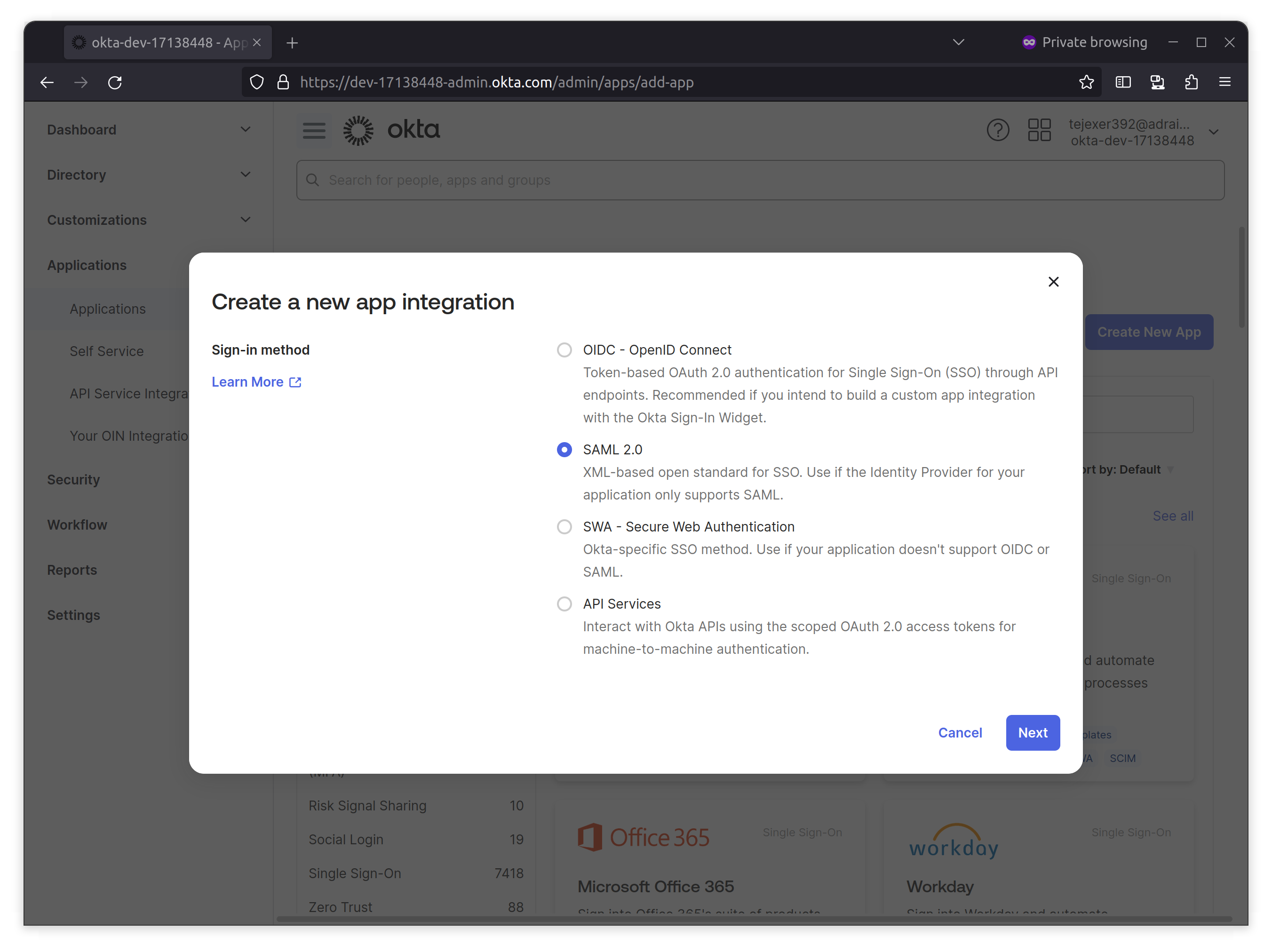
1. Log in to your Okta Developer account, go to Applications from the Okta sidebar, click Create New App, select SAML 2.0, and click Next.
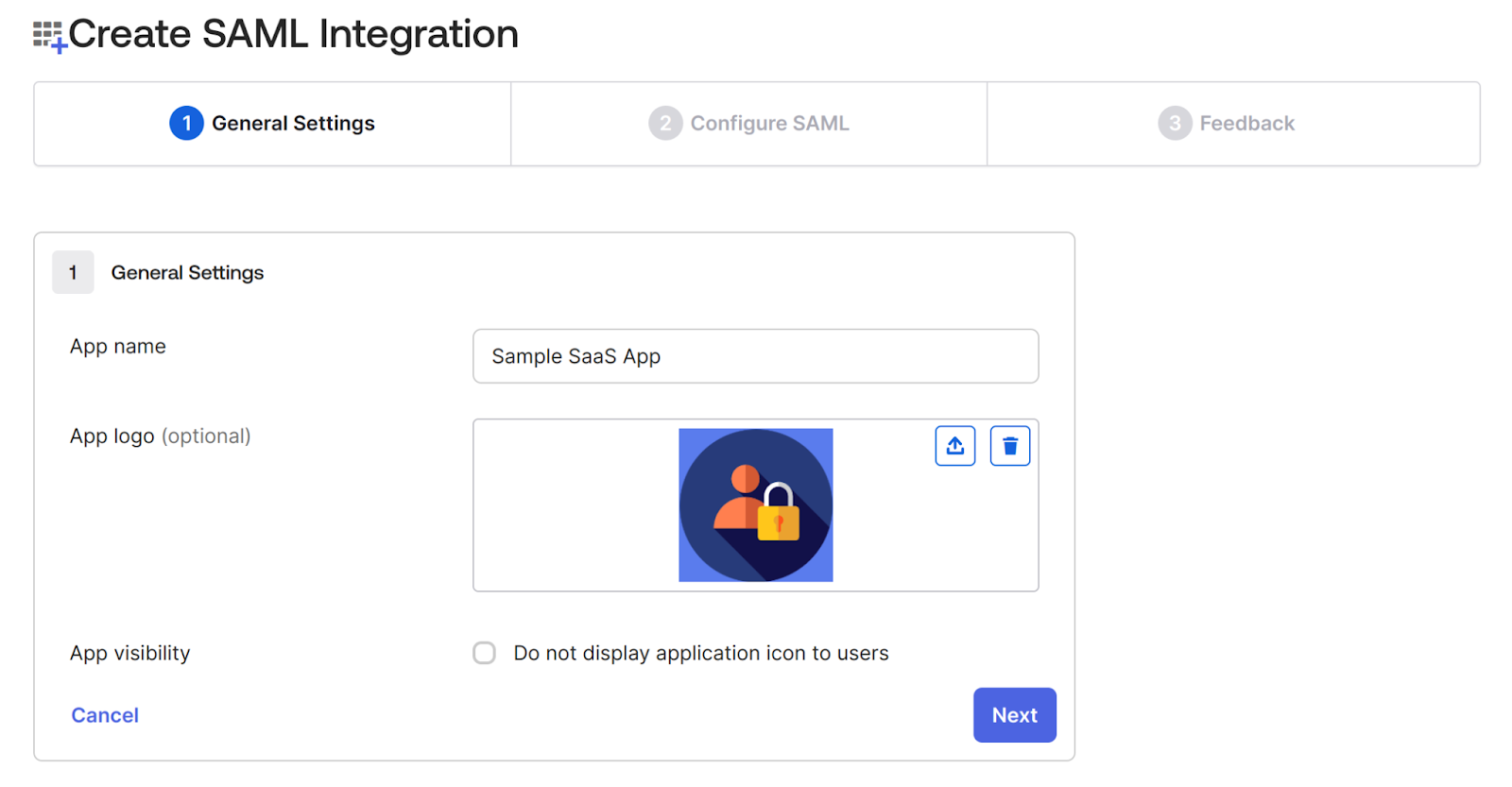
2. On the next screen, provide a name for the application.In this case, we’re adding a Sample SaaS App. You can add a logo to customize the login logo.
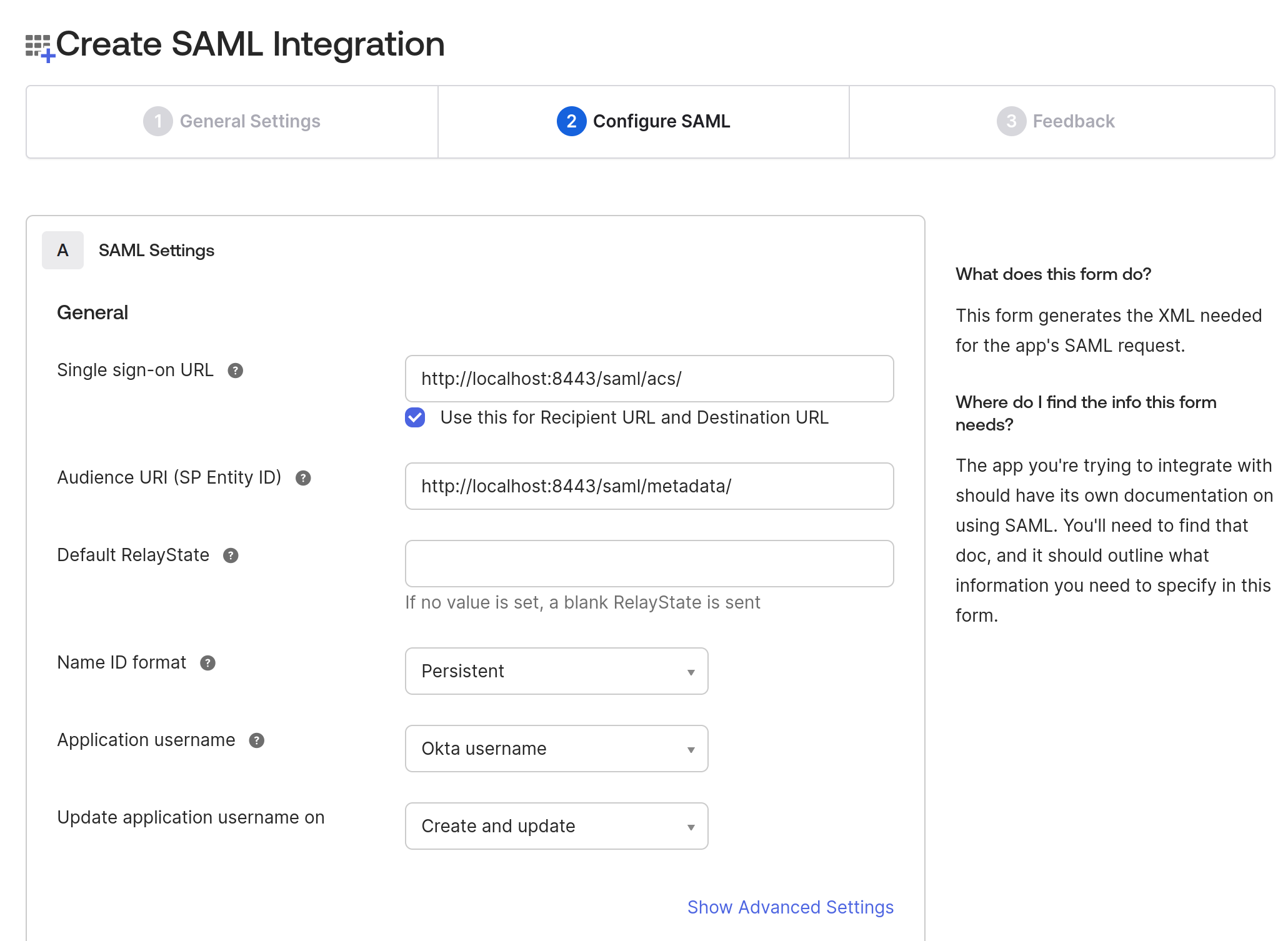
3. In the Configure SAML tab, do the following two things:
4. On the same page, navigate to the Attributes Statements section to configure the following attributes and group attribute statements to be sent when the authentication is successful.
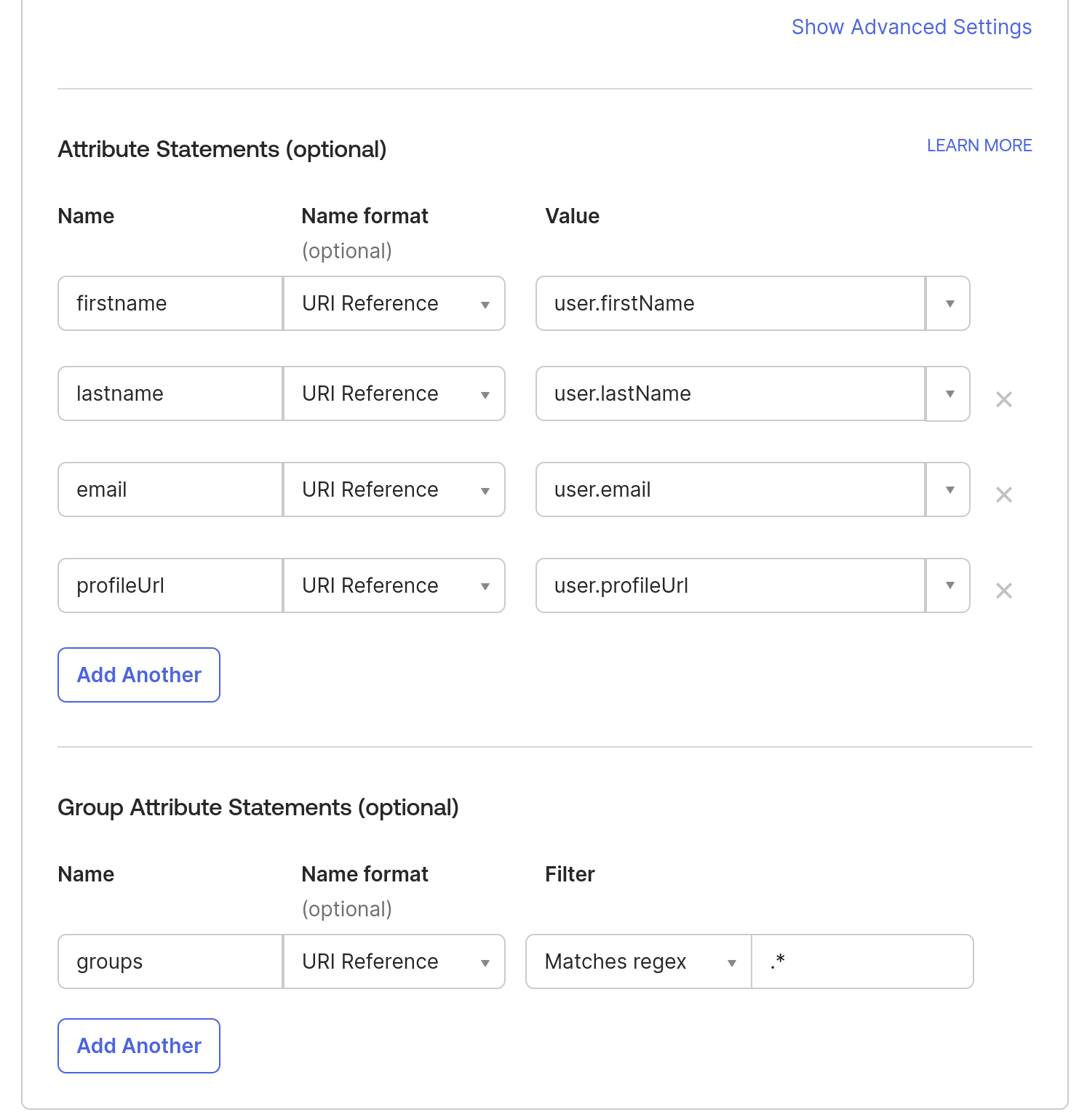
Note: To add more attributes to a User profile, you can go to Directory in the Okta sidebar- > click on Profile Editor -> All User -> Click on Okta User -> Click on Add Attributes.
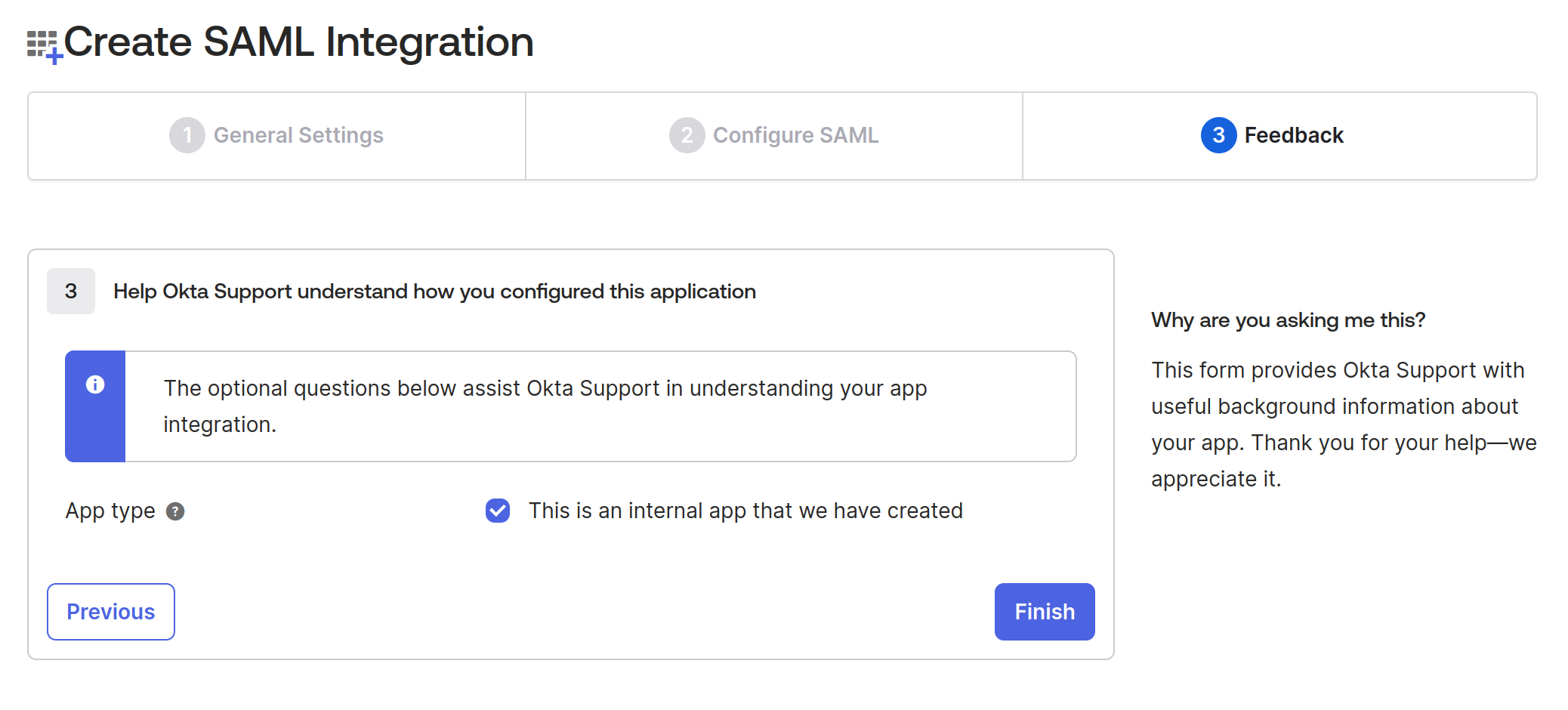
5. In the Feedback tab, check the App type checkbox “This is an internal app that we have created” since we’re testing it and not releasing it publicly. Click Finish.
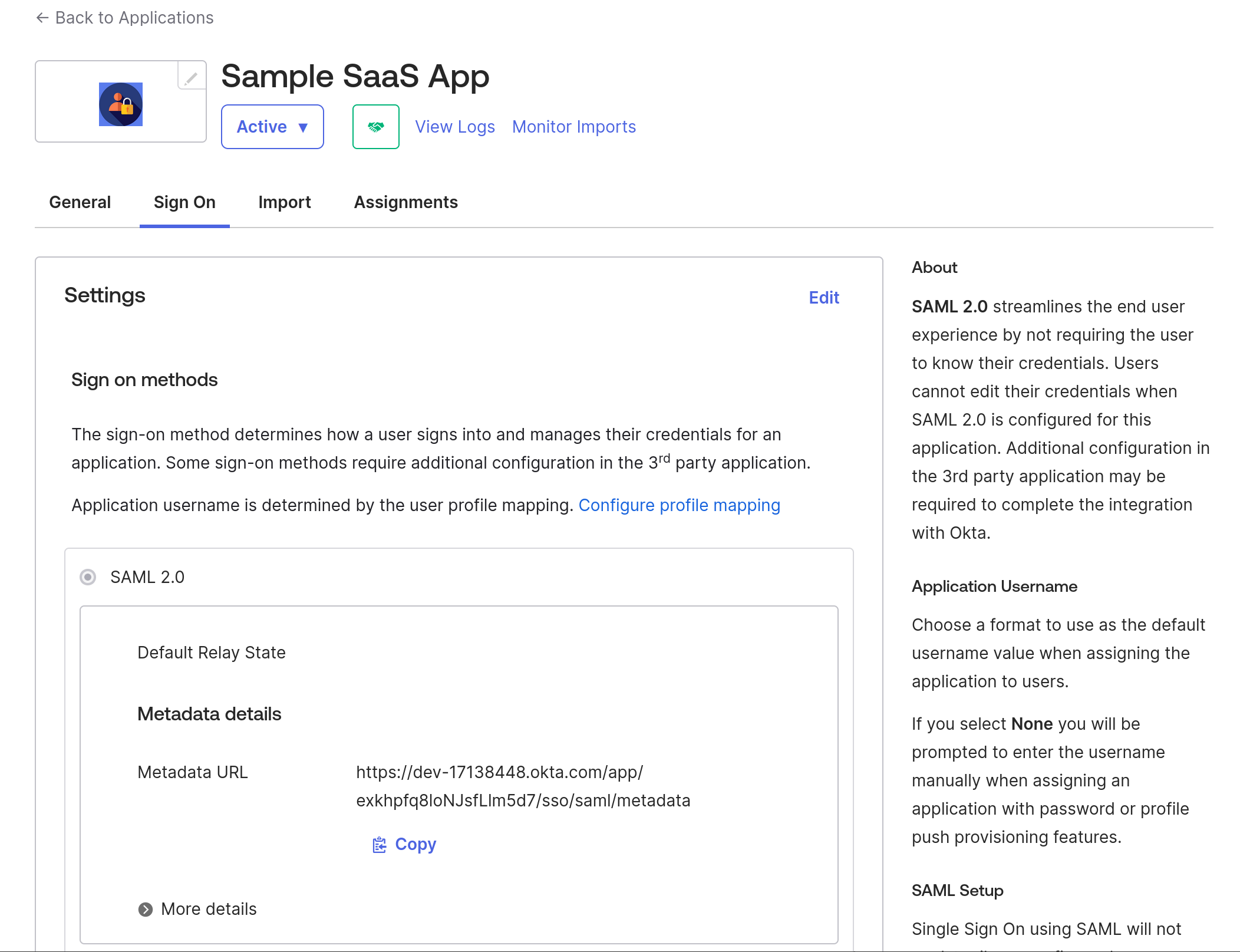
After finishing the application creation, it should show you the Metadata URL, which will have all the details of IdP metadata that we will use in the next step, so download the content from that link and save that XML as idp-metadata.xml
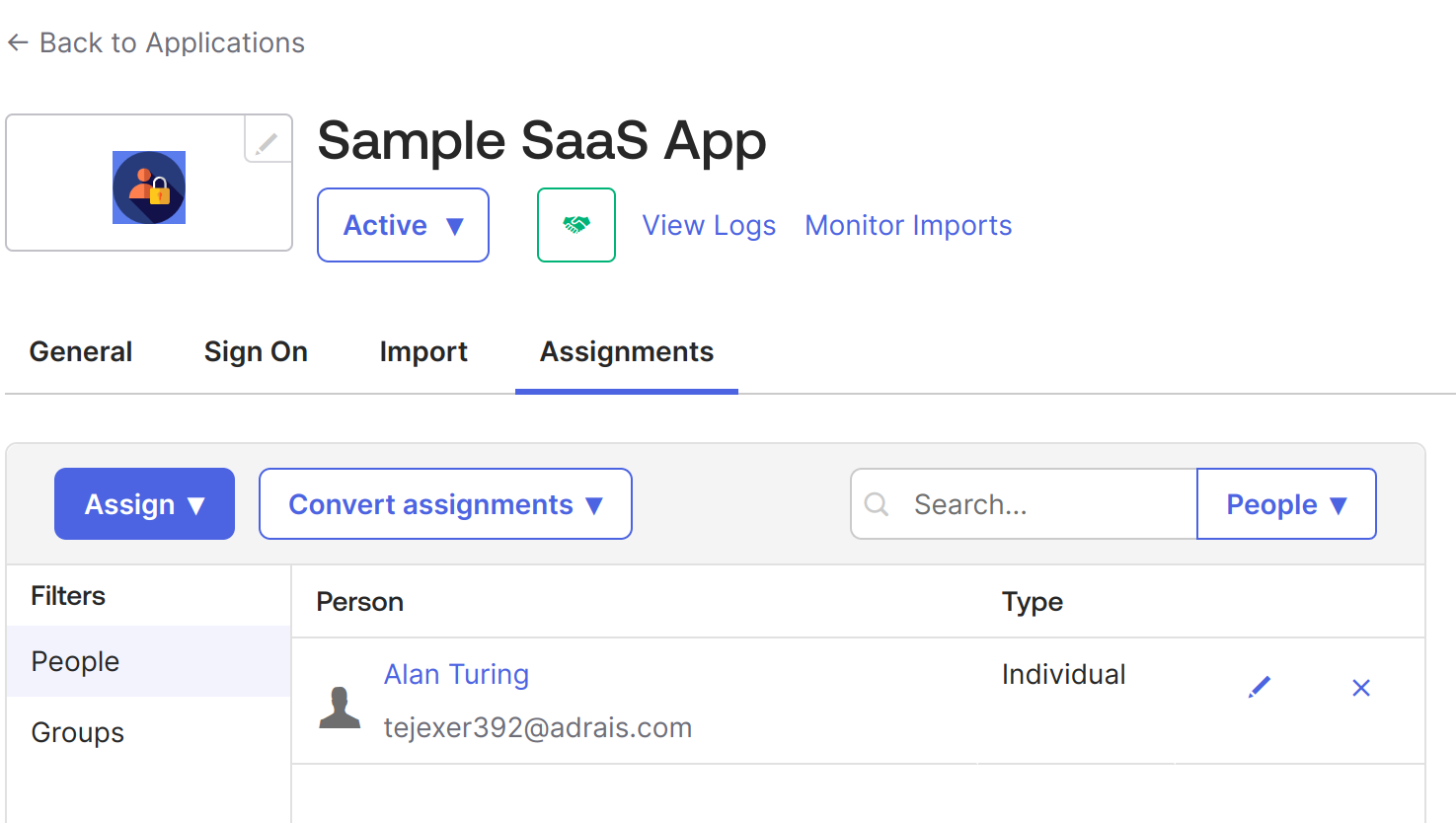
Once the application is created, assign users or groups that will use this application. In this case, we'll use the same user we used to create the Okta account.
6. Go to Sample SaaS App -> Assignment -> Assign -> Assign to People -> Select your user -> click on the Assign button next to your user -> Save and go Back. -> Done.
7. Now, do the same for groups. Go to Sample SaaS App -> Assignment -> Assign -> Assign to Groups > click on the Assign button next to your Groups -> Done.
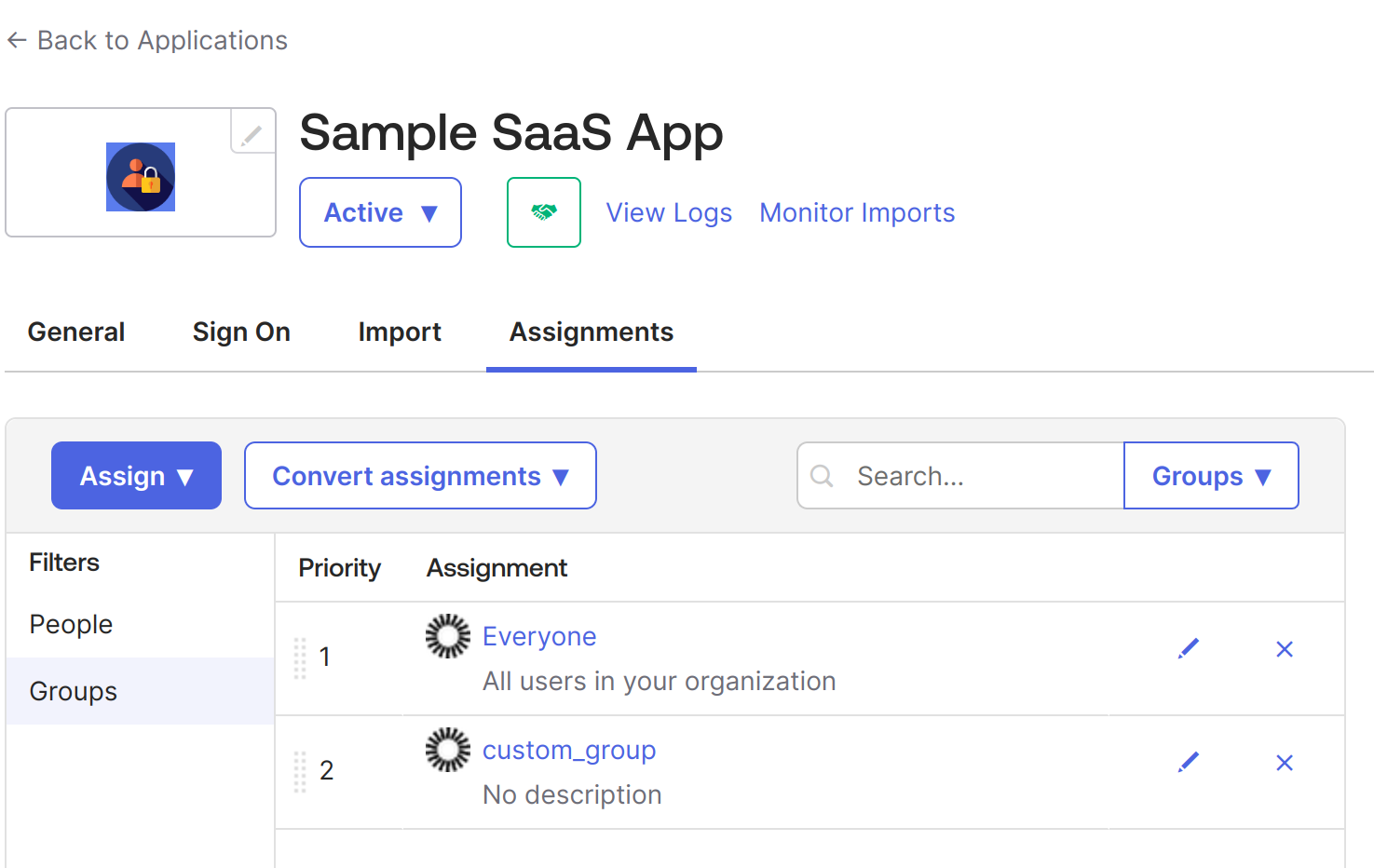
At this point, we have created an application in Okta that will be used for SSO configuration using SAML 2.0. It is an internal application, but we can make it public later as required. When public, it can be available like all other applications in the Okta integrations, such as Google Workspace, Salesforce, etc.
As mentioned, we have built a simple web application using Python and Flask. We have also used PySAML2 library that handles SAML 2.0 functionality in Python applications as both SP and IdP.
Below is the repository structure
├── conf
├── LICENSE
├── main.py
├── README.md
├── requirements.txt
├── templates
Move the idp-metadata.xml we downloaded earlier under the conf directory. It should look like this –
conf
├── idp-metadata.xml
├── sp_conf.py

0 directories, 2 files
Now, we need to configure the sp_conf.py file, which contains the SAML settings configuration for the SP application.
In the above file, we have defined the following elements:
Note: If you’re using any other path for idp-metadata or application port, you need to configure it here and update the Okta app integration if there are any changes.
In our main.py, we have configured the saml_client_for function, which provides the SAML client with the defined configuration.
When a user accesses the home page and clicks on login with SSO, the login() function gets triggered at route/login/, which gets the IdP login page URL from the metadata and prepares the SAML Authentication Request.
Once the SAML Authentication Request is sent to IdP, a SAML response is returned to Assertion Consumer Service.
Below is our ACS service, which handles the SAML response coming from IdP. In our case, the ACS service also sets the session details if the auth response is successful and redirects to the dynamic profile page.
Now that the login flow is complete, let us create a basic logout flow as below:
When the user clicks on the logout button, it sends a request at /logout/, which will invalidate the user’s session and redirect the user to the home page.
This is how our home URL function looks like: it renders a template.html file with input provided.
The complete main.py file can be found here.
The application’s UI is an HTML page with a “Login with SAML SSO” button that allows users to log in to the application using Okta.
To execute this app, start the Flask server:
With this, your application will be available at https://localhost:8443/.
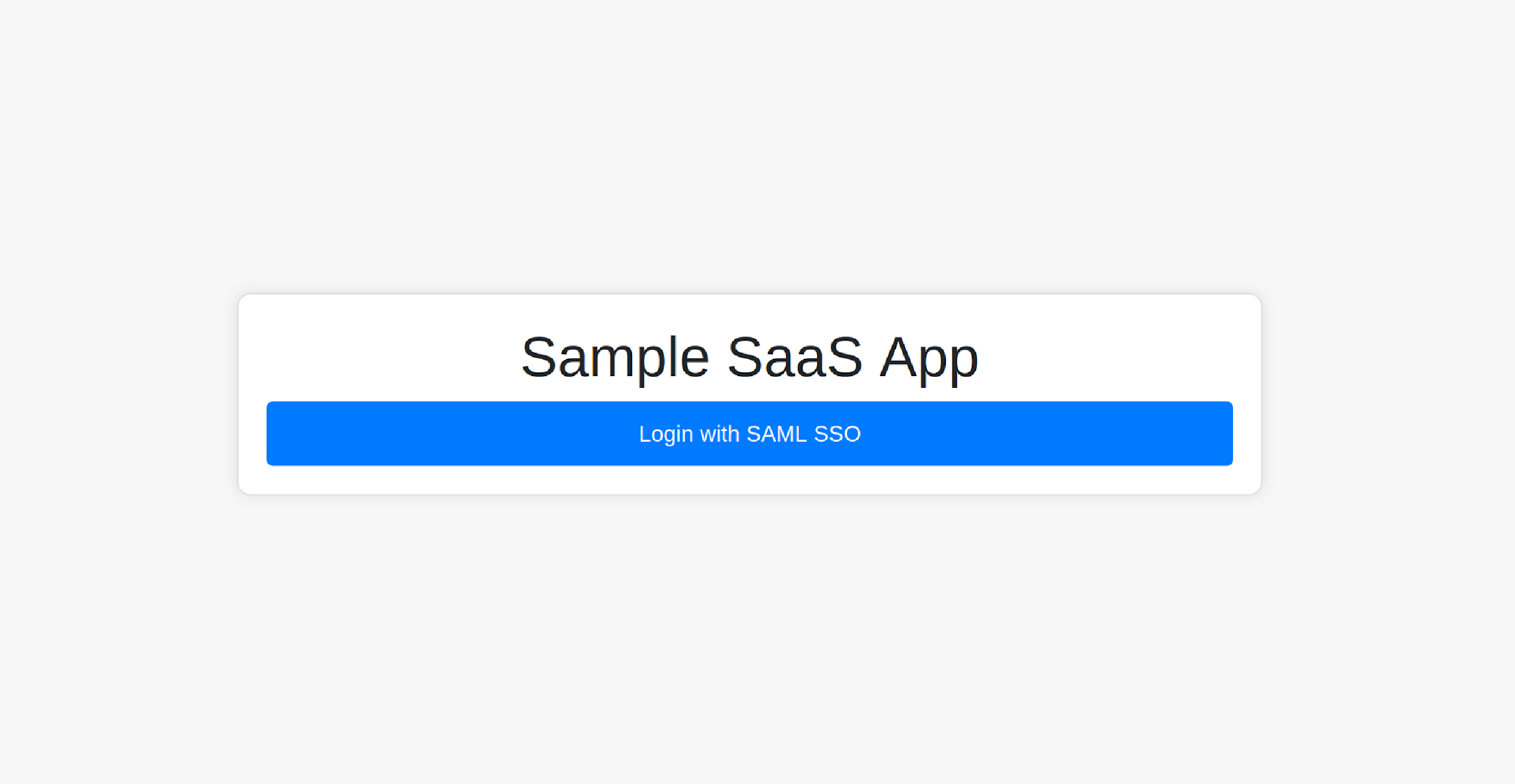
You can log in to the app by clicking the Login with SAML SSO button; it should redirect you to the Okta login page.
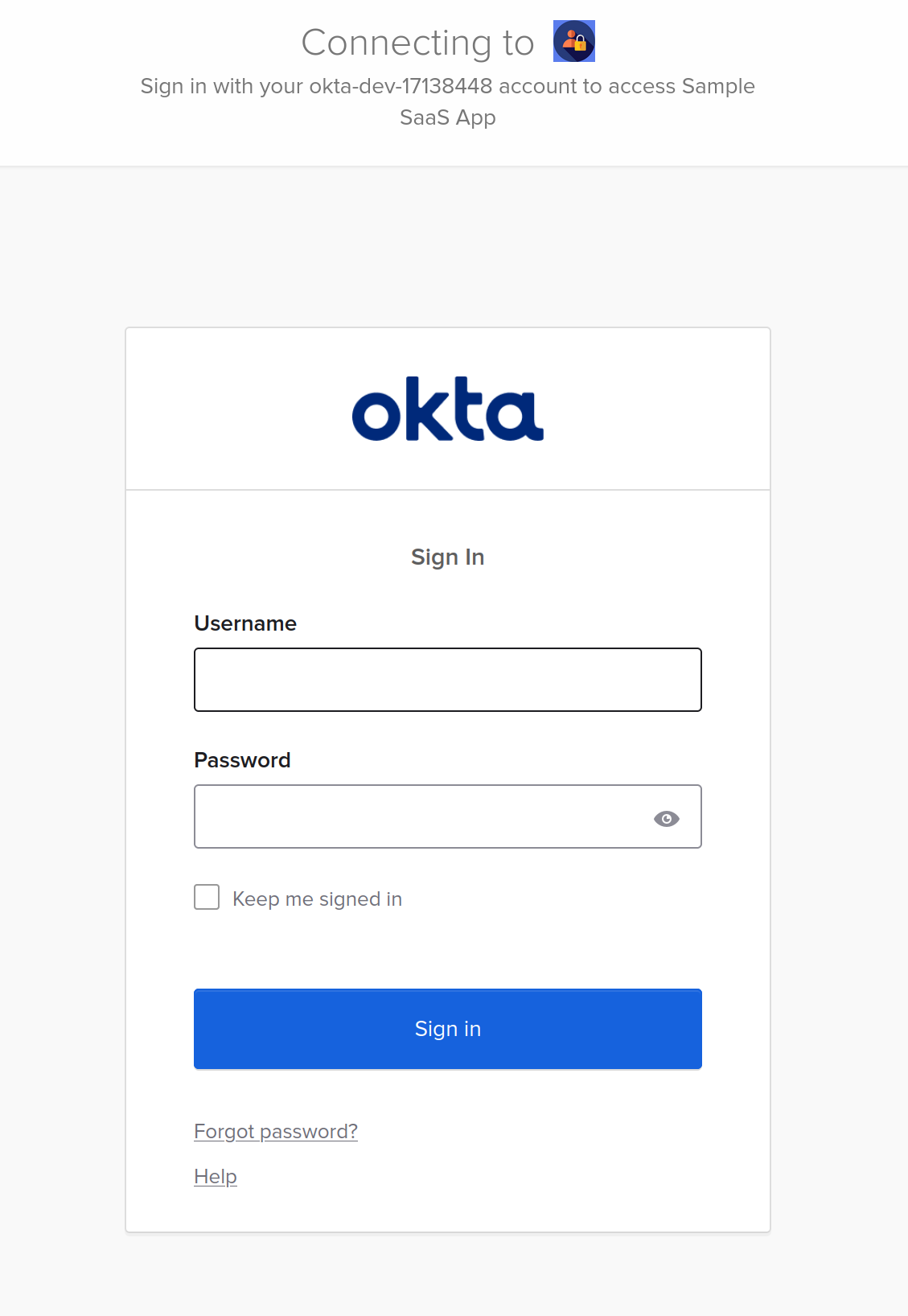
Use the credentials of the user that was assigned to the application.
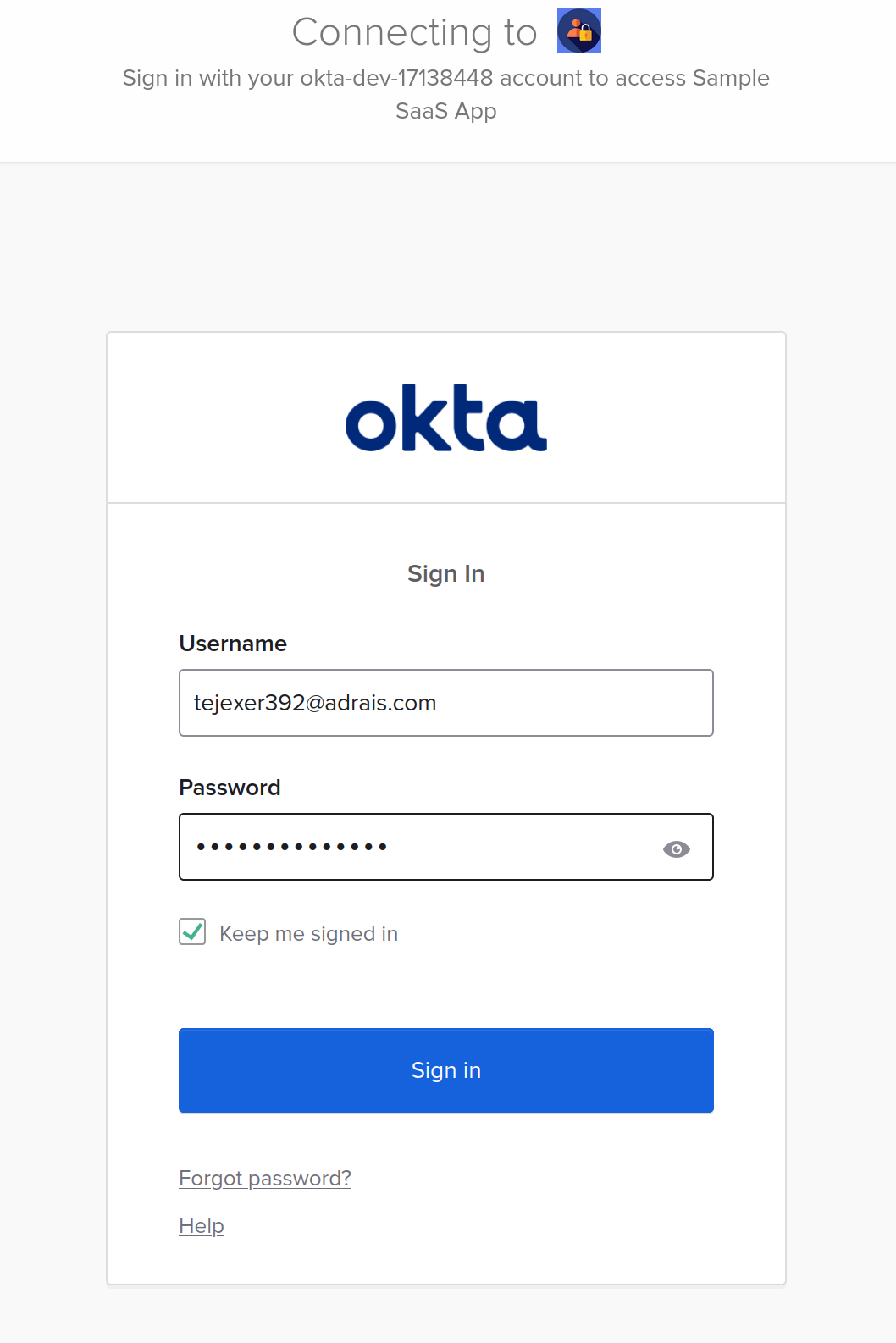
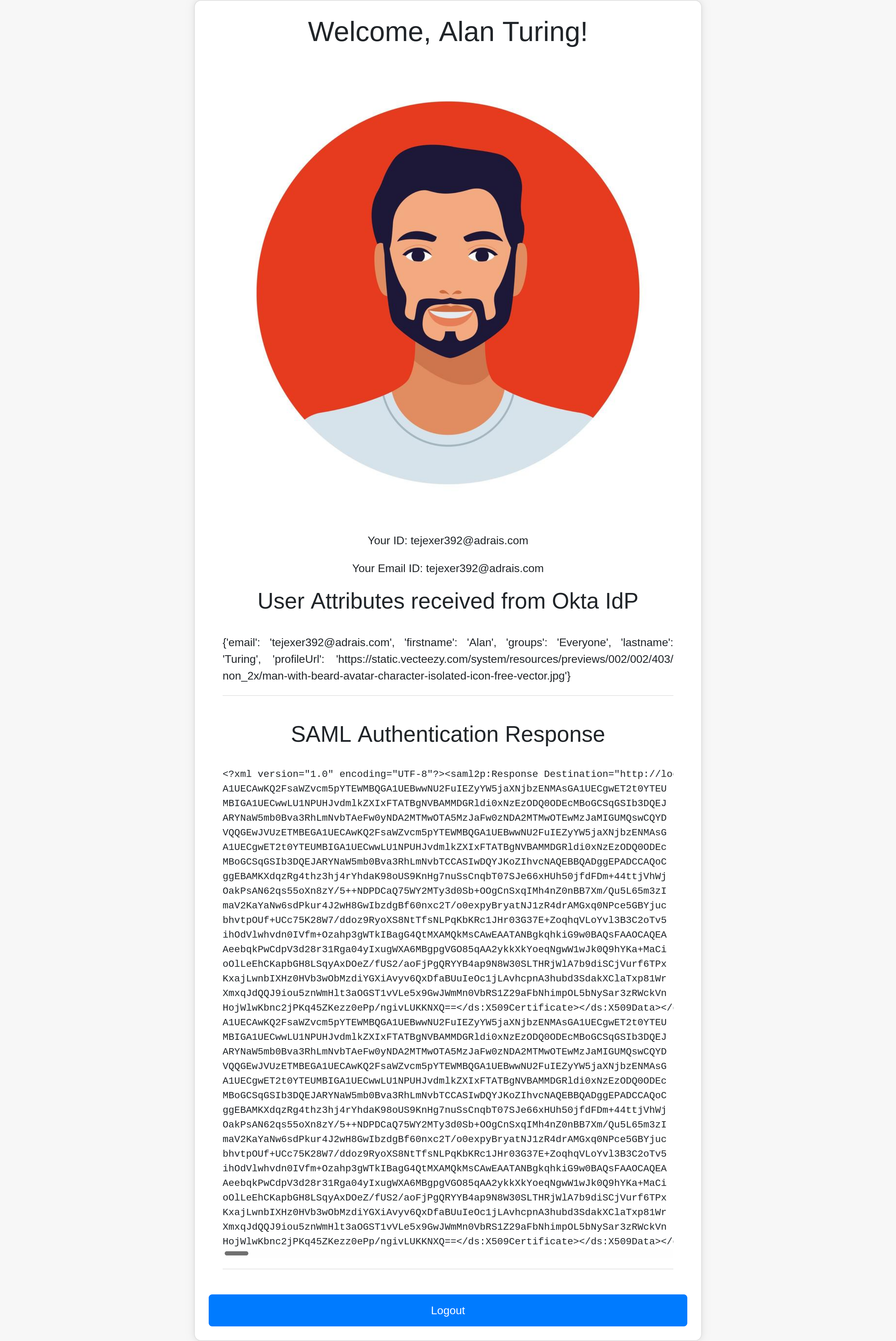
Okta should send a SAML response to the ACS service endpoint on the SP application after clicking login and entering details. The ACS endpoint should redirect you to home with the logged-in session with the below details.
The SAML tracer extension, available for Firefox and Chrome, provides details behind the scenes.
Below is the SAML Request sent to IdP:
Below is the SAML response from IdP:
After a successful login, you can see the full name, first name, last name, email ID, and user profile picture.
That’s how you configure Okta SSO SAML for a web application. You can replicate this on any other website.
The example we went through was a simple web app that was integrated with SAML 2.0 SSO for development purposes. However, production setups are more complex, with many applications, users, and workflows.
Here are some best practices for implementing SAML 2.0 that you can adopt:
If you'd like to dive deeper, take a look at our SAML vulnerability handbook.
A centralized identity store like Okta is no longer an option but a necessity for enterprises. It is equally important for SaaS applications to support such IdPs that other organizations' IT departments trust and feel comfortable using. Today, companies deal with multiple B2B SaaS applications, making a centralized identity crucial for streamlining access and management. Enabling and integrating IdPs into your applications provides a good user experience, such as one-click sign-in (SSO).
While Okta is a popular provider, others like Auth0 are also available. Some organizations may prefer Okta, while others might choose different IdPs. Configuring each IdP in a SaaS application can be a tedious process and is prone to errors and security issues.
This is where Scalekit can help. Designed for SaaS engineering teams, Scalekit enables quick integration of authentication into apps using SDKs and APIs, making it a reliable choice for SAML integrations in applications.
If you'd like to get enterprise auth up and running in days, check out Scalekit's core auth solution.
Enterprise organizations utilize a vast array of specialized applications today. To streamline access and maintain security, IT administrators rely on centralized identity providers like Okta or Microsoft Entra ID. By implementing SAML, B2B SaaS providers enable seamless Single Sign On, which eliminates password fatigue and allows administrators to enforce consistent security policies. This integration is no longer optional. It is a critical requirement for attracting enterprise clients who demand robust user management and improved security postures through centralized identity stores.
In a standard SAML workflow, the Service Provider is the application seeking to authenticate a user, while the Identity Provider manages the user identities and attributes. When a user attempts to access a protected resource, the Service Provider initiates a SAML request to the Identity Provider. Once the Identity Provider validates the user credentials, it generates a signed SAML assertion and sends it back to the Assertion Consumer Service URL of the Service Provider. The Service Provider then validates this assertion to grant the user appropriate access.
XML Signature is fundamental for ensuring the integrity and authenticity of SAML messages exchanged between providers. It uses digital signatures to verify that the XML document has not been tampered with during transit and confirms it originated from a trusted source. For architects, it is vital to use secure and up to date XML libraries and canonicalized XML documents to prevent signature wrapping attacks. Enforcing certificate trust chains and performing regular revocation checks further strengthens the security of the identity exchange process within enterprise environments.
SAML attributes are specific data points contained within assertions that provide additional context about the authenticated user such as email addresses, roles, or group memberships. Service Providers leverage these attributes to enforce fine grained authorization decisions and customize the user experience based on their organizational profile. For instance, a B2B app can automatically assign administrative permissions or restrict access to certain modules by parsing the role attributes provided by the Identity Provider during the Single Sign On process, ensuring seamless user provisioning.
SAML metadata facilitates interoperability by sharing configuration details between the Identity Provider and the Service Provider. The Identity Provider metadata includes the entity ID, Single Sign On endpoints, and the public certificates required for signature verification. Conversely, Service Provider metadata details the Assertion Consumer Service endpoints and necessary certificates. Sharing these XML files allows both parties to understand each other technical requirements and security protocols, significantly simplifying the integration process and reducing manual configuration errors when setting up enterprise grade authentication flows.
SAML bindings define the mechanism used to transport messages between entities. The HTTP Redirect binding typically transmits SAML requests via URL query parameters, which is suitable for smaller payloads. In contrast, the HTTP POST binding encodes SAML messages within an HTML form, making it the preferred method for sending larger SAML responses containing assertions. For developers, understanding these bindings is crucial for correctly configuring endpoints and ensuring that the browser based flow correctly handles the redirection and data submission between the application and the identity provider.
Architects must prioritize several security measures to protect SAML implementations. Key practices include using TLS 1.2 or higher for all connections and selecting SHA 2 certificates while avoiding self signed options. It is also critical to implement robust logging for auditing authentication attempts and failures. To mitigate specific vulnerabilities like XML External Entity attacks, developers should restrict XML parser capabilities and validate all messages against defined schemas. Encrypting assertions and leveraging features like Single Logout further enhance the security and user experience of the enterprise authentication infrastructure.
While SAML is traditionally optimized for browser based web Single Sign On involving human users, its principles can influence broader B2B architecture. For AI agents and machine to machine interactions, modern protocols like OAuth 2.0 or OIDC are often preferred due to their flexibility with non browser clients. However, SAML can still serve as the primary identity bridge for the human administrators who manage and authorize these automated systems. Understanding the interplay between SAML based identity stores and modern agent authentication is essential for building comprehensive security frameworks in AI driven B2B environments.
Manually configuring and maintaining unique SAML integrations for every customer identity provider is a tedious and error prone process for engineering teams. Scalekit addresses this challenge by providing a unified core authentication solution that handles the complexities of various providers like Okta or Auth0 through a single integration. By using Scalekit SDKs and APIs, developers can quickly implement secure and enterprise grade authentication that supports diverse identity standards. This approach reduces development time, minimizes security risks, and allows B2B SaaS companies to scale their enterprise offerings with confidence.






