MCP in Enterprise Workflows
How enterprises are adopting MCP in production workflows

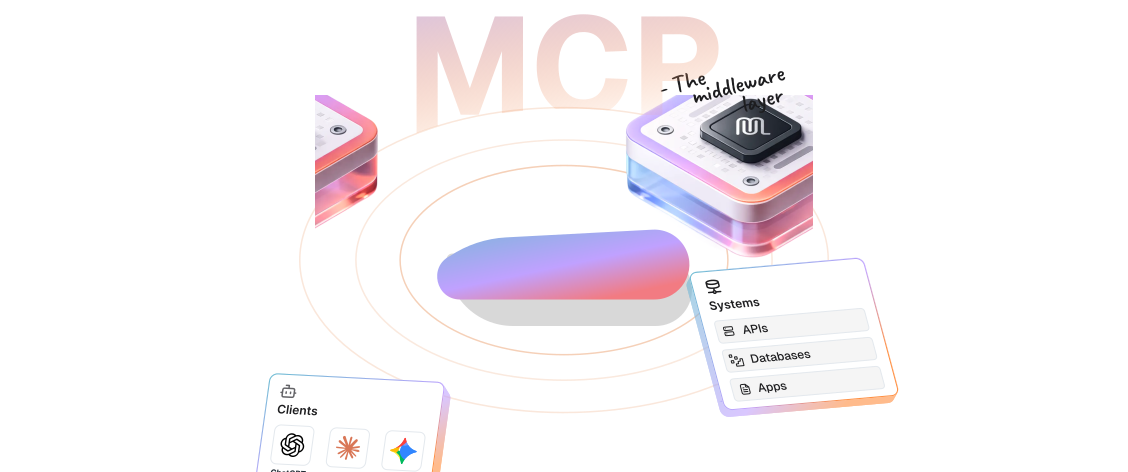
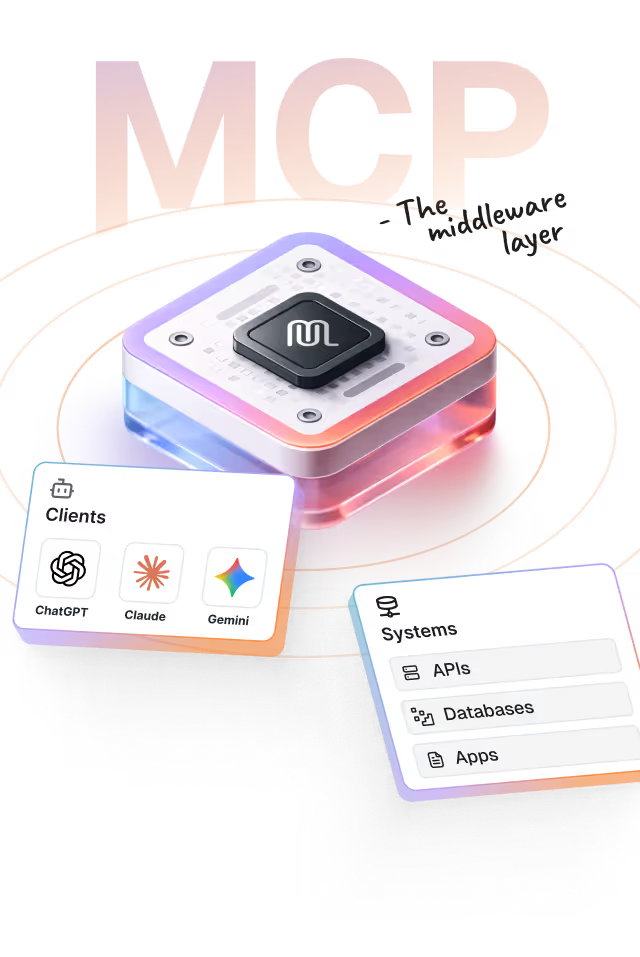
MCP is the middleware for AI applications

MCP has moved from protocol specification to production infrastructure. This report documents how enterprise teams arearchitecting, securing, and scaling agents across real-world customer workflows and internal operations.
The MCP ecosystem

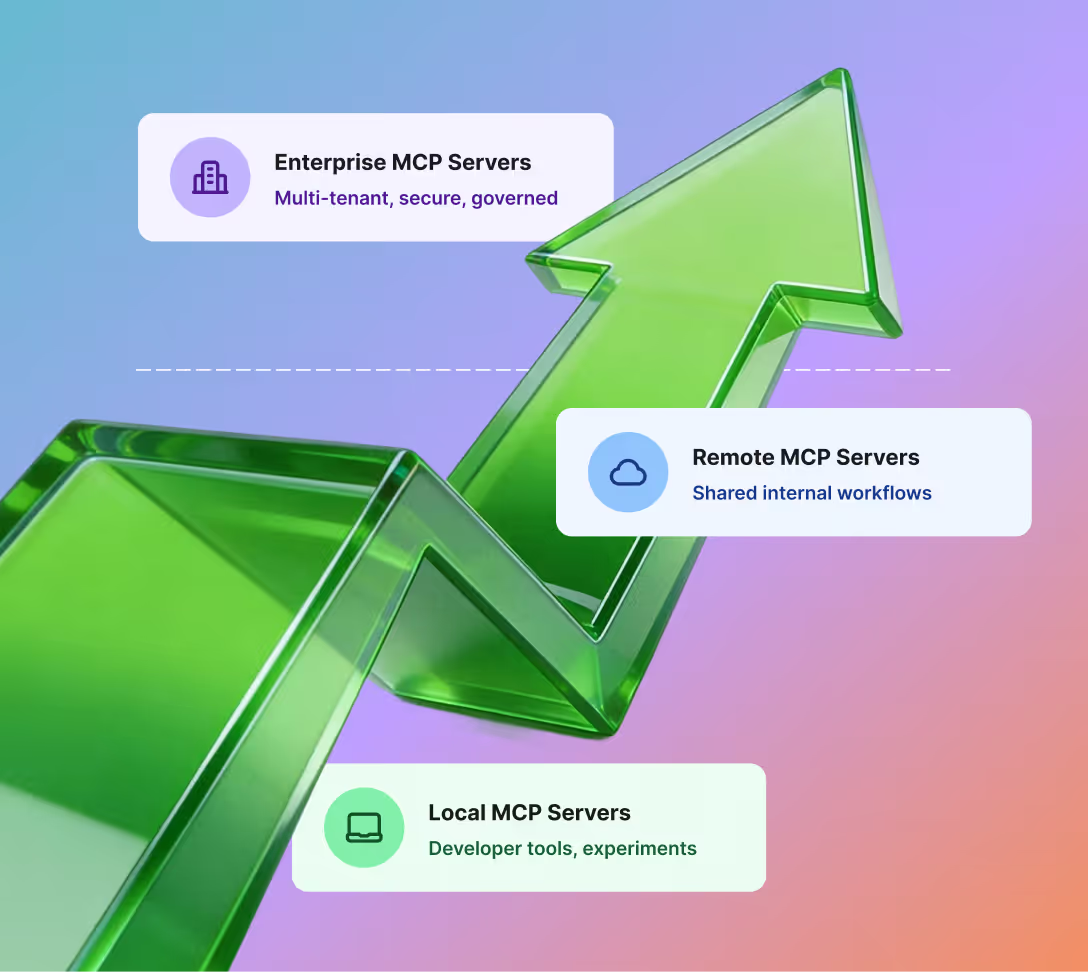
The MCP maturity curve: From localhost to the enterprise cloud

In less than 12 months, the Model Context Protocol has evolved from a novel experiment into a necessary tooling stack in organisational workflows.

What emerged wasn’t just MCP servers, but a whole ecosystem: generators, registries, gateways, identity layers, hosting platforms, IDE integrations, and more. Teams began deploying it as a durable service, used daily, across internal systems and customer-facing workflows.

MCP was never meant to replace APIs.
It standardized how agents consume them, at scale.

Explore the MCP ecosystem by category

API-to-MCP Translation to instantly transform API catalogs to agent-ready tools
MCP-Native Frameworks to ensure cross-model compatibility for agent workflows
Managed MCP Hosting to provide persistent and containerized execution environments’
Identity & user delegation to scope permissions and secure server access
Enterprise MCP Gateways to govern tool inventory and usage
Data Privacy & Guardrail Proxies to safeguard your PII against attacks
Composition & Orchestration to enable chained workflows across multiple servers
Internal Enablement & Registries to standardise how agents discover tools
Agentic QA to automate testing in non-determinisitic workflows
Agentic Observability to monitor lifecycle of agent-tool interactions
Happy birthday, MCP

One year in:
MCP’s production trajectory

MCP just turned one.

In its first year, MCP proved it works. Now, it's proving it scales.

Early usage was dominated by developers running MCP locally. Growth followed a familiar infrastructure curve—accelerating only once tooling, security, and governance matured enough to be safe for teams.
Growth accelerates after key inflection points: public open-sourcing, OAuth-based authorization, major platform adoption, and managed hosting.
NOV
25TH

Anthropic publicly launches and open-sources Model Context Protocol

NOV
25TH

MCP SDKs released and first-party MCP servers (GitHub, Slack, Drive) appear

DEC
18TH

"MCP server" becomes a standard deployable artifact across the community

Jan
2025

Clear host / client / server role separation formalized in MCP docs and SDKs

Feb
2025

MCP recognized as default agent tool interface pattern (“agents = MCP + planner”)

Mar
2025

OpenAI adopts MCP across ChatGPT Desktop, Agents SDK, and Responses API

Mar
26TH

MCP spec revision released with OAuth 2.1 authorization

Mar
26TH

MCP replaces HTTP+SSE with Streamable HTTP transport

Apr
2025

Google DeepMind confirms MCP support across Gemini ecosystem

Apr
2025

VS Code announces MCP support via GitHub Copilot Agent Mode

Apr
2025

Enterprise MCP hosting becomes available via Cloudflare

May
2025

Auth vendors release MCP-aligned authorization tooling

Jun
18TH

MCP mandates OAuth Resource Indicators (RFC 8707)

Jun
18TH

MCP introduces elicitation (server-initiated user input)

Jul
2025

MCP governance model and community process formally published

Nov
25TH

MCP adopts OpenID Connect Discovery for authorization servers

Nov
25TH

MCP recommends OAuth Client ID Metadata Documents

Nov
25TH

MCP standardizes on JSON Schema

Dec
2025

MCP ecosystem surpasses 10,000 active MCP servers

Dec
2025

Anthropic donates MCP to the Linux Foundation’s Agentic AI Foundation (AAIF)

Dec
2025

Google launches managed MCP servers for Maps, BigQuery, and Kubernetes

Dec
2025

Enterprise MCP gateway vendors signaling production-grade deployment patterns

JAN
26TH

MCP Apps announced as official MCP extension supported by major clients

The Shift to Production

From experiments to production‑grade MCP servers

The first wave of MCP servers were being developed for single-player workflows: local tools, desktop agents, and personal automation. That phase has ended.

Today, MCP servers are remote and shared between critical systems.

Naturally, the emergence of enterprise MCP Gateways is a signal, not a coincidence. Gateways appear when protocols mature, when adoption scales and enterprises demand control.

But scaling MCP in production means solving for more than just connectivity. They sit between agents, internal platforms, and customer data.

And, to survive there, they must behave like real infrastructure.

Five enterprise teams show what that actually looks like.

How 5 enterprise teams
are deploying remote MCP servers

Who is deploying this?
Cross-functional teams exposing a shared server to agents, where multiple engineers invoke sensitive employee and customer data as part of daily support and sales workflows.
What objective does it serve?
Keep the hub's routing simplicity, but restore accountability by making sure every hop through it still says which individual triggered the change.

Shared internal MCP server means implicit trust

Support and engineering teams wire an internal agent into a single MCP server that can see live CRM records, employee data, and admin APIs. From an IDE or desktop client, anyone with access to that server can pull up customer accounts, tweak statuses, and trigger internal workflows. It feels powerful, fast, and, at first, completely reasonable.
Developer Workstation
Workstation
Laptop / Desktop
Laptop or desktop where the engineer runs their IDE or desktop client. From here, they can trigger MCP-backed actions with a few keystrokes.
Agent
IDE / Desktop Client
Local or desktop agent that turns natural language instructions into MCP tool calls. Feels like a smart helper embedded in everyday tools.
MCP Client
The internal MCP server
Component that speaks the MCP protocol from the workstation. Connects to the internal MCP server and forwards tool calls and responses.
Tool calls
Internal MCP Server
Internal MCP Server
Shared
Single server that exposes tools for CRM lookups, account updates, employee directory queries, and internal admin flows. It quickly becomes shared infrastructure across the team.
Key property
Not for single entity access
Internal Network / Cloud Boundary
Virtual private network or cloud account where the MCP server and internal systems live. Access is often treated as ‘trusted’ simply because it’s inside this boundary.
Invokes
Internal Systems
CRM System
System of record for customers, accounts, and pipelines. Reads and writes here directly affect real customers and revenue operations.
Employee Directory
HR Data
Internal database of employees, roles, and contact information. Sensitive by default, especially in regulated environments.
Internal Admin APIs
Privileged endpoints for changing flags, entitlements, or system behavior. Often guarded only by network location or simple API keys.
TL;DR
A shared internal MCP server becomes a single entry point to CRM, employee data, and admin APIs inside the network boundary.

How ‘blind trust at scale’ can go wrong

The setup works so smoothly that teams stop asking hard questions. Requests hit the server from many agents, but nothing in the protocol identifies who triggered them or what they should be allowed to do. Being "inside the VPC" quietly substitutes for authorization, every exposed tool becomes callable by anyone who can reach the server.
Developer Workstation
Agent
Copied Config
Agents are shared, copied, and spread across machines. Whoever has the config can point it at the internal MCP server.
MCP Client
No Identity Context
No ID
Forwards tool calls but does not attach verifiable user identity. From the server’s perspective, all requests look the same.
Local assumption vs reality
Thought: ‘only I run this agent.’ Reality: many users can reach a shared server.
Tool calls
Internal MCP Server
Internal MCP Server
Blind to Who
Anonymous
Receives requests without a stable user ID or role. Cannot reliably answer: ‘who made this call?’ or ‘should they be allowed to change this record?’.
No user identity
Requests carry no authenticated user identity or cryptographically verifiable claims.
Trust assumption
If a request is inside the network, it is treated as safe.
Invokes
Internal Systems
CRM System
getCustomer / updateAccountStatus
Read + Write
Read and write operations on customer data. Without authorization boundaries, anyone who can call one can usually call the other.
Employee Tools
lookupEmployee
Sensitive
Queries into internal employee information. Intended for a narrow set of use cases, but now reachable from any configured agent.
Admin / Workflow
Tools
High Impact
High-impact operations like toggling features, moving accounts, or triggering internal workflows. Exposed through MCP without strong gating.
No authorization boundary
No distinction between read vs write, intern vs manager, sandbox vs production.
TL;DR
Without verifiable user identity and tool-level permissions, network access quietly becomes authorization—exposing read and write tools alike.

Adding identity and authorization to MCP

Once the MCP server becomes shared infrastructure, the rules have to change. Each request needs a verifiable user identity, tools must be gated by roles and scopes. The goal is not to slow teams down, but to make sure that when an agent updates a customer or triggers a workflow, the system knows exactly who asked and whether they were allowed to.
Identity Provider
Auth Service
Authenticates employees and issues signed tokens that identify the human behind each request. Becomes the source of truth for user identity.
User Token (JWT)
sub, roles, scopes
Cryptographically verifiable token bound to the human, not the agent. Contains stable user ID and role or scope information needed for authorization.
Token
Developer Workstation
Developer / Support
alice@company
Still uses an agent from an IDE or desktop, but now every action they trigger carries their own identity all the way to the MCP server.
MCP-Aware Agent
Obtains user tokens from the identity system and attaches them to MCP requests. Works in IDEs, CLIs, and headless environments.
MCP Client
Identity Carrier
+ JWT
Ensures each tool call includes a valid, signed token. No anonymous calls are sent to the server.
Works broadly
Supports IDEs and headless clients using token-based flows
Verified
Internal MCP Server
Internal MCP Server
Identity & Policy Engine
Verified
Verifies user tokens, extracts identity and role information, and applies authorization rules before invoking any underlying tool.
Authorization Layer
Roles & Scopes
+ JWT
Maps roles and scopes to tool permissions. Distinguishes between read and write, admin and non-admin, and different environments.
No implicit network trust
Decisions depend on who the user is, not where the request originated.
Fail closed
Anonymous, invalid, or under-scoped calls are rejected.
Scoped
Internal Systems
CRM Tools
Read vs Write
Scoped
Read operations like getCustomer remain widely accessible, while write operations like updateAccountStatus are restricted to specific roles or scopes.
Employee Tools
Scoped Access
Restricted
Directory lookups and HR data access are allowed only for users and roles that genuinely need them.
Admin / Workflow Tools
Guarded
Elevated
High-impact tools require elevated scopes. Even if an agent is mis-configured, calls without the right token claims are rejected.
Reject unsafe calls
Requests without tokens, invalid signatures, or missing scopes never reach systems.
TL;DR
Identity and authorization wrap the same MCP server: every call is tied to a person, verified by token, and allowed only if policy says so.
Who is deploying this?
Teams that have introduced an MCP 'hub' so they only manage one connection point, while that hub fans requests out to many internal and external systems.
What objective does it serve?
Keep the hub's routing simplicity, but restore accountability by making sure every hop through it still says which individual triggered the change.

Shared hub pattern, single routing point

Engineers stay in their editors, where agents can open merge requests, inspect cloud resources, or update work items. A shared MCP hub routes these requests to the right tool servers.
Developer Workstation
Developer
Human engineer working in the IDE. Triggers actions like opening merge requests or inspecting cloud resources.
Agent
Cursor / CLI
Local agent embedded in the IDE. Translates natural language instructions into MCP requests.
MCP Client
Client library that speaks MCP from the workstation. Sends tool calls through the internal hub.
User identity
Internal Network / MCP Hub
Internal MCP Hub
Shared entry point for all agent traffic. Selects the right MCP server for each request.
User identity
Code Host MCP Server
Tool-specific MCP server for the code host. Knows how to create branches, open merge requests, and read repo state.
Cloud MCP Server
Tool-specific MCP server for the cloud platform. Wraps APIs for listing resources, reading configs, and basic ops.
Work Tracker MCP Server
Tool-specific MCP server for the work-tracking system. Handles issues, tickets, and status changes.
Alice
External SaaS APIs
Code Host
Source control platform where repositories and merge requests live.
Cloud Platform
Infrastructure and services running applications and environments.
Work Tracker
System of record for tasks, incidents, and feature work.
TL;DR
A central hub routes agent requests from the IDE to tool-specific MCP servers and external systems.

Bot-user audit gap

With a shared hub, all actions flow through a single bot identity. Downstream systems log every change as 'automation', and not as the individual developer who initiated it.
Developer Workstation
Developer
Same human in the IDE, still asking for actions like 'open a merge request' or 'restart a service'.
Agent
Cursor / CLI
Agent composes MCP tool calls based on the developer's request. It does not carry strong user identity on its own.
MCP Client
Sends MCP requests to the hub. In this pattern, it relies on the hub's shared credentials downstream.
User identity
Internal Network / MCP Hub
Internal MCP Hub
Bot Identity
Hub authenticates to all tool MCP servers using a single technical account or service principal.
Infra-bot
Code Host MCP Server
Receives requests from the hub and calls the code host using the same shared 'automation' identity for everyone.
Cloud MCP Server
Uses long-lived keys or a service account to act in the cloud platform, independent of the human who initiated the request.
Work Tracker MCP Server
Creates and updates issues using a generic bot user, not the individual developer.
Infra-bot
External SaaS APIs
Code Host
Logs: infra-bot
Repositories show activity from a single automation user. Audit trails no longer distinguish which developer triggered each change.
Cloud Platform
Logs: infra-bot
Operational actions appear under a service account. Investigations must infer which human was behind a change.
Work Tracker
Logs: infra-bot
Tickets and comments are attributed to a bot, obscuring who actually updated the work item.
TL;DR
With shared bot identities, downstream systems log actions as automation instead of individual developers.

Adding Identity and Authorization to MCP

Once the MCP server becomes shared infrastructure, the rules have to change. Each request needs a verifiable user identity, tools must be gated by roles and scopes, and being ‘inside the network’ is no longer enough. The goal is not to slow teams down, but to make sure that when an agent updates a customer or triggers an internal workflow, the system knows exactly who asked and whether they were allowed to.
Enterprise IdP
Central identity provider (e.g., SSO). Authenticates the developer once and issues user tokens.
Auth
Developer Workstation
Developer
alice@company
Human engineer authenticated against the IdP. Every downstream action should be attributable to this person.
Agent
Agent running in the IDE. Attaches the developer's identity context when forming MCP requests.
MCP Client
Carries both the tool call and user identity information from the workstation to the hub.
Sub
alice@company
User identity
Internal Network / MCP Hub
Internal
MCP Hub
Identity-Aware
Receives MCP requests with user context. Forwards that context to tool MCP servers instead of substituting a shared bot identity.
Forward user context
Code Host MCP
Alice
Exchanges forwarded user context for a user-scoped token at the code host. Creates branches and merge requests as the developer.
Cloud MCP
Alice
Obtains user-scoped credentials for the cloud platform when policy allows. Executes reads or changes under that user.
Tracker MCP
Alice
Acts in the work-tracking system using the actual developer's account, subject to their permissions.
Alice
Internal Systems
Code Host
Logs: alice
Audit entries list the developer as the actor, even though an agent called the MCP tools.
Cloud Platform
Logs: alice
Cloud operations are tied to the initiating engineer, improving forensics and least-privilege enforcement.
Work Tracker
Logs: alice
Issues and comments show the real person who made the change, preserving ownership and accountability.
TL;DR
Identity and authorization wrap the same MCP server: every call is tied to a person, verified by token, and allowed only if policy says so.
Who is deploying this?
Teams where the product owns both the data and access rules, and want to introduce an MCP server so agents can search, retrieve, and operate on user data without re‑implementing business logic.
What objective does it serve?
Expose product features to agents through MCP while keeping the existing backend as the single source of truth, so agent‑driven actions follow the same access rules.

MCP as product interface

The product introduces an MCP server so agents can search, retrieve, and operate on user data that already lives in the product. The MCP server is a new entry point, not a new backend. It exposes tools, but calls the same backend APIs that the UI already uses. The backend remains the single source of truth.
Product Experience
End User
Web / Desktop UI
Works inside the product's web or desktop interface. Browses references, writes, edits, and expects their data and projects to show up correctly.
Application UI
Handles navigation, screens, and all user interactions. Calls backend APIs for every product operation—search, read, write, tag.
API calls
Product Backend
Firebase APIs + Rules
Single Source of Truth
The backend remains the authoritative system. All business logic, access rules, and data ownership decisions live here. Nothing bypasses these rules.
Product Data
User Collections & References
All user history, references, and records. The product backend owns this data and enforces who can see or change each record.
Access Rules
Same for UI & Agents
Authorization logic that decides what's allowed. These rules apply equally whether the request comes from the UI or through MCP.
Same APIs
Agent Interface
MCP Server
New Entry Point
New interface used only by agents. Exposes tools like searchReferences, getReferenceDetails, applyTag. Calls the same backend APIs the UI uses.
Exposed Tools
getReferenceDetails
getReferenceDetails
applyTag
No data storage
Tool calls
Agent Layer
Agent
Calls tools on the MCP server instead of duplicating product logic. Uses the product's capabilities without re-implementing search, permissions, or data access.
Clean Interface
No product logic duplication
TL;DR
Many employees → multiple MCP servers → internal + external systems, all sitting on top of a common identity and token layer.

When MCP calls without user context

The backend expects every request to be tied to a specific user context. MCP adds a new caller that is not the UI. Without care, two failure modes appear: MCP bypasses existing rules with a broad service key, or calls with incomplete context so the backend can't apply the right checks. The core risk is agents operating outside the permission model that protects the product.
Agent Layer
Agent
On Behalf of User
Agent making requests on behalf of a user. But which user? With what permissions? The agent doesn't inherently carry this context.
MCP Client
Sends tool calls to the MCP server. In this pattern, it has no strong way to say 'this call is for user X with these permissions'.
Tool calls
MCP Layer
MCP Server
New Caller
Who?
Backend Expects
user_id
tenant
permissions
MCP adds a new caller that is not the UI. The backend expects every request to be tied to a specific user context, but MCP doesn't provide it.
???
Product Backend
Firebase APIs + Rules
Expects User Context
The backend expects every request to be tied to a specific user context: user ID, tenant, plan. Without it, the backend cannot apply the right checks.
Product Data
Manual rotation
All user history, references, and records. Access rules depend on knowing who is asking.
Access Rules
Cannot Apply
Blocked
Authorization logic needs user context to decide what's allowed. Without it, the backend must either reject or guess.
Failure Modes
Broad Service Key
Bypasses User Rules
Fail
MCP server uses a broad service key, bypassing user-specific access rules entirely. All data becomes accessible regardless of who asked.
Incomplete Context
Missing User Info
Fail
MCP calls with missing or incomplete user context, so the backend can't reliably apply the right checks.
Core Risk
Agents outside permission model
Result
Auth failures or over-permissions
TL;DR
Personal tokens scattered everywhere → security risks, operational burden, no central control over credentials.

MCP with user context

To make agent-initiated actions behave like UI-initiated actions, MCP requests must carry user context all the way into backend API calls. The backend sees 'this user acting through an agent,' not 'some generic caller.' The backend's access rules stay authoritative. MCP does not introduce parallel rule logic or grow its own user system.
Agent Layer
Agent
Carries User Context
Revocable
User is working inside the product with an authenticated session. Their identity is known and can be propagated to agent requests.
MCP Client
The UI invokes an agent to help with a task. Crucially, it passes along the user's identity context.
sub: user@tenant
Verified
Agent Layer
MCP Server
Forwards Context
User
Attaches user identity to every MCP request. The MCP server knows exactly who is asking.
Passes Through
user_id
tenant
permissions
Agent execution success
Product Backend
Firebase APIs + Rules
Applies Access Rules
User
Backend receives the same user context it would from the UI. Applies its existing access rules exactly as designed.
Product Data
All user history, references, and records. The backend enforces who can see or change each record—no bypass.
Access Rules
Same as UI Path
Applied
Authorization logic applies the same checks for agent requests as for UI requests. Same user, same permissions, same behavior.
Result
Agent = UI behavior
TL;DR
SSO → central broker → scoped tokens → auditable, revocable, least-privilege access for every MCP call.
Who is deploying this?
Teams for whom MCP now spans multiple groups, many servers, and a growing set of tools, with people routinely pasting or managing their own credentials just to keep everything connected.
What objective does it serve?
Move from one‑off credential handling to a shared sign‑in and token service, so more MCP usage means more leverage—not more places secrets can leak.

Enterprise MCP deployment

In a large engineering organization, agents are no longer an experiment. Thousands of developers call IDE‑ and CLI‑based agents every day to open pull requests, poke internal services, nudge chat tools, and update tickets. Multiple internal MCP servers have sprung up across teams, all wired into a shared identity layer and a growing set of external systems.
Employees & their devices
Employees
Developers
Large population of engineers working across teams and time zones. For them, agents are just another part of the daily workflow in IDEs and terminals.
IDE Agent
Cursor / VS Code
Agent embedded in the development environment. Helps with code changes, reviews, and environment interactions without leaving the editor.
CLI Agent
Agent invoked from the command line for scripts, automation, and ops-style tasks. Often used on shared build or deployment machines.
Scattered
Internal Network
MCP Server A
Dev Tools
MCP Server B
Infrastructure
MCP Server C
Collaboration
Scoped
Internal Systems
Databases, services, and platforms that live entirely within the company network. MCP servers talk to these with internal credentials.
Central Identity
Token Layer
Shared service that authenticates users and manages access to external tools. In theory, it should let MCP servers rely on a consistent identity story.
User-scoped
External SaaS APIs
Code Host
Hosted source control platform used for pull requests and reviews. Critical to everyday development workflows.
Chat / Messaging
Chat platform where teams coordinate and where agents can post updates or notifications.
Work Tracker
Issue and project-tracking tool that captures tasks, bugs, and roadmaps.
TL;DR
Many employees → multiple MCP servers → internal + external systems, all sitting on top of a common identity and token layer.

When tokens aren’t scoped; credentials sprawl

At small scale, letting each developer paste personal access tokens into tools feels manageable. At tens of thousands of users and many MCP servers, it turns into a mess: tokens are copied between agents, reused across environments, and granted broad, long‑lived permissions. Security and platform teams spend more time chasing leaked credentials and over‑wide scopes than expanding MCP's reach.
Employees & their devices
Employees
Token Managers
Now responsible for creating and managing their own access tokens for multiple tools. Each person becomes an accidental security admin.
Personal Access Tokens
Tokens generated directly in external tools and pasted into local config files, environment variables, or CLI prompts on laptops.
IDE Agent
+ Stored Tokens
Agent configured with developer-managed tokens. It can call external tools, but those credentials are hard to rotate and easy to leak.
CLI Agent
+ Stored Tokens
Scripts and agents running in terminals or CI environments holding copies of the same personal tokens, sometimes checked into config repos.
Scattered
Internal Network
MCP Server A
Token Cache
PATs
MCP Server B
Token Cache
PATs
MCP Server C
Token Cache
PATs
Scoped
Central Identity
Bypassed
Exists on paper, but MCP servers often bypass it by accepting raw personal tokens from users. The intended control point is not actually in the loop.
Security Risk
Broad scopes, rarely rotated
Ops Burden
Manual audits, expired tokens
User-scoped
External SaaS APIs
Code Host
Mixed Tokens
Sees a mix of tokens, many with excessive privileges. Difficult to tell which ones are still in use and which machines they live on.
Chat / Messaging
Leaked Risk
Granted tokens for posting and reading messages. If a token leaks, it can be reused from anywhere until someone notices.
Work Tracker
Receives requests with user tokens that may live on multiple MCP servers and devices. Revoking or rotating access becomes a long, manual process.
Hard to revoke
Reusable if leaked
Manual rotation
TL;DR
Personal tokens scattered everywhere → security risks, operational burden, no central control over credentials.

Central token brokering

To keep MCP useful at enterprise scale, the organization treats tokens as shared infrastructure, not personal configuration. Developers authenticate once through SSO, a central broker mints and stores tokens for external tools, and MCP servers request scoped, time‑bound access on behalf of each user. Agents still feel seamless to developers, but credentials are no longer scattered across laptops and servers.
Employees & their devices
Employees
SSO Login
Log in once through single sign-on. From their viewpoint, agents 'just work' across IDEs and CLIs without repeated token prompts.
IDE Agent
No Local Tokens
Calls MCP servers without embedding long-lived personal tokens. Relies on servers and the broker to manage credentials.
CLI Agent
No Local Tokens
Invokes MCP servers using the same centralized identity path, regardless of environment. No more copy-pasting personal tokens into scripts.
SSO
Internal Network
SSO / IdP
Enterprise SSO that authenticates the user and issues short-lived tokens or assertions proving who they are.
Token Broker
Central Vault
Secure
Service that exchanges user identity for scoped tokens to external systems, stores them securely, and returns only references or short-lived grants to MCP servers.
Encrypted storage / Scoped grants
Scoped
MCP Server A
Dev Tools
MCP Server B
Infrastructure
MCP Server C
Collaboration
Scoped
Audit
Who, what, when
Secure
Central place to log who requested which tokens, for which tools, and from which MCP servers. Supports investigations and compliance.
Policy
Min scopes, traceable
Rules like 'no raw personal access tokens in MCP servers', 'only broker-issued tokens with minimum scopes', and 'every call traceable to a user' are enforced here.
User-scoped
External SaaS APIs
Code Host
User-Scoped
Revocable
See actions tied to individual users with limited scopes, issued through the broker. Tokens can be audited and revoked centrally.
Chat / Messaging
Centrally Managed
Isolated
Messages and reads occur under the user's identity, but using centrally-managed credentials. Compromise of one MCP server does not expose every other integration.
Work Tracker
Auditable
Traceable
Tickets and comments reflect the human actor while using revocable, scoped tokens. Access reviews become more precise.
TL;DR
SSO → central broker → scoped tokens → auditable, revocable, least-privilege access for every MCP call.
Who is deploying this?
Product teams adapting to the agentic era - exposing SaaS platform to MCP clients, so agents can operate on user data while respecting existing access controls and business logic.
What objective does it serve?
Turn the app's notion of 'this user, in this tenant, with these permissions' into a token and claim format that MCP servers can verify and enforce, without rebuilding the whole login system.

Legacy auth issues opaque tokens

Users sign in through a branded web experience that feels entirely like the product. Behind the scenes, that legacy system obtains an access token, and passes it to agents that call MCP servers. In an ideal world, the flow works: users log in, see their tenant, and the app has a token it can attach to every action.
Browser / UI
End User
Person interacting with the product in the browser. Chooses a tenant, signs in, and expects their permissions to follow them everywhere.
Custom Login
Branded sign‑in experience built by the product team. Handles username/password, SSO buttons, tenant selectors, and the first impression of 'who you are' in the app.
Auth
Identity & Tokens
Identity System
Auth Service / IdP
Service that actually proves who the user is. Issues access tokens after validating credentials or SSO, but its token shape is defined by back‑end choices, not the UI alone.
Opaque Token
Opaque blob as seen by the browser and UI layer. Whatever format this token takes is all MCP servers will ever see.
Token
Application Backend
Agent
Service or process that turns application intents into MCP tool calls. It does not talk to the UI; it only carries the token provided by the app.
MCP Client
Inside Agent
Client that formats MCP requests and attaches the token as 'identity' when calling MCP servers.
Tools calls
MCP Servers
MCP
Server
Sees only the opaque JwT
Tool endpoint that expects to verify who is calling and which tenant/role they represent. It never sees the login page—only the token that falls out of that flow.
TL;DR
MCP servers never see the existing auth system, only the token the identity layer issues. The format of that token determines what authorization is possible downstream.

When opaque tokens break MCP servers

From the legacy application’s perspective, the setup works: users log in, get routed to the right tenant, and see the right data. But the identity layer issues opaque tokens that simply get forwarded to MCP servers. With no way to verify signatures, decode claims, or reliably learn user, tenant, or role, authorization either fails or falls back to unsafe defaults.
Browser / UI
End User
Works
Still logging in successfully and seeing the right screens. Unaware that anything is wrong with how identity is represented downstream.
Custom Login
Continues to treat the token as a simple 'session handle'. As long as navigation works, the UI considers identity solved.
Auth
Identity & Tokens
Identity System
Opaque Token Mode
Anonymous
Issues opaque or product‑specific tokens. These might be database keys, encrypted blobs, or custom formats the UI and app know how to use—but external systems cannot independently verify or interpret them.
Opaque Token
Looks like a random string or proprietary blob. Carries no standard header or payload that MCP servers can parse for user, tenant, and role claims.
Opaque
Application Backend
Agent
Builds MCP calls and attaches the same opaque token. Has no way to add missing user/tenant context because it doesn't own the identity semantics.
MCP Client
Treats the token as an opaque bearer credential. Simply forwards it as 'Authorization', without knowing what's inside.
???
MCP Servers
MCP Server
Failing Verification
Fails
Expects a signed JWT with predictable structure. Cannot verify signatures, cannot read claims, and cannot determine which tenant or role the caller belongs to. Forced into two bad choices: reject calls, or accept them with guesswork.
Authorization Layer
Wants to enforce role‑based rules like 'tenant admin vs read‑only'. Without explicit claims, it cannot reliably grant or deny tools on a per‑user basis.
Result
Auth failures or over-permissions
TL;DR
Opaque tokens aren’t best suited for MCP servers. Authorization fails or degrades to dangerous over-permissions.

Legacy system and MCP server share token contract

To make agents and MCP servers trustworthy, the product team establishes a clear token contract. Users still sign in through the same custom experience, but the resulting access token is now a signed JWT that encodes stable user IDs, tenant IDs, and role claims. MCP servers verify the signature, read claims, and enforce per-tenant, per-role authorization on every tool call.
Browser / UI
End User
Logs in through the familiar UI and selects the right tenant. Nothing in the front‑end interaction needs to feel different.
Custom Login
JWT-Aware
Still responsible for UX, but now wired to an identity system that issues MCP‑compatible JWTs. The UI's job is to start a standard OAuth/OIDC redirect, not to invent its own token format.
OAuth/OIDC
Identity & Tokens
Identity System
JWT Issuer
Issues signed JWT access tokens after the user authenticates. Uses a stable signing key and a predictable claim schema agreed on by the UI, agents, and MCP servers.
MCP-Compatible JWT
sub, tenant_id, roles
Compact, signed token with a header and JSON payload. Contains: sub (stable user identifier), tenant_id (explicit tenant or workspace), roles/permissions (list of what the caller can do), and standard fields like iss, aud, and exp so verifiers know who issued it and when it expires.
Token Contract Registry
Shared schema that defines which claims must be present and how they are named. Prevents accidental drift between UI, identity, and MCP expectations.
JWT
Application Backend
Agent
Builds MCP tool calls and attaches the JWT as‑is. Does not need to understand Identity Provider internals; it just carries the contractually defined token.
MCP Client
Enforces that every MCP request includes a valid JWT. Propagates the token to each tool call so servers can authorize appropriately.
Verified
MCP Servers
MCP Server
Verifying JWT
Valid
Validates the signature using the issuer's public key, checks expiration and audience, and then reads claims like user, tenant, and roles from the payload.
Authorization Layer
Maps tenant_id and roles into concrete tool permissions, such as which tenants this user can access and whether they can run read‑only or write‑level operations.
Downstream Tools
Authorized by user/tenant
Benefit from MCP enforcing identity up front. They see only authorized calls, already filtered by user and tenant context carried in the JWT.
TL;DR
Identity and authorization wrap the same MCP server: every call is tied to a person, verified by token, and allowed only if policy says so.
Chapter 01
Securing internal
MCP servers
Who is deploying this?
Cross-functional teams exposing a shared server to agents, where multiple engineers invoke sensitive employee and customer data as part of daily support and sales workflows.
What objective does it serve?
Keep the hub's routing simplicity, but restore accountability by making sure every hop through it still says which individual triggered the change.

Shared internal MCP server means implicit trust

Support and engineering teams wire an internal agent into a single MCP server that can see live CRM records, employee data, and admin APIs. From an IDE or desktop client, anyone with access to that server can pull up customer accounts, tweak statuses, and trigger internal workflows. It feels powerful, fast, and, at first, completely reasonable.
Developer Workstation
Workstation
Laptop / Desktop
Laptop or desktop where the engineer runs their IDE or desktop client. From here, they can trigger MCP-backed actions with a few keystrokes.
Agent
IDE / Desktop Client
Local or desktop agent that turns natural language instructions into MCP tool calls. Feels like a smart helper embedded in everyday tools.
MCP Client
The internal MCP server
Component that speaks the MCP protocol from the workstation. Connects to the internal MCP server and forwards tool calls and responses.
Tool calls
Internal MCP Server
Internal MCP Server
Shared
Single server that exposes tools for CRM lookups, account updates, employee directory queries, and internal admin flows. It quickly becomes shared infrastructure across the team.
Key property
Not for single entity access
Internal Network / Cloud Boundary
Virtual private network or cloud account where the MCP server and internal systems live. Access is often treated as ‘trusted’ simply because it’s inside this boundary.
Invokes
Internal Systems
CRM System
System of record for customers, accounts, and pipelines. Reads and writes here directly affect real customers and revenue operations.
Employee Directory
HR Data
Internal database of employees, roles, and contact information. Sensitive by default, especially in regulated environments.
Internal Admin APIs
Privileged endpoints for changing flags, entitlements, or system behavior. Often guarded only by network location or simple API keys.
TL;DR
A shared internal MCP server becomes a single entry point to CRM, employee data, and admin APIs inside the network boundary.

How ‘blind trust at scale’ can go wrong

The setup works so smoothly that teams stop asking hard questions. Requests hit the server from many agents, but nothing in the protocol identifies who triggered them or what they should be allowed to do. Being "inside the VPC" quietly substitutes for authorization, every exposed tool becomes callable by anyone who can reach the server.
Developer Workstation
Agent
Copied Config
Agents are shared, copied, and spread across machines. Whoever has the config can point it at the internal MCP server.
MCP Client
No Identity Context
No ID
Forwards tool calls but does not attach verifiable user identity. From the server’s perspective, all requests look the same.
Local assumption vs reality
Thought: ‘only I run this agent.’ Reality: many users can reach a shared server.
Tool calls
Internal MCP Server
Internal MCP Server
Blind to Who
Anonymous
Receives requests without a stable user ID or role. Cannot reliably answer: ‘who made this call?’ or ‘should they be allowed to change this record?’.
No user identity
Requests carry no authenticated user identity or cryptographically verifiable claims.
Trust assumption
If a request is inside the network, it is treated as safe.
Invokes
Internal Systems
CRM System
getCustomer / updateAccountStatus
Read + Write
Read and write operations on customer data. Without authorization boundaries, anyone who can call one can usually call the other.
Employee Tools
lookupEmployee
Sensitive
Queries into internal employee information. Intended for a narrow set of use cases, but now reachable from any configured agent.
Admin / Workflow
Tools
High Impact
High-impact operations like toggling features, moving accounts, or triggering internal workflows. Exposed through MCP without strong gating.
No authorization boundary
No distinction between read vs write, intern vs manager, sandbox vs production.
TL;DR
Without verifiable user identity and tool-level permissions, network access quietly becomes authorization—exposing read and write tools alike.

Adding identity and authorization to MCP

Once the MCP server becomes shared infrastructure, the rules have to change. Each request needs a verifiable user identity, tools must be gated by roles and scopes. The goal is not to slow teams down, but to make sure that when an agent updates a customer or triggers a workflow, the system knows exactly who asked and whether they were allowed to.
Identity Provider
Auth Service
Authenticates employees and issues signed tokens that identify the human behind each request. Becomes the source of truth for user identity.
User Token (JWT)
sub, roles, scopes
Cryptographically verifiable token bound to the human, not the agent. Contains stable user ID and role or scope information needed for authorization.
Token
Developer Workstation
Developer / Support
alice@company
Still uses an agent from an IDE or desktop, but now every action they trigger carries their own identity all the way to the MCP server.
MCP-Aware Agent
Obtains user tokens from the identity system and attaches them to MCP requests. Works in IDEs, CLIs, and headless environments.
MCP Client
Identity Carrier
+ JWT
Ensures each tool call includes a valid, signed token. No anonymous calls are sent to the server.
Works broadly
Supports IDEs and headless clients using token-based flows
Verified
Internal MCP Server
Internal MCP Server
Identity & Policy Engine
Verified
Verifies user tokens, extracts identity and role information, and applies authorization rules before invoking any underlying tool.
Authorization Layer
Roles & Scopes
+ JWT
Maps roles and scopes to tool permissions. Distinguishes between read and write, admin and non-admin, and different environments.
No implicit network trust
Decisions depend on who the user is, not where the request originated.
Fail closed
Anonymous, invalid, or under-scoped calls are rejected.
Scoped
Internal Systems
CRM Tools
Read vs Write
Scoped
Read operations like getCustomer remain widely accessible, while write operations like updateAccountStatus are restricted to specific roles or scopes.
Employee Tools
Scoped Access
Restricted
Directory lookups and HR data access are allowed only for users and roles that genuinely need them.
Admin / Workflow Tools
Guarded
Elevated
High-impact tools require elevated scopes. Even if an agent is mis-configured, calls without the right token claims are rejected.
Reject unsafe calls
Requests without tokens, invalid signatures, or missing scopes never reach systems.
TL;DR
Identity and authorization wrap the same MCP server: every call is tied to a person, verified by token, and allowed only if policy says so.
Chapter 02
Routing agents
through a central hub
Who is deploying this?
Teams that have introduced an MCP 'hub' so they only manage one connection point, while that hub fans requests out to many internal and external systems.
What objective does it serve?
Keep the hub's routing simplicity, but restore accountability by making sure every hop through it still says which individual triggered the change.

Shared hub pattern, single routing point

Engineers stay in their editors, where agents can open merge requests, inspect cloud resources, or update work items. A shared MCP hub routes these requests to the right tool servers.
Developer Workstation
Developer
Human engineer working in the IDE. Triggers actions like opening merge requests or inspecting cloud resources.
Agent
Cursor / CLI
Local agent embedded in the IDE. Translates natural language instructions into MCP requests.
MCP Client
Client library that speaks MCP from the workstation. Sends tool calls through the internal hub.
User identity
Internal Network / MCP Hub
Internal MCP Hub
Shared entry point for all agent traffic. Selects the right MCP server for each request.
User identity
Code Host MCP Server
Tool-specific MCP server for the code host. Knows how to create branches, open merge requests, and read repo state.
Cloud MCP Server
Tool-specific MCP server for the cloud platform. Wraps APIs for listing resources, reading configs, and basic ops.
Work Tracker MCP Server
Tool-specific MCP server for the work-tracking system. Handles issues, tickets, and status changes.
Alice
External SaaS APIs
Code Host
Source control platform where repositories and merge requests live.
Cloud Platform
Infrastructure and services running applications and environments.
Work Tracker
System of record for tasks, incidents, and feature work.
TL;DR
A central hub routes agent requests from the IDE to tool-specific MCP servers and external systems.

Bot-user audit gap

With a shared hub, all actions flow through a single bot identity. Downstream systems log every change as 'automation', and not as the individual developer who initiated it.
Developer Workstation
Developer
Same human in the IDE, still asking for actions like 'open a merge request' or 'restart a service'.
Agent
Cursor / CLI
Agent composes MCP tool calls based on the developer's request. It does not carry strong user identity on its own.
MCP Client
Sends MCP requests to the hub. In this pattern, it relies on the hub's shared credentials downstream.
User identity
Internal Network / MCP Hub
Internal MCP Hub
Bot Identity
Hub authenticates to all tool MCP servers using a single technical account or service principal.
Infra-bot
Code Host MCP Server
Receives requests from the hub and calls the code host using the same shared 'automation' identity for everyone.
Cloud MCP Server
Uses long-lived keys or a service account to act in the cloud platform, independent of the human who initiated the request.
Work Tracker MCP Server
Creates and updates issues using a generic bot user, not the individual developer.
Infra-bot
External SaaS APIs
Code Host
Logs: infra-bot
Repositories show activity from a single automation user. Audit trails no longer distinguish which developer triggered each change.
Cloud Platform
Logs: infra-bot
Operational actions appear under a service account. Investigations must infer which human was behind a change.
Work Tracker
Logs: infra-bot
Tickets and comments are attributed to a bot, obscuring who actually updated the work item.
TL;DR
With shared bot identities, downstream systems log actions as automation instead of individual developers.

Adding Identity and Authorization to MCP

Once the MCP server becomes shared infrastructure, the rules have to change. Each request needs a verifiable user identity, tools must be gated by roles and scopes, and being ‘inside the network’ is no longer enough. The goal is not to slow teams down, but to make sure that when an agent updates a customer or triggers an internal workflow, the system knows exactly who asked and whether they were allowed to.
Enterprise IdP
Central identity provider (e.g., SSO). Authenticates the developer once and issues user tokens.
Auth
Developer Workstation
Developer
alice@company
Human engineer authenticated against the IdP. Every downstream action should be attributable to this person.
Agent
Agent running in the IDE. Attaches the developer's identity context when forming MCP requests.
MCP Client
Carries both the tool call and user identity information from the workstation to the hub.
Sub
alice@company
User identity
Internal Network / MCP Hub
Internal
MCP Hub
Identity-Aware
Receives MCP requests with user context. Forwards that context to tool MCP servers instead of substituting a shared bot identity.
Forward user context
Code Host MCP
Alice
Exchanges forwarded user context for a user-scoped token at the code host. Creates branches and merge requests as the developer.
Cloud MCP
Alice
Obtains user-scoped credentials for the cloud platform when policy allows. Executes reads or changes under that user.
Tracker MCP
Alice
Acts in the work-tracking system using the actual developer's account, subject to their permissions.
Alice
Internal Systems
Code Host
Logs: alice
Audit entries list the developer as the actor, even though an agent called the MCP tools.
Cloud Platform
Logs: alice
Cloud operations are tied to the initiating engineer, improving forensics and least-privilege enforcement.
Work Tracker
Logs: alice
Issues and comments show the real person who made the change, preserving ownership and accountability.
TL;DR
Identity and authorization wrap the same MCP server: every call is tied to a person, verified by token, and allowed only if policy says so.
Chapter 03
Opaque tokens
breaks MCP servers
Who is deploying this?
Product teams adapting to the agentic era - exposing SaaS platform to MCP clients, so agents can operate on user data while respecting existing access controls and business logic.
What objective does it serve?
Turn the app's notion of 'this user, in this tenant, with these permissions' into a token and claim format that MCP servers can verify and enforce, without rebuilding the whole login system.

Legacy auth issues opaque tokens

Users sign in through a branded web experience that feels entirely like the product. Behind the scenes, that legacy system obtains an access token, and passes it to agents that call MCP servers. In an ideal world, the flow works: users log in, see their tenant, and the app has a token it can attach to every action.
Browser / UI
End User
Person interacting with the product in the browser. Chooses a tenant, signs in, and expects their permissions to follow them everywhere.
Custom Login
Branded sign‑in experience built by the product team. Handles username/password, SSO buttons, tenant selectors, and the first impression of 'who you are' in the app.
Auth
Identity & Tokens
Identity System
Auth Service / IdP
Service that actually proves who the user is. Issues access tokens after validating credentials or SSO, but its token shape is defined by back‑end choices, not the UI alone.
Opaque Token
Opaque blob as seen by the browser and UI layer. Whatever format this token takes is all MCP servers will ever see.
Token
Application Backend
Agent
Service or process that turns application intents into MCP tool calls. It does not talk to the UI; it only carries the token provided by the app.
MCP Client
Inside Agent
Client that formats MCP requests and attaches the token as 'identity' when calling MCP servers.
Tools calls
MCP Servers
MCP
Server
Sees only the opaque JwT
Tool endpoint that expects to verify who is calling and which tenant/role they represent. It never sees the login page—only the token that falls out of that flow.
TL;DR
MCP servers never see the existing auth system, only the token the identity layer issues. The format of that token determines what authorization is possible downstream.

When opaque tokens break MCP servers

From the legacy application’s perspective, the setup works: users log in, get routed to the right tenant, and see the right data. But the identity layer issues opaque tokens that simply get forwarded to MCP servers. With no way to verify signatures, decode claims, or reliably learn user, tenant, or role, authorization either fails or falls back to unsafe defaults.
Browser / UI
End User
Works
Still logging in successfully and seeing the right screens. Unaware that anything is wrong with how identity is represented downstream.
Custom Login
Continues to treat the token as a simple 'session handle'. As long as navigation works, the UI considers identity solved.
Auth
Identity & Tokens
Identity System
Opaque Token Mode
Anonymous
Issues opaque or product‑specific tokens. These might be database keys, encrypted blobs, or custom formats the UI and app know how to use—but external systems cannot independently verify or interpret them.
Opaque Token
Looks like a random string or proprietary blob. Carries no standard header or payload that MCP servers can parse for user, tenant, and role claims.
Opaque
Application Backend
Agent
Builds MCP calls and attaches the same opaque token. Has no way to add missing user/tenant context because it doesn't own the identity semantics.
MCP Client
Treats the token as an opaque bearer credential. Simply forwards it as 'Authorization', without knowing what's inside.
???
MCP Servers
MCP Server
Failing Verification
Fails
Expects a signed JWT with predictable structure. Cannot verify signatures, cannot read claims, and cannot determine which tenant or role the caller belongs to. Forced into two bad choices: reject calls, or accept them with guesswork.
Authorization Layer
Wants to enforce role‑based rules like 'tenant admin vs read‑only'. Without explicit claims, it cannot reliably grant or deny tools on a per‑user basis.
Result
Auth failures or over-permissions
TL;DR
Opaque tokens aren’t best suited for MCP servers. Authorization fails or degrades to dangerous over-permissions.

Legacy system and MCP server share token contract

To make agents and MCP servers trustworthy, the product team establishes a clear token contract. Users still sign in through the same custom experience, but the resulting access token is now a signed JWT that encodes stable user IDs, tenant IDs, and role claims. MCP servers verify the signature, read claims, and enforce per-tenant, per-role authorization on every tool call.
Browser / UI
End User
Logs in through the familiar UI and selects the right tenant. Nothing in the front‑end interaction needs to feel different.
Custom Login
JWT-Aware
Still responsible for UX, but now wired to an identity system that issues MCP‑compatible JWTs. The UI's job is to start a standard OAuth/OIDC redirect, not to invent its own token format.
OAuth/OIDC
Identity & Tokens
Identity System
JWT Issuer
Issues signed JWT access tokens after the user authenticates. Uses a stable signing key and a predictable claim schema agreed on by the UI, agents, and MCP servers.
MCP-Compatible JWT
sub, tenant_id, roles
Compact, signed token with a header and JSON payload. Contains: sub (stable user identifier), tenant_id (explicit tenant or workspace), roles/permissions (list of what the caller can do), and standard fields like iss, aud, and exp so verifiers know who issued it and when it expires.
Token Contract Registry
Shared schema that defines which claims must be present and how they are named. Prevents accidental drift between UI, identity, and MCP expectations.
JWT
Application Backend
Agent
Builds MCP tool calls and attaches the JWT as‑is. Does not need to understand Identity Provider internals; it just carries the contractually defined token.
MCP Client
Enforces that every MCP request includes a valid JWT. Propagates the token to each tool call so servers can authorize appropriately.
Verified
MCP Servers
MCP Server
Verifying JWT
Valid
Validates the signature using the issuer's public key, checks expiration and audience, and then reads claims like user, tenant, and roles from the payload.
Authorization Layer
Maps tenant_id and roles into concrete tool permissions, such as which tenants this user can access and whether they can run read‑only or write‑level operations.
Downstream Tools
Authorized by user/tenant
Benefit from MCP enforcing identity up front. They see only authorized calls, already filtered by user and tenant context carried in the JWT.
TL;DR
Identity and authorization wrap the same MCP server: every call is tied to a person, verified by token, and allowed only if policy says so.
Chapter 04
Multiple MCP servers
at enterprise scale
Who is deploying this?
Teams for whom MCP now spans multiple groups, many servers, and a growing set of tools, with people routinely pasting or managing their own credentials just to keep everything connected.
What objective does it serve?
Move from one‑off credential handling to a shared sign‑in and token service, so more MCP usage means more leverage—not more places secrets can leak.

Enterprise MCP deployment

In a large engineering organization, agents are no longer an experiment. Thousands of developers call IDE‑ and CLI‑based agents every day to open pull requests, poke internal services, nudge chat tools, and update tickets. Multiple internal MCP servers have sprung up across teams, all wired into a shared identity layer and a growing set of external systems.
Employees & their devices
Employees
Developers
Large population of engineers working across teams and time zones. For them, agents are just another part of the daily workflow in IDEs and terminals.
IDE Agent
Cursor / VS Code
Agent embedded in the development environment. Helps with code changes, reviews, and environment interactions without leaving the editor.
CLI Agent
Agent invoked from the command line for scripts, automation, and ops-style tasks. Often used on shared build or deployment machines.
Scattered
Internal Network
MCP Server A
Dev Tools
MCP Server B
Infrastructure
MCP Server C
Collaboration
Scoped
Internal Systems
Databases, services, and platforms that live entirely within the company network. MCP servers talk to these with internal credentials.
Central Identity
Token Layer
Shared service that authenticates users and manages access to external tools. In theory, it should let MCP servers rely on a consistent identity story.
User-scoped
External SaaS APIs
Code Host
Hosted source control platform used for pull requests and reviews. Critical to everyday development workflows.
Chat / Messaging
Chat platform where teams coordinate and where agents can post updates or notifications.
Work Tracker
Issue and project-tracking tool that captures tasks, bugs, and roadmaps.
TL;DR
Many employees → multiple MCP servers → internal + external systems, all sitting on top of a common identity and token layer.

When tokens aren’t scoped; credentials sprawl

At small scale, letting each developer paste personal access tokens into tools feels manageable. At tens of thousands of users and many MCP servers, it turns into a mess: tokens are copied between agents, reused across environments, and granted broad, long‑lived permissions. Security and platform teams spend more time chasing leaked credentials and over‑wide scopes than expanding MCP's reach.
Employees & their devices
Employees
Token Managers
Now responsible for creating and managing their own access tokens for multiple tools. Each person becomes an accidental security admin.
Personal Access Tokens
Tokens generated directly in external tools and pasted into local config files, environment variables, or CLI prompts on laptops.
IDE Agent
+ Stored Tokens
Agent configured with developer-managed tokens. It can call external tools, but those credentials are hard to rotate and easy to leak.
CLI Agent
+ Stored Tokens
Scripts and agents running in terminals or CI environments holding copies of the same personal tokens, sometimes checked into config repos.
Scattered
Internal Network
MCP Server A
Token Cache
PATs
MCP Server B
Token Cache
PATs
MCP Server C
Token Cache
PATs
Scoped
Central Identity
Bypassed
Exists on paper, but MCP servers often bypass it by accepting raw personal tokens from users. The intended control point is not actually in the loop.
Security Risk
Broad scopes, rarely rotated
Ops Burden
Manual audits, expired tokens
User-scoped
External SaaS APIs
Code Host
Mixed Tokens
Sees a mix of tokens, many with excessive privileges. Difficult to tell which ones are still in use and which machines they live on.
Chat / Messaging
Leaked Risk
Granted tokens for posting and reading messages. If a token leaks, it can be reused from anywhere until someone notices.
Work Tracker
Receives requests with user tokens that may live on multiple MCP servers and devices. Revoking or rotating access becomes a long, manual process.
Hard to revoke
Reusable if leaked
Manual rotation
TL;DR
Personal tokens scattered everywhere → security risks, operational burden, no central control over credentials.

Central token brokering

To keep MCP useful at enterprise scale, the organization treats tokens as shared infrastructure, not personal configuration. Developers authenticate once through SSO, a central broker mints and stores tokens for external tools, and MCP servers request scoped, time‑bound access on behalf of each user. Agents still feel seamless to developers, but credentials are no longer scattered across laptops and servers.
Employees & their devices
Employees
SSO Login
Log in once through single sign-on. From their viewpoint, agents 'just work' across IDEs and CLIs without repeated token prompts.
IDE Agent
No Local Tokens
Calls MCP servers without embedding long-lived personal tokens. Relies on servers and the broker to manage credentials.
CLI Agent
No Local Tokens
Invokes MCP servers using the same centralized identity path, regardless of environment. No more copy-pasting personal tokens into scripts.
SSO
Internal Network
SSO / IdP
Enterprise SSO that authenticates the user and issues short-lived tokens or assertions proving who they are.
Token Broker
Central Vault
Secure
Service that exchanges user identity for scoped tokens to external systems, stores them securely, and returns only references or short-lived grants to MCP servers.
Encrypted storage / Scoped grants
Scoped
MCP Server A
Dev Tools
MCP Server B
Infrastructure
MCP Server C
Collaboration
Scoped
Audit
Who, what, when
Secure
Central place to log who requested which tokens, for which tools, and from which MCP servers. Supports investigations and compliance.
Policy
Min scopes, traceable
Rules like 'no raw personal access tokens in MCP servers', 'only broker-issued tokens with minimum scopes', and 'every call traceable to a user' are enforced here.
User-scoped
External SaaS APIs
Code Host
User-Scoped
Revocable
See actions tied to individual users with limited scopes, issued through the broker. Tokens can be audited and revoked centrally.
Chat / Messaging
Centrally Managed
Isolated
Messages and reads occur under the user's identity, but using centrally-managed credentials. Compromise of one MCP server does not expose every other integration.
Work Tracker
Auditable
Traceable
Tickets and comments reflect the human actor while using revocable, scoped tokens. Access reviews become more precise.
TL;DR
SSO → central broker → scoped tokens → auditable, revocable, least-privilege access for every MCP call.
Chapter 05
Productizing the
MCP server interface
Who is deploying this?
Teams where the product owns both the data and access rules, and want to introduce an MCP server so agents can search, retrieve, and operate on user data without re‑implementing business logic.
What objective does it serve?
Expose product features to agents through MCP while keeping the existing backend as the single source of truth, so agent‑driven actions follow the same access rules.

MCP as product interface

The product introduces an MCP server so agents can search, retrieve, and operate on user data that already lives in the product. The MCP server is a new entry point, not a new backend. It exposes tools, but calls the same backend APIs that the UI already uses. The backend remains the single source of truth.
Product Experience
End User
Web / Desktop UI
Works inside the product's web or desktop interface. Browses references, writes, edits, and expects their data and projects to show up correctly.
Application UI
Handles navigation, screens, and all user interactions. Calls backend APIs for every product operation—search, read, write, tag.
API calls
Product Backend
Firebase APIs + Rules
Single Source of Truth
The backend remains the authoritative system. All business logic, access rules, and data ownership decisions live here. Nothing bypasses these rules.
Product Data
User Collections & References
All user history, references, and records. The product backend owns this data and enforces who can see or change each record.
Access Rules
Same for UI & Agents
Authorization logic that decides what's allowed. These rules apply equally whether the request comes from the UI or through MCP.
Same APIs
Agent Interface
MCP Server
New Entry Point
New interface used only by agents. Exposes tools like searchReferences, getReferenceDetails, applyTag. Calls the same backend APIs the UI uses.
Exposed Tools
getReferenceDetails
getReferenceDetails
applyTag
No data storage
Tool calls
Agent Layer
Agent
Calls tools on the MCP server instead of duplicating product logic. Uses the product's capabilities without re-implementing search, permissions, or data access.
Clean Interface
No product logic duplication
TL;DR
Many employees → multiple MCP servers → internal + external systems, all sitting on top of a common identity and token layer.

When MCP calls without user context

The backend expects every request to be tied to a specific user context. MCP adds a new caller that is not the UI. Without care, two failure modes appear: MCP bypasses existing rules with a broad service key, or calls with incomplete context so the backend can't apply the right checks. The core risk is agents operating outside the permission model that protects the product.
Agent Layer
Agent
On Behalf of User
Agent making requests on behalf of a user. But which user? With what permissions? The agent doesn't inherently carry this context.
MCP Client
Sends tool calls to the MCP server. In this pattern, it has no strong way to say 'this call is for user X with these permissions'.
Tool calls
MCP Layer
MCP Server
New Caller
Who?
Backend Expects
user_id
tenant
permissions
MCP adds a new caller that is not the UI. The backend expects every request to be tied to a specific user context, but MCP doesn't provide it.
???
Product Backend
Firebase APIs + Rules
Expects User Context
The backend expects every request to be tied to a specific user context: user ID, tenant, plan. Without it, the backend cannot apply the right checks.
Product Data
Manual rotation
All user history, references, and records. Access rules depend on knowing who is asking.
Access Rules
Cannot Apply
Blocked
Authorization logic needs user context to decide what's allowed. Without it, the backend must either reject or guess.
Failure Modes
Broad Service Key
Bypasses User Rules
Fail
MCP server uses a broad service key, bypassing user-specific access rules entirely. All data becomes accessible regardless of who asked.
Incomplete Context
Missing User Info
Fail
MCP calls with missing or incomplete user context, so the backend can't reliably apply the right checks.
Core Risk
Agents outside permission model
Result
Auth failures or over-permissions
TL;DR
Personal tokens scattered everywhere → security risks, operational burden, no central control over credentials.

MCP with user context

To make agent-initiated actions behave like UI-initiated actions, MCP requests must carry user context all the way into backend API calls. The backend sees 'this user acting through an agent,' not 'some generic caller.' The backend's access rules stay authoritative. MCP does not introduce parallel rule logic or grow its own user system.
Agent Layer
Agent
Carries User Context
Revocable
User is working inside the product with an authenticated session. Their identity is known and can be propagated to agent requests.
MCP Client
The UI invokes an agent to help with a task. Crucially, it passes along the user's identity context.
sub: user@tenant
Verified
Agent Layer
MCP Server
Forwards Context
User
Attaches user identity to every MCP request. The MCP server knows exactly who is asking.
Passes Through
user_id
tenant
permissions
Agent execution success
Product Backend
Firebase APIs + Rules
Applies Access Rules
User
Backend receives the same user context it would from the UI. Applies its existing access rules exactly as designed.
Product Data
All user history, references, and records. The backend enforces who can see or change each record—no bypass.
Access Rules
Same as UI Path
Applied
Authorization logic applies the same checks for agent requests as for UI requests. Same user, same permissions, same behavior.
Result
Agent = UI behavior
TL;DR
SSO → central broker → scoped tokens → auditable, revocable, least-privilege access for every MCP call.

Share your MCP Bingo card. Win developer gear you’ll actually use.

Teams that have introduced an MCP 'hub' so they only manage one connection point, while that hub fans requests out to many internal and external systems.
Be honest. How many of these feel painfully familiar?
MCP Bingo
Bingo captured! Thanks for playing — your snapshot has been downloaded.
Oops! Something went wrong while submitting the form.
How enterprises are deploying the middleware layer

H1 - Heading

H2 - Heading

H3 - Heading

Paragraph - 18px - Lorem ipsum dolor sit amet, consectetur adipiscing elit. Suspendisse varius enim in eros elementum tristique. Duis cursus, mi quis viverra ornare, eros dolor interdum nulla, ut commodo diam libero vitae erat. Aenean faucibus nibh et justo cursus id rutrum lorem imperdiet. Nunc ut sem vitae risus tristique posuere.
Paragraph - 16px - Lorem ipsum dolor sit amet, consectetur adipiscing elit. Suspendisse varius enim in eros elementum tristique. Duis cursus, mi quis viverra ornare, eros dolor interdum nulla, ut commodo diam libero vitae erat. Aenean faucibus nibh et justo cursus id rutrum lorem imperdiet. Nunc ut sem vitae risus tristique posuere.
Paragraph - 14px - Lorem ipsum dolor sit amet, consectetur adipiscing elit. Suspendisse varius enim in eros elementum tristique. Duis cursus, mi quis viverra ornare, eros dolor interdum nulla, ut commodo diam libero vitae erat. Aenean faucibus nibh et justo cursus id rutrum lorem imperdiet. Nunc ut sem vitae risus tristique posuere.
Paragraph - 12px - Lorem ipsum dolor sit amet, consectetur adipiscing elit. Suspendisse varius enim in eros elementum tristique. Duis cursus, mi quis viverra ornare, eros dolor interdum nulla, ut commodo diam libero vitae erat. Aenean faucibus nibh et justo cursus id rutrum lorem imperdiet. Nunc ut sem vitae risus tristique posuere.
Internal MCP Servers
Title
Subtext
Tag
Aenean faucibus nibh et justo cursus id rutrum lorem imperdiet. Nunc ut sem vitae risus tristique posuere.
Title
Subtext
Tag
Aenean faucibus nibh et justo cursus id rutrum lorem imperdiet. Nunc ut sem vitae risus tristique posuere.
Title
Subtext
Tag
Aenean faucibus nibh et justo cursus id rutrum lorem imperdiet. Nunc ut sem vitae risus tristique posuere.

Chapter - 1

Developer Workstation
Workstation
Laptop / Desktop
Laptop or desktop where the engineer runs their IDE or desktop client. From here, they can trigger MCP-backed actions with a few keystrokes.
Agent
IDE / Desktop Client
Local or desktop agent that turns natural language instructions into MCP tool calls. Feels like a smart helper embedded in everyday tools.
MCP Client
The internal MCP server
Component that speaks the MCP protocol from the workstation. Connects to the internal MCP server and forwards tool calls and responses.
Tool calls
Internal MCP Server
Internal MCP Server
Shared
Single server that exposes tools for CRM lookups, account updates, employee directory queries, and internal admin flows. It quickly becomes shared infrastructure across the team.
Key property
Not for single entity access
Internal Network / Cloud Boundary
Virtual private network or cloud account where the MCP server and internal systems live. Access is often treated as ‘trusted’ simply because it’s inside this boundary.
Invokes
Internal Systems
CRM System
System of record for customers, accounts, and pipelines. Reads and writes here directly affect real customers and revenue operations.
Employee Directory
HR Data
Internal database of employees, roles, and contact information. Sensitive by default, especially in regulated environments.
Internal Admin APIs
Privileged endpoints for changing flags, entitlements, or system behavior. Often guarded only by network location or simple API keys.
Developer Workstation
Agent
Copied Config
Agents are shared, copied, and spread across machines. Whoever has the config can point it at the internal MCP server.
MCP Client
No Identity Context
No ID
Forwards tool calls but does not attach verifiable user identity. From the server’s perspective, all requests look the same.
Local assumption vs reality
Thought: ‘only I run this agent.’ Reality: many users can reach a shared server.
Tool calls
Internal MCP Server
Internal MCP Server
Blind to Who
Anonymous
Receives requests without a stable user ID or role. Cannot reliably answer: ‘who made this call?’ or ‘should they be allowed to change this record?’.
No user identity
Requests carry no authenticated user identity or cryptographically verifiable claims.
Trust assumption
If a request is inside the network, it is treated as safe.
Invokes
Internal Systems
CRM System
getCustomer / updateAccountStatus
Read + Write
Read and write operations on customer data. Without authorization boundaries, anyone who can call one can usually call the other.
Employee Tools
lookupEmployee
Sensitive
Queries into internal employee information. Intended for a narrow set of use cases, but now reachable from any configured agent.
Admin / Workflow
Tools
High Impact
High-impact operations like toggling features, moving accounts, or triggering internal workflows. Exposed through MCP without strong gating.
No authorization boundary
No distinction between read vs write, intern vs manager, sandbox vs production.
Identity Provider
Auth Service
Authenticates employees and issues signed tokens that identify the human behind each request. Becomes the source of truth for user identity.
User Token (JWT)
sub, roles, scopes
Cryptographically verifiable token bound to the human, not the agent. Contains stable user ID and role or scope information needed for authorization.
Token
Developer Workstation
Developer / Support
alice@company
Still uses an agent from an IDE or desktop, but now every action they trigger carries their own identity all the way to the MCP server.
MCP-Aware Agent
Obtains user tokens from the identity system and attaches them to MCP requests. Works in IDEs, CLIs, and headless environments.
MCP Client
Identity Carrier
+ JWT
Ensures each tool call includes a valid, signed token. No anonymous calls are sent to the server.
Works broadly
Supports IDEs and headless clients using token-based flows
Verified
Internal MCP Server
Internal MCP Server
Identity & Policy Engine
Verified
Verifies user tokens, extracts identity and role information, and applies authorization rules before invoking any underlying tool.
Authorization Layer
Roles & Scopes
+ JWT
Maps roles and scopes to tool permissions. Distinguishes between read and write, admin and non-admin, and different environments.
No implicit network trust
Decisions depend on who the user is, not where the request originated.
Fail closed
Anonymous, invalid, or under-scoped calls are rejected.
Scoped
Internal Systems
CRM Tools
Read vs Write
Scoped
Read operations like getCustomer remain widely accessible, while write operations like updateAccountStatus are restricted to specific roles or scopes.
Employee Tools
Scoped Access
Restricted
Directory lookups and HR data access are allowed only for users and roles that genuinely need them.
Admin / Workflow Tools
Guarded
Elevated
High-impact tools require elevated scopes. Even if an agent is mis-configured, calls without the right token claims are rejected.
Reject unsafe calls
Requests without tokens, invalid signatures, or missing scopes never reach systems.

Chapter - 2

Developer Workstation
Developer
Human engineer working in the IDE. Triggers actions like opening merge requests or inspecting cloud resources.
Agent
Cursor / CLI
Local agent embedded in the IDE. Translates natural language instructions into MCP requests.
MCP Client
Client library that speaks MCP from the workstation. Sends tool calls through the internal hub.
User identity
Internal Network / MCP Hub
Internal MCP Hub
Shared entry point for all agent traffic. Selects the right MCP server for each request.
User identity
Code Host MCP Server
Tool-specific MCP server for the code host. Knows how to create branches, open merge requests, and read repo state.
Cloud MCP Server
Tool-specific MCP server for the cloud platform. Wraps APIs for listing resources, reading configs, and basic ops.
Work Tracker MCP Server
Tool-specific MCP server for the work-tracking system. Handles issues, tickets, and status changes.
Alice
External SaaS APIs
Code Host
Source control platform where repositories and merge requests live.
Cloud Platform
Infrastructure and services running applications and environments.
Work Tracker
System of record for tasks, incidents, and feature work.
Developer Workstation
Developer
Same human in the IDE, still asking for actions like 'open a merge request' or 'restart a service'.
Agent
Cursor / CLI
Agent composes MCP tool calls based on the developer's request. It does not carry strong user identity on its own.
MCP Client
Sends MCP requests to the hub. In this pattern, it relies on the hub's shared credentials downstream.
User identity
Internal Network / MCP Hub
Internal MCP Hub
Bot Identity
Hub authenticates to all tool MCP servers using a single technical account or service principal.
Infra-bot
Code Host MCP Server
Receives requests from the hub and calls the code host using the same shared 'automation' identity for everyone.
Cloud MCP Server
Uses long-lived keys or a service account to act in the cloud platform, independent of the human who initiated the request.
Work Tracker MCP Server
Creates and updates issues using a generic bot user, not the individual developer.
Infra-bot
External SaaS APIs
Code Host
Logs: infra-bot
Repositories show activity from a single automation user. Audit trails no longer distinguish which developer triggered each change.
Cloud Platform
Logs: infra-bot
Operational actions appear under a service account. Investigations must infer which human was behind a change.
Work Tracker
Logs: infra-bot
Tickets and comments are attributed to a bot, obscuring who actually updated the work item.
Enterprise IdP
Central identity provider (e.g., SSO). Authenticates the developer once and issues user tokens.
Auth
Developer Workstation
Developer
alice@company
Human engineer authenticated against the IdP. Every downstream action should be attributable to this person.
Agent
Agent running in the IDE. Attaches the developer's identity context when forming MCP requests.
MCP Client
Carries both the tool call and user identity information from the workstation to the hub.
Sub
alice@company
User identity
Internal Network / MCP Hub
Internal
MCP Hub
Identity-Aware
Receives MCP requests with user context. Forwards that context to tool MCP servers instead of substituting a shared bot identity.
Forward user context
Code Host MCP
Alice
Exchanges forwarded user context for a user-scoped token at the code host. Creates branches and merge requests as the developer.
Cloud MCP
Alice
Obtains user-scoped credentials for the cloud platform when policy allows. Executes reads or changes under that user.
Tracker MCP
Alice
Acts in the work-tracking system using the actual developer's account, subject to their permissions.
Alice
Internal Systems
Code Host
Logs: alice
Audit entries list the developer as the actor, even though an agent called the MCP tools.
Cloud Platform
Logs: alice
Cloud operations are tied to the initiating engineer, improving forensics and least-privilege enforcement.
Work Tracker
Logs: alice
Issues and comments show the real person who made the change, preserving ownership and accountability.

Chapter - 3

Browser / UI
End User
Person interacting with the product in the browser. Chooses a tenant, signs in, and expects their permissions to follow them everywhere.
Custom Login
Branded sign‑in experience built by the product team. Handles username/password, SSO buttons, tenant selectors, and the first impression of 'who you are' in the app.
Auth
Identity & Tokens
Identity System
Auth Service / IdP
Service that actually proves who the user is. Issues access tokens after validating credentials or SSO, but its token shape is defined by back‑end choices, not the UI alone.
Opaque Token
Opaque blob as seen by the browser and UI layer. Whatever format this token takes is all MCP servers will ever see.
Token
Application Backend
Agent
Service or process that turns application intents into MCP tool calls. It does not talk to the UI; it only carries the token provided by the app.
MCP Client
Inside Agent
Client that formats MCP requests and attaches the token as 'identity' when calling MCP servers.
Tools calls
MCP Servers
MCP
Server
Sees only the opaque JwT
Tool endpoint that expects to verify who is calling and which tenant/role they represent. It never sees the login page—only the token that falls out of that flow.
Browser / UI
End User
Works
Still logging in successfully and seeing the right screens. Unaware that anything is wrong with how identity is represented downstream.
Custom Login
Continues to treat the token as a simple 'session handle'. As long as navigation works, the UI considers identity solved.
Auth
Identity & Tokens
Identity System
Opaque Token Mode
Anonymous
Issues opaque or product‑specific tokens. These might be database keys, encrypted blobs, or custom formats the UI and app know how to use—but external systems cannot independently verify or interpret them.
Opaque Token
Looks like a random string or proprietary blob. Carries no standard header or payload that MCP servers can parse for user, tenant, and role claims.
Opaque
Application Backend
Agent
Builds MCP calls and attaches the same opaque token. Has no way to add missing user/tenant context because it doesn't own the identity semantics.
MCP Client
Treats the token as an opaque bearer credential. Simply forwards it as 'Authorization', without knowing what's inside.
???
MCP Servers
MCP Server
Failing Verification
Fails
Expects a signed JWT with predictable structure. Cannot verify signatures, cannot read claims, and cannot determine which tenant or role the caller belongs to. Forced into two bad choices: reject calls, or accept them with guesswork.
Authorization Layer
Wants to enforce role‑based rules like 'tenant admin vs read‑only'. Without explicit claims, it cannot reliably grant or deny tools on a per‑user basis.
Result
Auth failures or over-permissions
Browser / UI
End User
Logs in through the familiar UI and selects the right tenant. Nothing in the front‑end interaction needs to feel different.
Custom Login
JWT-Aware
Still responsible for UX, but now wired to an identity system that issues MCP‑compatible JWTs. The UI's job is to start a standard OAuth/OIDC redirect, not to invent its own token format.
OAuth/OIDC
Identity & Tokens
Identity System
JWT Issuer
Issues signed JWT access tokens after the user authenticates. Uses a stable signing key and a predictable claim schema agreed on by the UI, agents, and MCP servers.
MCP-Compatible JWT
sub, tenant_id, roles
Compact, signed token with a header and JSON payload. Contains: sub (stable user identifier), tenant_id (explicit tenant or workspace), roles/permissions (list of what the caller can do), and standard fields like iss, aud, and exp so verifiers know who issued it and when it expires.
Token Contract Registry
Shared schema that defines which claims must be present and how they are named. Prevents accidental drift between UI, identity, and MCP expectations.
JWT
Application Backend
Agent
Builds MCP tool calls and attaches the JWT as‑is. Does not need to understand Identity Provider internals; it just carries the contractually defined token.
MCP Client
Enforces that every MCP request includes a valid JWT. Propagates the token to each tool call so servers can authorize appropriately.
Verified
MCP Servers
MCP Server
Verifying JWT
Valid
Validates the signature using the issuer's public key, checks expiration and audience, and then reads claims like user, tenant, and roles from the payload.
Authorization Layer
Maps tenant_id and roles into concrete tool permissions, such as which tenants this user can access and whether they can run read‑only or write‑level operations.
Downstream Tools
Authorized by user/tenant
Benefit from MCP enforcing identity up front. They see only authorized calls, already filtered by user and tenant context carried in the JWT.

Chapter - 4

Employees & their devices
Employees
Developers
Large population of engineers working across teams and time zones. For them, agents are just another part of the daily workflow in IDEs and terminals.
IDE Agent
Cursor / VS Code
Agent embedded in the development environment. Helps with code changes, reviews, and environment interactions without leaving the editor.
CLI Agent
Agent invoked from the command line for scripts, automation, and ops-style tasks. Often used on shared build or deployment machines.
Scattered
Internal Network
MCP Server A
Dev Tools
MCP Server B
Infrastructure
MCP Server C
Collaboration
Scoped
Internal Systems
Databases, services, and platforms that live entirely within the company network. MCP servers talk to these with internal credentials.
Central Identity
Token Layer
Shared service that authenticates users and manages access to external tools. In theory, it should let MCP servers rely on a consistent identity story.
User-scoped
External SaaS APIs
Code Host
Hosted source control platform used for pull requests and reviews. Critical to everyday development workflows.
Chat / Messaging
Chat platform where teams coordinate and where agents can post updates or notifications.
Work Tracker
Issue and project-tracking tool that captures tasks, bugs, and roadmaps.
Employees & their devices
Employees
Token Managers
Now responsible for creating and managing their own access tokens for multiple tools. Each person becomes an accidental security admin.
Personal Access Tokens
Tokens generated directly in external tools and pasted into local config files, environment variables, or CLI prompts on laptops.
IDE Agent
+ Stored Tokens
Agent configured with developer-managed tokens. It can call external tools, but those credentials are hard to rotate and easy to leak.
CLI Agent
+ Stored Tokens
Scripts and agents running in terminals or CI environments holding copies of the same personal tokens, sometimes checked into config repos.
Scattered
Internal Network
MCP Server A
Token Cache
PATs
MCP Server B
Token Cache
PATs
MCP Server C
Token Cache
PATs
Scoped
Central Identity
Bypassed
Exists on paper, but MCP servers often bypass it by accepting raw personal tokens from users. The intended control point is not actually in the loop.
Security Risk
Broad scopes, rarely rotated
Ops Burden
Manual audits, expired tokens
User-scoped
External SaaS APIs
Code Host
Mixed Tokens
Sees a mix of tokens, many with excessive privileges. Difficult to tell which ones are still in use and which machines they live on.
Chat / Messaging
Leaked Risk
Granted tokens for posting and reading messages. If a token leaks, it can be reused from anywhere until someone notices.
Work Tracker
Receives requests with user tokens that may live on multiple MCP servers and devices. Revoking or rotating access becomes a long, manual process.
Hard to revoke
Reusable if leaked
Manual rotation
Employees & their devices
Employees
SSO Login
Log in once through single sign-on. From their viewpoint, agents 'just work' across IDEs and CLIs without repeated token prompts.
IDE Agent
No Local Tokens
Calls MCP servers without embedding long-lived personal tokens. Relies on servers and the broker to manage credentials.
CLI Agent
No Local Tokens
Invokes MCP servers using the same centralized identity path, regardless of environment. No more copy-pasting personal tokens into scripts.
SSO
Internal Network
SSO / IdP
Enterprise SSO that authenticates the user and issues short-lived tokens or assertions proving who they are.
Token Broker
Central Vault
Secure
Service that exchanges user identity for scoped tokens to external systems, stores them securely, and returns only references or short-lived grants to MCP servers.
Encrypted storage / Scoped grants
Scoped
MCP Server A
Dev Tools
MCP Server B
Infrastructure
MCP Server C
Collaboration
Scoped
Audit
Who, what, when
Secure
Central place to log who requested which tokens, for which tools, and from which MCP servers. Supports investigations and compliance.
Policy
Min scopes, traceable
Rules like 'no raw personal access tokens in MCP servers', 'only broker-issued tokens with minimum scopes', and 'every call traceable to a user' are enforced here.
User-scoped
External SaaS APIs
Code Host
User-Scoped
Revocable
See actions tied to individual users with limited scopes, issued through the broker. Tokens can be audited and revoked centrally.
Chat / Messaging
Centrally Managed
Isolated
Messages and reads occur under the user's identity, but using centrally-managed credentials. Compromise of one MCP server does not expose every other integration.
Work Tracker
Auditable
Traceable
Tickets and comments reflect the human actor while using revocable, scoped tokens. Access reviews become more precise.

Chapter - 5

Product Experience
End User
Web / Desktop UI
Works inside the product's web or desktop interface. Browses references, writes, edits, and expects their data and projects to show up correctly.
Application UI
Handles navigation, screens, and all user interactions. Calls backend APIs for every product operation—search, read, write, tag.
API calls
Product Backend
Firebase APIs + Rules
Single Source of Truth
The backend remains the authoritative system. All business logic, access rules, and data ownership decisions live here. Nothing bypasses these rules.
Product Data
User Collections & References
All user history, references, and records. The product backend owns this data and enforces who can see or change each record.
Access Rules
Same for UI & Agents
Authorization logic that decides what's allowed. These rules apply equally whether the request comes from the UI or through MCP.
Same APIs
Agent Interface
MCP Server
New Entry Point
New interface used only by agents. Exposes tools like searchReferences, getReferenceDetails, applyTag. Calls the same backend APIs the UI uses.
Exposed Tools
getReferenceDetails
getReferenceDetails
applyTag
No data storage
Tool calls
Agent Layer
Agent
Calls tools on the MCP server instead of duplicating product logic. Uses the product's capabilities without re-implementing search, permissions, or data access.
Clean Interface
No product logic duplication
Agent Layer
Agent
On Behalf of User
Agent making requests on behalf of a user. But which user? With what permissions? The agent doesn't inherently carry this context.
MCP Client
Sends tool calls to the MCP server. In this pattern, it has no strong way to say 'this call is for user X with these permissions'.
Tool calls
MCP Layer
MCP Server
New Caller
Who?
Backend Expects
user_id
tenant
permissions
MCP adds a new caller that is not the UI. The backend expects every request to be tied to a specific user context, but MCP doesn't provide it.
???
Product Backend
Firebase APIs + Rules
Expects User Context
The backend expects every request to be tied to a specific user context: user ID, tenant, plan. Without it, the backend cannot apply the right checks.
Product Data
Manual rotation
All user history, references, and records. Access rules depend on knowing who is asking.
Access Rules
Cannot Apply
Blocked
Authorization logic needs user context to decide what's allowed. Without it, the backend must either reject or guess.
Failure Modes
Broad Service Key
Bypasses User Rules
Fail
MCP server uses a broad service key, bypassing user-specific access rules entirely. All data becomes accessible regardless of who asked.
Incomplete Context
Missing User Info
Fail
MCP calls with missing or incomplete user context, so the backend can't reliably apply the right checks.
Core Risk
Agents outside permission model
Result
Auth failures or over-permissions
Agent Layer
Agent
Carries User Context
Revocable
User is working inside the product with an authenticated session. Their identity is known and can be propagated to agent requests.
MCP Client
The UI invokes an agent to help with a task. Crucially, it passes along the user's identity context.
sub: user@tenant
Verified
Agent Layer
MCP Server
Forwards Context
User
Attaches user identity to every MCP request. The MCP server knows exactly who is asking.
Passes Through
user_id
tenant
permissions
Agent execution success
Product Backend
Firebase APIs + Rules
Applies Access Rules
User
Backend receives the same user context it would from the UI. Applies its existing access rules exactly as designed.
Product Data
All user history, references, and records. The backend enforces who can see or change each record—no bypass.
Access Rules
Same as UI Path
Applied
Authorization logic applies the same checks for agent requests as for UI requests. Same user, same permissions, same behavior.
Result
Agent = UI behavior
Architecting the future of agentic ecosystems

Who is deploying this?
Teams that have introduced an MCP 'hub' so they only manage one connection point, while that hub fans requests out to many internal and external systems.
What objective does it serve?
Keep the hub's routing simplicity, but restore accountability by making sure every hop through it still says which individual triggered the change.

Shared Internal MCP Server

Support and engineering teams wire an internal agent into a single MCP server that can see live CRM records, employee data, and admin APIs. From an IDE or desktop client, anyone with access to that server can pull up customer accounts, tweak statuses, and trigger internal workflows. It feels powerful, fast, and—at first—completely reasonable.
Developer Workstation
Workstation
Laptop / Desktop
Agent
IDE / Desktop Client
MCP Client
The internal MCP server
Tool calls
Internal MCP Server
Internal MCP Server
Shared
Key property
Not for single entity access
Internal Network / Cloud Boundary
Invokes
Internal Systems
CRM System
Employee Directory
HR Data
Internal Admin APIs
TL;DR
A shared internal MCP server becomes a single entry point to CRM, employee data, and admin APIs inside the network boundary.

When 'Inside the Network' Isn’t Enough

The first version works so smoothly that teams stop asking hard questions. Requests hit the MCP server from many agents, but nothing in the protocol says who triggered them or what they should be allowed to do. Being ‘inside the VPC’ quietly substitutes for authorization, and every exposed tool—read or write, safe or sensitive—becomes callable by anyone who can reach the server.
Developer Workstation
Agent
Copied Config
MCP Client
No Identity Context
No ID
Local assumption vs reality
Thought: ‘only I run this agent.’ Reality: many users can reach a shared server.
Tool calls
Internal MCP Server
Internal MCP Server
Blind to Who
Anonymous
No user identity
Requests carry no authenticated user identity or cryptographically verifiable claims.
Trust assumption
If a request is inside the network, it is treated as safe.
Invokes
Internal Systems
CRM System
getCustomer / updateAccountStatus
Read + Write
Employee Tools
lookupEmployee
Sensitive
Admin / Workflow Tools
High Impact
No authorization boundary
No distinction between read vs write, intern vs manager, sandbox vs production.
TL;DR
Without verifiable user identity and tool-level permissions, network access quietly becomes authorization—exposing read and write tools alike.

Adding Identity and Authorization to MCP

Once the MCP server becomes shared infrastructure, the rules have to change. Each request needs a verifiable user identity, tools must be gated by roles and scopes, and being ‘inside the network’ is no longer enough. The goal is not to slow teams down, but to make sure that when an agent updates a customer or triggers an internal workflow, the system knows exactly who asked and whether they were allowed to.
Identity Provider
Auth Service
User Token (JWT)
sub, roles, scopes
Token
Developer Workstation
Developer / Support
alice@company
MCP-Aware Agent
MCP Client
Identity Carrier
+ JWT
Works broadly
Supports IDEs and headless clients using token-based flows
Verified
Internal MCP Server
Internal MCP Server
Identity & Policy Engine
Verified
Authorization Layer
Roles & Scopes
+ JWT
No implicit network trust
Decisions depend on who the user is, not where the request originated.
Fail closed
Anonymous, invalid, or under-scoped calls are rejected.
Scoped
Internal Systems
CRM Tools
Read vs Write
Scoped
Employee Tools
Scoped Access
Restricted
Admin / Workflow Tools
Guarded
Elevated
Reject unsafe calls
Requests without tokens, invalid signatures, or missing scopes never reach systems.
TL;DR
Identity and authorization wrap the same MCP server: every call is tied to a person, verified by token, and allowed only if policy says so.
MCP Hub

2. Routing agents through a central hub

Who is deploying this?
Teams that have introduced an MCP 'hub' so they only manage one connection point, while that hub fans requests out to many internal and external systems.
What objective does it serve?
Keep the hub's routing simplicity, but restore accountability by making sure every hop through it still says which individual triggered the change.

Shared hub pattern, single routing point

Engineers stay in their editors, where agents can open merge requests, inspect cloud resources, or update work items. A shared MCP hub routes these requests to the right tool servers.
Developer Workstation
Developer
Agent
Cursor / CLI
MCP Client
User identity
Internal Network / MCP Hub
Internal MCP Hub
User identity
Code Host MCP Server
Cloud MCP Server
Work Tracker MCP Server
Alice
External SaaS APIs
Code Host
Cloud Platform
Work Tracker
TL;DR
A central hub routes agent requests from the IDE to tool-specific MCP servers and external systems.

Bot-user audit gap

With a shared hub, all actions flow through a single bot identity. Downstream systems log every change as 'automation', and not as the individual developer who initiated it.
Developer Workstation
Developer
Agent
Cursor / CLI
MCP Client
User identity
Internal Network / MCP Hub
Internal MCP Hub
Bot Identity
Infra-bot
Code Host MCP Server
Cloud MCP Server
Work Tracker MCP Server
Infra-bot
External SaaS APIs
Code Host
Logs: infra-bot
Cloud Platform
Logs: infra-bot
Work Tracker
Logs: infra-bot
TL;DR
With shared bot identities, downstream systems log actions as automation instead of individual developers.

Identity-preserving hub

By propagating user identity from the enterprise IdP through the hub, each action is executed and logged under the actual developer, preserving accountability and enabling least-privilege policies.
Enterprise IdP
Auth
Developer Workstation
Developer
alice@company
Agent
MCP Client
Sub
alice@company
User identity
Internal Network / MCP Hub
Internal MCP Hub
Identity-Aware
Forward user context
Code Host MCP
Alice
Cloud MCP
Alice
Tracker MCP
Alice
Alice
Internal Systems
Code Host
Logs: alice
Cloud Platform
Logs: alice
Work Tracker
Logs: alice
TL;DR
User identity from the enterprise IdP flows through the hub; so downstream systems execute and log actions as the actual developer.
Token Contract

3. When opaque tokens break MCP servers

Who is deploying this?
Teams whose product handles sign‑in and tenant selection inside its own screens and backend logic, instead of leaning fully on a standard identity provider—and then try to bolt MCP on after the fact.
What objective does it serve?
Turn the app's notion of 'this user, in this tenant, with these permissions' into a token and claim format that MCP servers can verify and enforce, without rebuilding the whole login system.

Legacy auth issues opaque tokens

Users sign in through a branded web experience that feels entirely like the product. Behind the scenes, that legacy system obtains an access token, and passes it to agents that call MCP servers. In an ideal world, the flow works: users log in, see their tenant, and the app has a token it can attach to every action.
Browser / UI
End User
Custom Login
Auth
Identity & Tokens
Identity System
Auth Service / IdP
Opaque Token
Token
Application Backend
Agent
MCP Client
Inside Agent
Tools calls
MCP Servers
MCP
Server
Sees only the opaque JwT
TL;DR
MCP servers never see the existing auth system, only the token the identity layer issues. The format of that token determines what authorization is possible downstream.

When opaque tokens break MCP servers

From the legacy application’s perspective, the setup works: users log in, get routed to the right tenant, and see the right data. But the identity layer issues opaque tokens that simply get forwarded to MCP servers. With no way to verify signatures, decode claims, or reliably learn user, tenant, or role, authorization either fails or falls back to unsafe defaults.
Browser / UI
End User
Custom Login
Auth
Identity & Tokens
Identity System
Opaque Token Mode
Anonymous
Opaque Token
Internal Network / MCP Hub
Internal MCP Hub
Bot Identity
Infra-bot
Code Host MCP Server
Cloud MCP Server
Work Tracker MCP Server
Infra-bot
External SaaS APIs
Code Host
Logs: infra-bot
Cloud Platform
Logs: infra-bot
Work Tracker
Logs: infra-bot
TL;DR
Opaque tokens aren’t best suited for MCP servers. Authorization fails or degrades to dangerous over-permissions.

Legacy system and MCP server share token contract

To make agents and MCP servers trustworthy, the product team establishes a clear token contract. Users still sign in through the same custom experience, but the resulting access token is now a signed JWT that encodes stable user IDs, tenant IDs, and role claims. MCP servers verify the signature, read claims, and enforce per-tenant, per-role authorization on every tool call.
Enterprise IdP
Auth
Developer Workstation
Developer
alice@company
Agent
MCP Client
Sub
alice@company
User identity
Internal Network / MCP Hub
Internal MCP Hub
Identity-Aware
Forward user context
Code Host MCP
Alice
Cloud MCP
Alice
Tracker MCP
Alice
Alice
Internal Systems
Code Host
Logs: alice
Cloud Platform
Logs: alice
Work Tracker
Logs: alice
TL;DR
A shared JWT contract lets the legacy system, agents, and MCP servers all speak the same identity language, enabling reliable, per-user authorization.